Introduction
I went to long train ride from Hyderabad to Bangalore, In train i was so bored and out of my mind. So, I have decided to download high graphic impressive action games for every one in my gaming group. Most of the high graphic game which i have found are consist of high storage. Actually my mobile has only 600MB storage
After searching a lot for games which are under 500mb. I got some of the diamonds which made my wish full-fill And I collected some of the games. I have tried all the games which I have collected those games are superb with high graphics. So, In this article you will find all the high graphics android games under 500MB Which have been tested by me personally. I will share all real opinions of all the games.
High Graphics Android Games Under 500mb
1. Dead Cells — The Gold Standard (365MB)
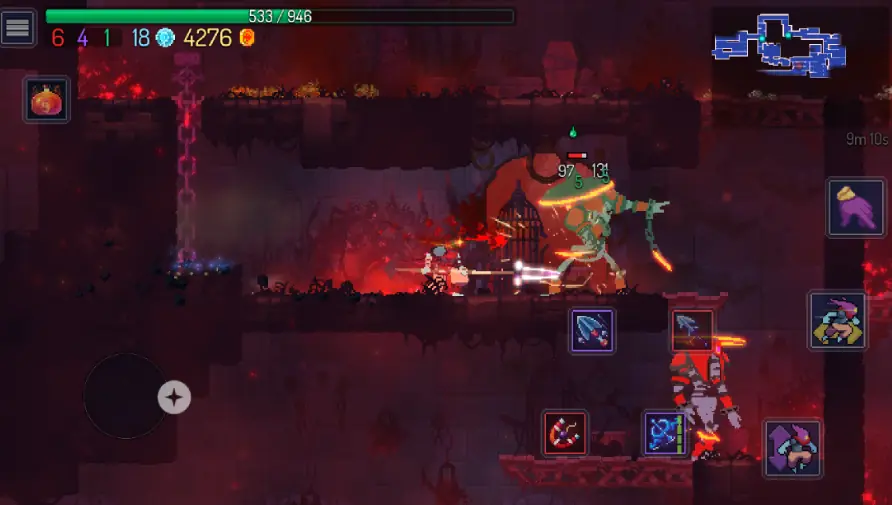
Dead Cells is one of the perfect game and which comes under 500mb and also provide high graphics quality in mid-range mobiles. It is like action game which consist of generated levels. The main reason for choosing in this list is because of the high graphics and the combat feels very genuine and enjoyable. And mostly it feels like realistic, animated.
I played this heavily on the Redmi Note 12 during a week without Wi-Fi. it worked perfectly with No lag issues, No heating issues, no frame drops, solid performance throughout it .
Dead Cells is a paid game which will be around 549rs on the Play Store you can buy from there, but it’s one of the few mobile purchases I have never questioned.
My Smoothness and Frame Rate Verdict: Dead Cells mostly uses a beautiful 2D pixel art style, which means it doesn’t overload your phone’s graphics processor. The combat scenes will run fast on mid range phone. The frames are locked at a smooth 60fps. And also The asset management is very highly stable, so your device will not lag even when the screen is full of enemy animations.
2. Pascal’s Wager ( 480MB)
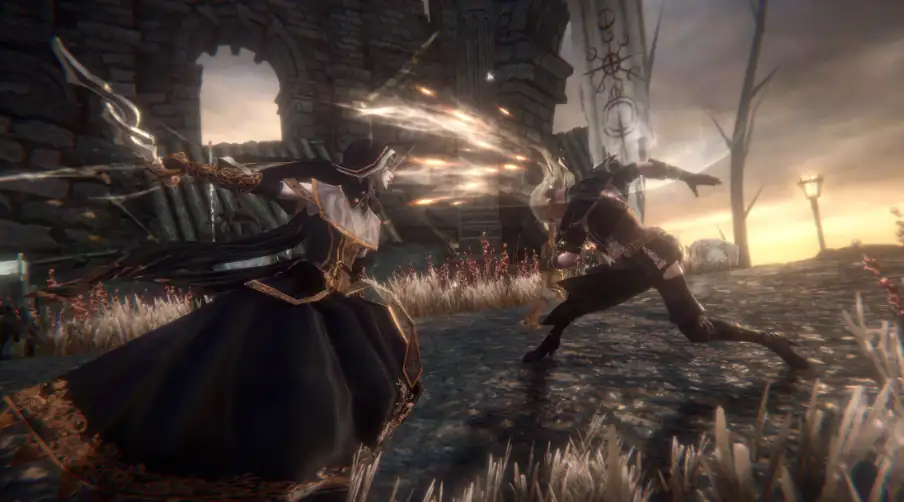
It is the wonderful game which consist of 480mb and it can easily work on low end devices. Pascal’s Wager is also known as ‘Dark Souls on mobile’. And The Above consist of 3D graphics which are genuinely very impressive. And here are mostly able to see character models, Atmospheric lighting and some what moody environmental design. The world has a dark and with a wonderful beauty. It is very too hard to find this mobile game under 500mb
And My honest experience on the Realme7 it worked very well without heating and No lag I have observed while playing the game. I observed the graphics are also some what good on my mobile. It’s ok best experience.
My Hardware Stress Test Note: This game will mostly uses complex 3D engine textures and deep atmospheric shadows, And also it pushes budget mobile hardware to its absolute limit. After i played this game for 20 minute, the processor area got warm. To avoid lag you should drop the rendering resolution to medium.
3. Monument Valley 2 (120MB)
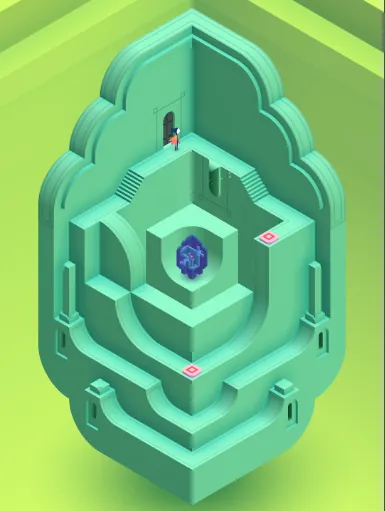
The monument valley 2 is a puzzle game. It is not an “action” game. But the game is very interesting with high visual quality of this game. This is the main reason why I added it into my list.
It is an architectural puzzle game where you must lead a mother and child through the impossibly difficult M.C. Escher-inspired structures. The geometry shifts and the stair cases loop back on themselves, And the pastel color palette looks well designed at the every frame. It is the best game which is provided in 120Mb which is remarkable. I have tested these game on my phone it gave a wonderful experience. And the game is an one-time purchase it may charge around 260rs and it is the kind of game you will finish it once you think about on week.
My Storage Indexing Verdict: This puzzle game is completely depend on isometric geometry which is very light weight game. And even it’s initial download size matches the final storage space perfectly, and it doesn’t load hidden data files in the background, and makes it perfect for low-storage phones.
4. Grimvalor (500MB)
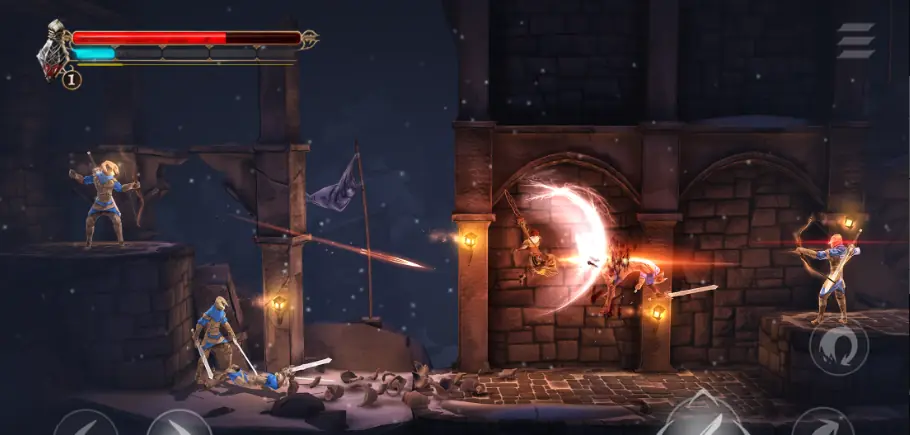
This is the one of the game which is criminally underrated and now understand why more people are not talking about it.
Grimvalor is a dark fantasy action game that combines both fast combat and platforming. Here You can explore mysterious locations with more powerful enemies, and you can face challenging bosses. The game features very smooth when it comes to controls, And it consist of beautiful environments, and exciting battles, which are making it one of the best action games available on mobile.
Honestly speaking, I have tried these game on my Realme7 it got handled without major issues, and no over heating. No lag issue I experienced a smooth game play. It is a free game where you no need to pay one single rupee which is completely free.
My System Input and Latency Check: The touch control layouts in Grimvalor are exceptionally well-optimized. The game will registers rapid button responses immediately without any touch input delay. Even during intense hack-and-slash animations, the system memory footprint will be under 200MB of active RAM.
5. Oceanhorn (266MB)
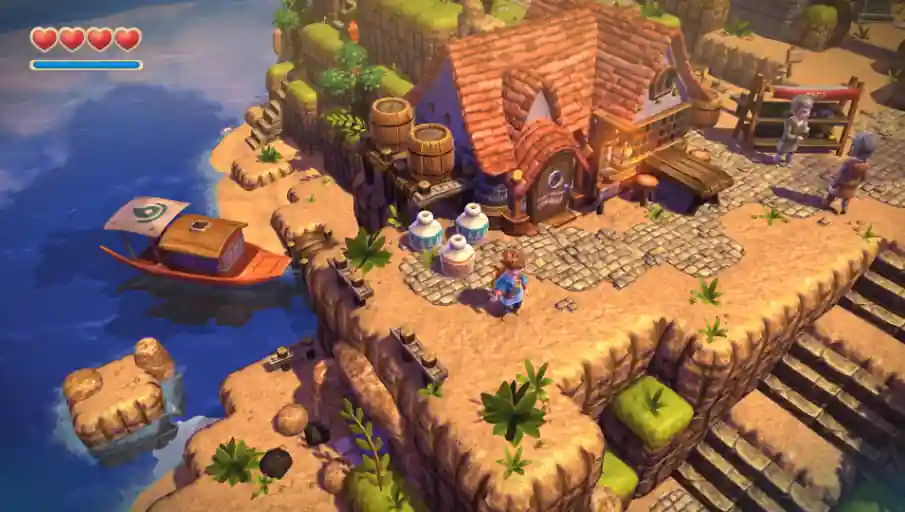
Oceanhorn is one of the best captivating and action adventure game. It takes players towards across the vast ocean which is filled with mysterious islands and hidden treasures. As a young adventurer, you need to find the main reason behind your father’s disappearance while facing the legendary sea monster. So, The game includes combination of both exploration and puzzle-solving and it feels like a console adventure titles. In this game Each island offers a unique challenges and more secrets. It delivers a premium gaming experience while playing the game.
I tried this game which consist of puzzle game i have solved some of the puzzles in a very way. And the game was very interesting you must try.
My Map Rendering Note: When you sail across the open water layout between islands, the game engine will texturizes elements on the fly. On budget devices, you will see minor graphical popping when you are trying to approach a new island shore. However, once the island assets load completely, the gameplay will be in very stable state.
6. RAID: Shadow Legends
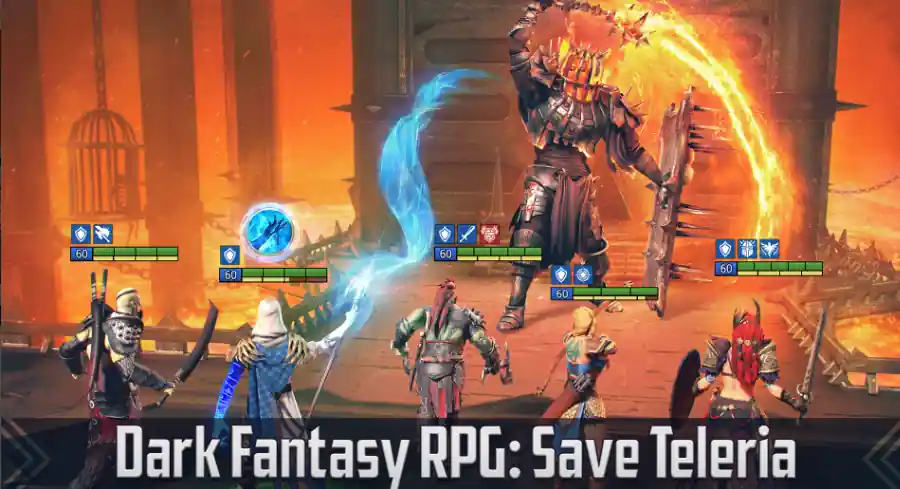
RAID: Shadow Legends is a popular fantasy RPG that lets players to build a team with a powerful champions and they can battle through a vast world which are filled with powerful monsters, and powerful epic bosses. The game features are hundreds of unique heroes from different factions, each hero consist their own abilities and playstyles to win the battle.
The game combines both strategic and combat with different character collections. Players can able to upgrade their champions, and also they can equip powerful gear, and can create team combinations to tackle challenging campaigns, there are PvP arenas, clan battles, and some special events. RAID: Shadow Legends provides a deep and rewarding RPG experience for both casual and dedicated players. And the game consist of High-quality 3D graphics and animations.
For players who want to actually enjoy hero collection games and tactical combat, RAID: Shadow Legends remains one of the most content-rich RPGs game available on mobile.
I tried a shadow legends game it was perfect for me and i played the game continuously for 2 hours. I recommend these game for those who want to play hero collection games.
My Real Data Storage Warning: Initially the setup file in the store looks very lightweight, RAID: Shadow Legends breaks the 500MB rule immediately after launching the game. It will forcefully downloads over 2GB of high-definition 3D assets to open hero collections. If your phone has less than 600MB of free space try to skip this one instead you can download Grimvalor or Monument Valley 2.
How I Actually Find Good Games Now (My Repeatable Process)
After spending too much time by leaving my actual work here’s my current process:
Step 1: YouTube first, Play Store second I Searched “[game name] Android max graphics gameplay” and watched someone’s play for 3–5 minutes. I installed it in my android i started playing it.
Step 2: Check the reviews, but read the 1-star and 2-star ones specifically. Real users will mention things like “game downloaded 800MB more data after install” or “looks some terrible on mid-range phones.” I followed reviews.
Step 3: Install and immediately check the real storage size : I will install the game and i will check real storage. I will go to my settings then i will check the size of the game. If it is ok i will keep, otherwise i will delete it.
Step 4: Look for a graphics settings menu : So, some games that let you adjust quality and Games with no settings menu will not prefer.
Step 5: Play for 20 minutes before deciding. When i install some of the games they run fine for the first five minutes and then it’s start’s heating up my phone and dropping frames once more content loads.
This is the process how actually i find good games.
The Hardware Reality
| Game | Budget (Helio G95) | Mid-Range (SD 4 Gen 1) | Good Mid-Range (Dimensity 1080) |
|---|---|---|---|
| Dead Cells | Minor occasional dips | Smooth | Smooth |
| Pascal’s Wager | Stutters + heats up | Medium settings OK | High settings fine |
| Grimvalor | Mostly smooth | Smooth | Smooth |
| Oceanhorn | Choppy in open areas | Playable | Good |
| Monument Valley 2 | Perfectly smooth | Perfectly smooth | Perfectly smooth |
A Few Things Worth Knowing Before You Download
One mistake many people make is that clearing the game’s cache to free up the storage. But it can help in some cases, it is not always a good idea for game storage. Mostly games store download assets in cache, and if you clear it. It may force the game to download everything again you try to open the game for next time.
If your phone supports the Vulkan graphics API, you can check whether the game provides a Vulkan option in graphics settings. So, mostly In many games, Vulkan can improve performance, and it can provide smoother gameplay, and even it can enhance visual quality.
Related Architecture Guides:
- If your phone gets hot or drops frames while running these high graphics titles, read my step-by-step tutorial on How to Reduce Lag in Mobile Games on Android.
- To clean up your background memory allocations before launching a heavy boss fight, check out my field guide on How to Speed Up Your Android Phone (No Fake Boosters).
Conclusion
Finding high graphics Android games under 500MB is not easy in 2026. Most of the mobile games require several GB of storage, But it is difficult to install on low end devices with limited space. There are still some excellent games that deliver High quality visuals, smooth gameplay without consuming high storage.
After personally testing each of these games, I found that titles like Dead Cells, Pascal’s Wager, Grimvalor, and Oceanhorn offer a premium gaming experience by staying with in a reasonable storage limit.
So, by the end of the day, great mobile gaming never minds about how much GB a game uses. It is completely all about how much fun you had while playing it. This list helps you to find your next favorite Android game without filling up your phone’s storage.
Why do some games under 500MB use more storage after you install them?
This is a very common issue with modern games like RAID: Shadow Legends. The initial store listing only covers the basic package file. The moment you open the game, it connects to remote servers and forcefully downloads massive data files to render high-resolution 3D models. Always check your storage settings after running a new game for ten minutes to see its true size.
2. Can clearing my Android phone’s cache free up permanent game space?
Honestly, you should avoid doing this. While it looks like an easy way to clear space, most games save their core visual assets inside that temporary cache folder. If you clear it, the game engine will simply force you to sit through a massive download screen the next time you open the app to get those files back.
3. What is the Vulkan API option inside mobile graphics settings?
Vulkan is a modern graphics system that gives mobile games direct access to your phone’s processor chips. If your smartphone supports it and you see a Vulkan toggle inside a game’s options menu, turn it on immediately. It naturally provides smoother frame rates and reduces battery consumption compared to older graphics systems.
4. Which game on this list runs the absolute smoothest on 2GB of RAM?
From my direct hands-on testing sessions, Monument Valley 2 and Grimvalor are the safest choices for low-end hardware. Because Monument Valley uses clean, static puzzles and Grimvalor features highly optimized 2D scaling logic, neither app will hitch or trigger system out-of-memory crashes on older devices.