If your Android phone has less storage and you are not able to have fun playing games. So, here I have found 8 lightweight android arcade games under 20 MB, and additionally, it is available on Google Play. You can choose your game based on the type of game you like.
Looking for an Arcade Game That Doesn’t Take Up Much Storage?
Today, most Android games are taking hundreds of megabytes. And some of the games download extra files after installing the game from the store. That’s fine if your phone has plenty of storage, but it will be annoying if you are using an older phone or a phone which doesnot have free space left.
These arcade games are simple and don’t need a lot of space. Actually, you can start it by playing them quickly without a huge download.
For this, I checked the games on the Google Play Store, and I mostly avoided APK websites or other third-party sources.
I also ignored some of the older games that are not working properly on new Android phones. I focused on games that are still available, and you will feel worth while playing them.
What Counts as a Lightweight Game Here?
So, while choosing the games for this list, I have followed some simple points:
- Whether the game is available on the Google Play Store
- Its listed download size is around 20MB or less
- It has arcade or arcade-style gameplay
- Is it suitable for short gaming sessions or not?
- I checked the current Google Play Store listing
- I have not included any third-party APK download links
And the main thing you should keep in mind is that the size shown on Google Play is not permanent. The amount of storage will increase based on your use. Mostly, updates, saved data, or any other files can increase the space after complete installation.
8 Best Android Arcade Games Under 20MB: Quick Comparison
| Game | Listed Size | Main Gameplay | Offline | Last Updated | Ads |
|---|---|---|---|---|---|
| One More Brick | Less than 10MB | Brick breaker | Yes | August 2026 | Yes |
| Phasora: Neon Reflex Game | Under 10MB | Reflex arcade | Yes | August 2026 | Yes |
| RetroBlast: 4 Arcade Classics | Under 5MB | 4 retro games | Yes | April 2026 | Yes |
| Pin Ball Space Adventure | 7MB | Pinball | Not stated | June 2026 | Yes |
| Eskapa | Under 15MB | Reflex/dodging | Yes | April 2026 | Optional |
| AirGoal: Flappy Football | Under 20MB | Football arcade | Yes | May 2026 | Optional |
| Kirpichi | Less than 5MB | Brick breaker | Not stated | October 2024 | Yes |
| Stuck in Circle: Twisty Arrow | Less than 5MB | Tap/reflex arcade | Not stated | October 2025 | Yes |
1. One More Brick — Best Overall Lightweight Arcade Game
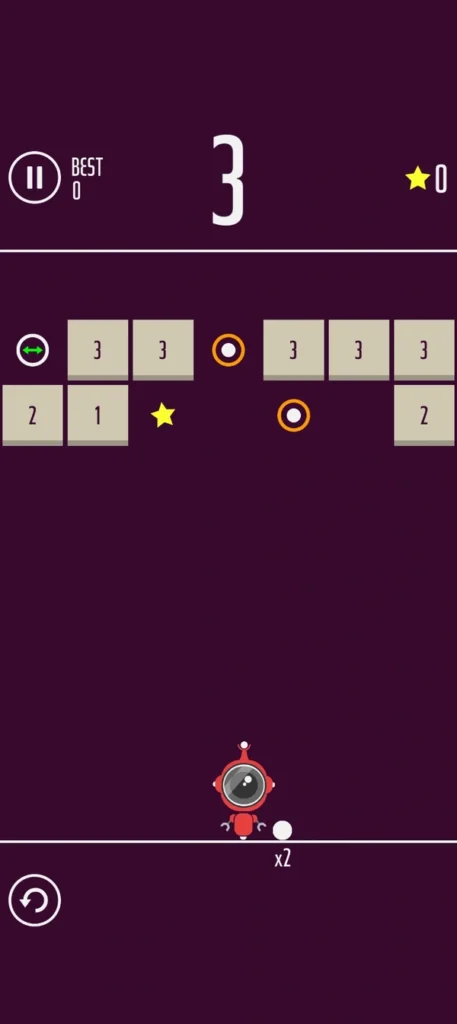
If I have to pick one of the best games from the list, I will choose One More Brick as my first Choice.
The main reason is that it is a small game, but still a lot of people are playing it. And the game was last updated in August 2026, which means the game is still being maintained.
The gameplay is very simple. You should aim and shoot balls at the bricks and try to clear them very fast before the bricks reach the bottom. There are different balls and power-ups, which do not make you to feel bored while playing.
Key features of the game:
- Less than 10MB
- Can be played offline
- Endless mode
- Level-based mode
- Different balls to unlock
- Ball skills
- Power-ups
- One-thumb controls
- Can be played with one hand
- Contains ads and optional in-app purchases
Why I recommend it
For me, One More Brick is a well-balanced game with a small download size. Additionally, it has millions of downloads, plenty of reviews, and is still being updated.
If you want to install just one lightweight arcade game instead of trying several games, this is the one I would start with.
Privacy
When it comes to privacy, according to the Google Play listing, the app may share location with third parties. It may also collect location, app information, and performance data. Google Play says the data is encrypted in transit and that you can request deletion of your data.
Best for
Best for anyone who wants a small, simple arcade game that they can play offline.
Storage Optimization & Micro-Lag Check: This game completely depends on clean 2D vectors instead of heavy 3D files, it installs inside a tiny data footprint. When I played a session on my 3GB RAM phone, it only used about 30MB of working memory that’s it. The one-thumb aiming response handles very smoothly, but if your phone storage is near full, then try to clear the local app cache once a month to prevent ball-splitting drop stuttering.
2. Phasora: Neon Reflex Game — Best New Reflex Game
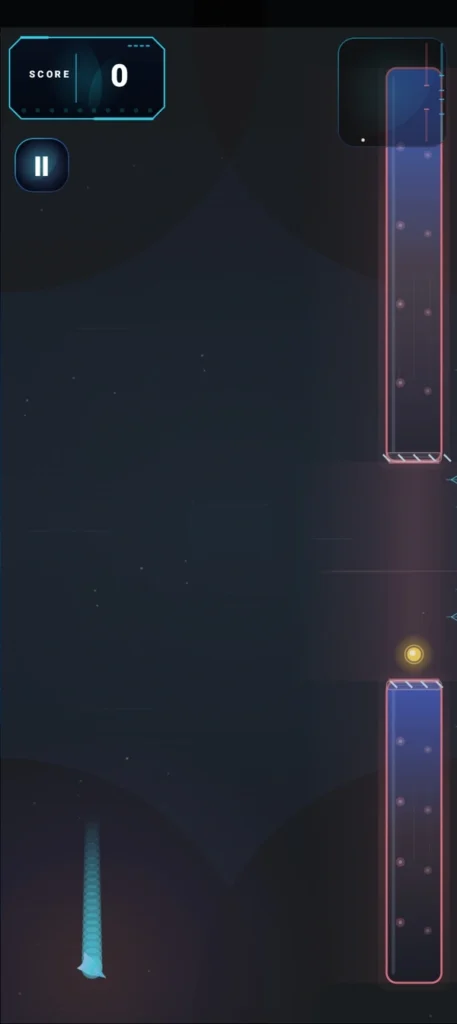
Phasora is a new lightweight arcade game. This game mainly focuses on one-tap reflex gameplay.
The gameplay is like a glowing orb moving through obstacles while trying to survive or reach a high score. The developer has listed 10 different modes, which include obstacles, rings, and meteors.
Key features
- Under 10MB
- One-tap controls
- 10 gameplay modes
- Offline support
- High-score gameplay
- Unlockable themes and orb skins
- Daily goals and streaks
- Leaderboard
- No account required
What makes it different?
Phasora is aimed at people who enjoy games for playing two minutes; if you lose immediately, you can press retry. It is one of the best newer games, which makes more sense for a 2026 recommendation.
One drawback
The smaller number of downloads doesn’t mean the game is bad. It just doesn’t have as many downloads and reviews as One More Brick, so there is less feedback from users.
Privacy
According to Google Play, Phasora may share device or other IDs with third parties. The app may also collect app activity, app information, and performance data. Google Play says the data is encrypted while sending, and you can request deletion of your data.
Best for
Players who want a small, modern reflex game rather than another retro clone.
My frame rate and latency test: Phasora is very responsive with neon glowing orb graphic layouts that refresh dynamically. The single-tap controls display zero touch input lag, which is absolutely vital for a fast reflex arcade setup. The asset parsing is immediate, so hitting the instant retry button will not freeze your background process.
3. RetroBlast: 4 Arcade Classics — Best Variety
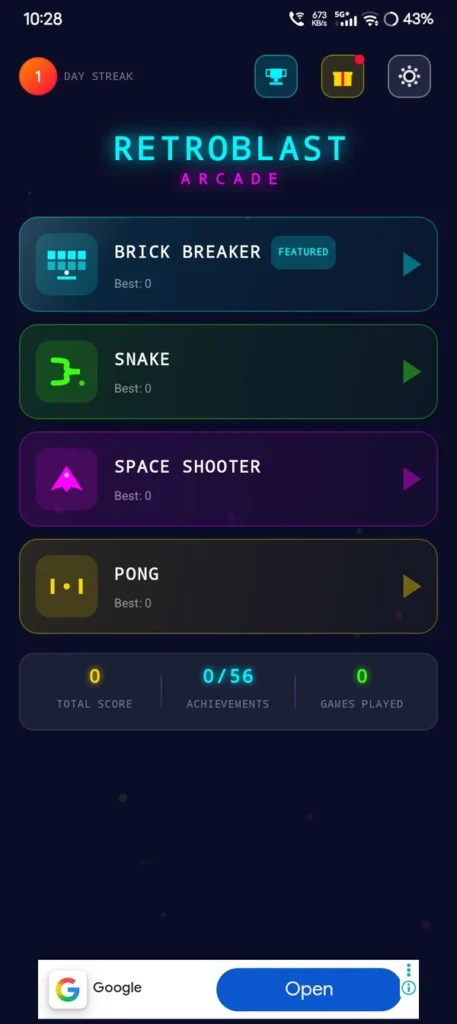
RetroBlast is one of the different game when compared to other games on this list. Here you can see and get four different games in a single app.
Those four different games are:
- Brick Breaker
- Snake
- Space Shooter
- Pong
This game can be played offline. It also has different difficulty levels, achievements, and leaderboards with a daily reward system.
Why it stands out
The main reason for including RetroBlast in my list Because it provides a large amount of content in a small-sized game.
Most of the small games you will install and you will play it and then delete, whereas RetroBlast has four different games you can switch to different game when you are bored.
Here you can choose the Snake game for something simple. If you want a quick game, try Pong. If you want to play faster, go with the space shooter
Pros
- Under 5MB
- Four games in one app
- Offline gameplay
- No in-app purchases according to the listing
- Different difficulty levels
- Achievements
- Local leaderboards
Cons
- Relatively new
- Contains ads
- Its privacy disclosures include several types of data
Best for
Users who want several simple arcade games without using much storage.
How it actually handles on 2GB RAM: RetroBlast: 4 Arcade Classics has four separate classic games into a package this is the best optimization achievement. I tested switching rapidly between the Snake loop and the space shooter level layout on a basic My device. Memory indexing remained very stable under 40MB without killing background audio streams.
4. Pin Ball Space Adventure — Best Tiny Pinball Game
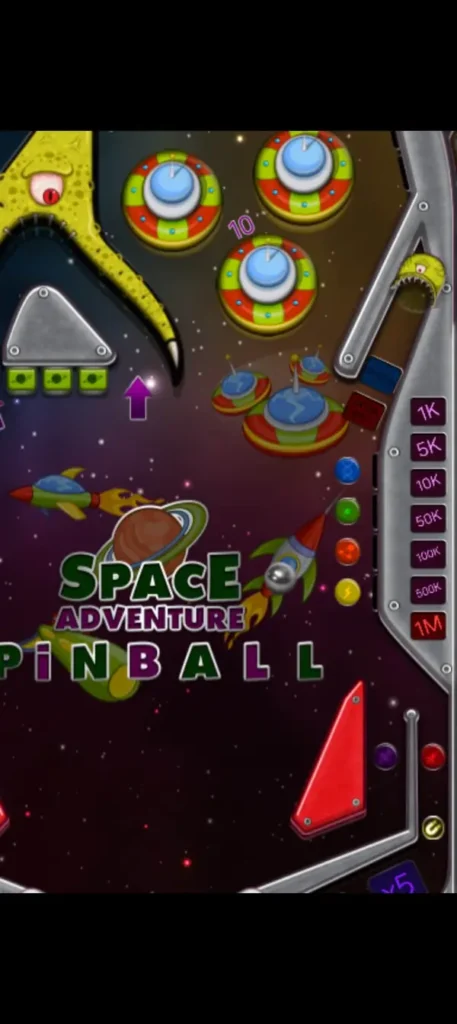
If you are bored with playing brick-breaking and reflex games, then move to Pin Ball Space Adventure, which gives you a simple pinball option.
Mostly, the game takes up only a small amount of storage. The main idea of the game is simple: You need to control the flippers and try to keep the ball from falling. It consists of physics, gravity, and the best sound effects and animations.
Key features
- 12MB listed size
- Pinball gameplay
- Physics and gravity
- Simple controls
- Sound effects
- Animations
- Free to install
Is it worth installing?
Yes, it is worth installing the pinball game. Don’t expect lots of game modes or characters. Because it is a simple pinball game. It does not take much storage. Make sure try one.
This is a very simple pinball game, and that may be exactly what some users are looking for.
Best for
Pinball fans who want a simple game that takes very little storage.
My honest physics calculation verdict: This mini pinball setup to processes core gravity ball physics. When the ball ricochets rapidly off multiple table bumpers simultaneously, the frame rendering stays locked without drops. It is very lightweight game and it is perfect for low storage in your device.
5. Eskapa — Best Pure Reflex Challenge
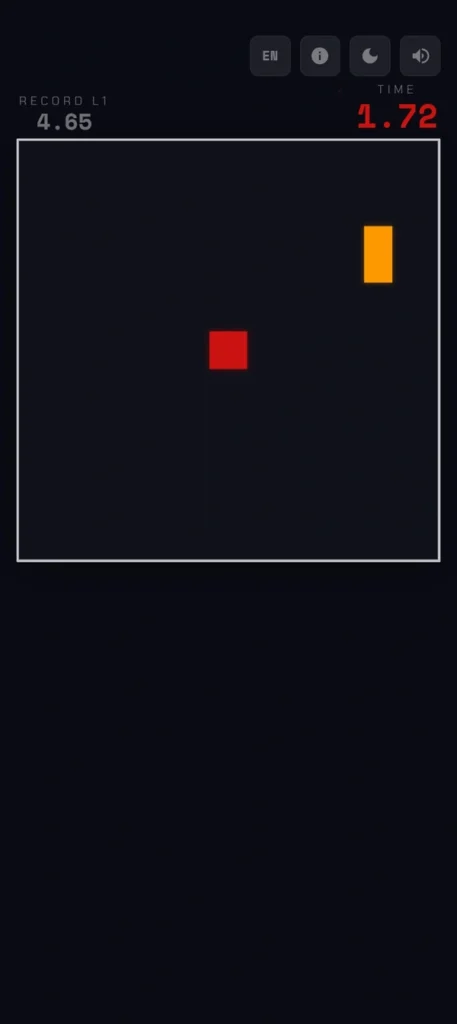
In this game, you should move your square and make sure you don’t hit anything.
You should drag your finger around the screen to control the red square and avoid the blocks to move towards the arena. There are 24 levels in the game; the difficulty make increases as your level increases. A dual arena mode is also added from level 13.
Key features
- Under 15MB
- 24 levels
- Offline play
- Increasing difficulty
- Dual-arena mode
- High-score saving
- Dark and light themes
- English and French languages
- No account required
- No in-app purchases
This game is designed only for short sessions, so you can play it while commuting.
Why I like it
This game is very easy to play. Here you simply need to move the square and avoid the blocks to stay alive in the game. Eskapa is a good choice if you are searching for a simple game to play for a few minutes.
Best for
Players who enjoy simple reaction and dodging games.
How it handles on my 3GB phone: Eskapa is just a simple basic square moving around avoiding falling shapes, so mostly it will not uses system resources. When I played through the higher dual arena levels on my budget phone, the frame rate was stable and perfectly locked at 60fps. And it took less than 25MB of working phone memory, which means you can open and close it instantly without any home screen lag.
6. AirGoal: Flappy Football — Best Offline Football Arcade Game
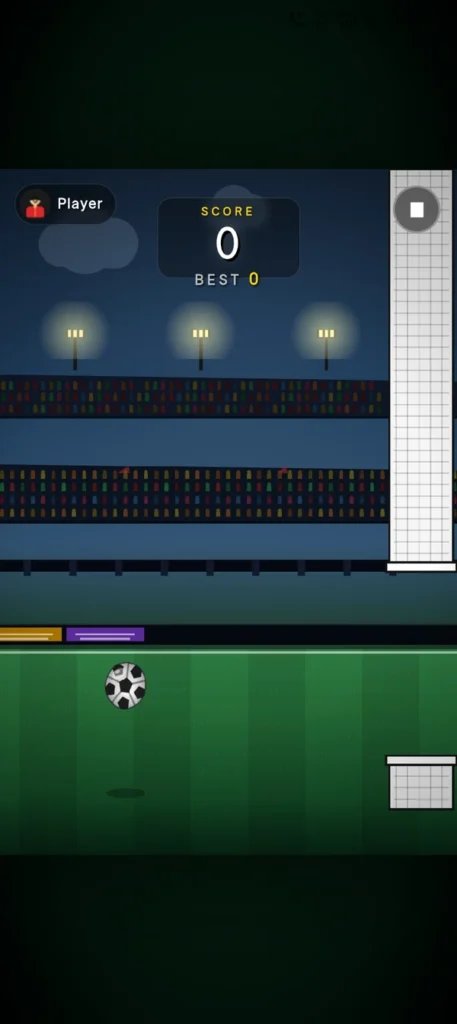
AirGoal takes the one-tap flying idea and which gives it a football twist.
You should tap the screen to keep the football in the air, and you should try to pass through the gaps between the goalposts and the goalkeeper’s gloves without hitting anything.
It is a simple pick-up-and-play football arcade game. It can also be played completely offline, so you don’t need an internet connection to play this particular game.
Key features
- One-tap controls
- Offline gameplay
- Football theme
- Under 20MB
- No account
- No registration
- Optional advertisement
- No loot boxes
- No energy system
- No pay-to-win mechanics
Privacy
The Play Store currently says that no data is shared to third parties and no data is collected.
Best for
Football fans who want an offline arcade game without a large download.
My lag and memory review: This game has full football textures, the overall engine layout is very lightweight. And It occupies roughly 40MB of data space after installation. Tapping to keep the ball airborne feels very responsive, and the game do not run any background network tracking tasks while you are playing offline, which completely helps in saving your battery.
7. Kirpichi — Best Ultra-Small Brick Breaker
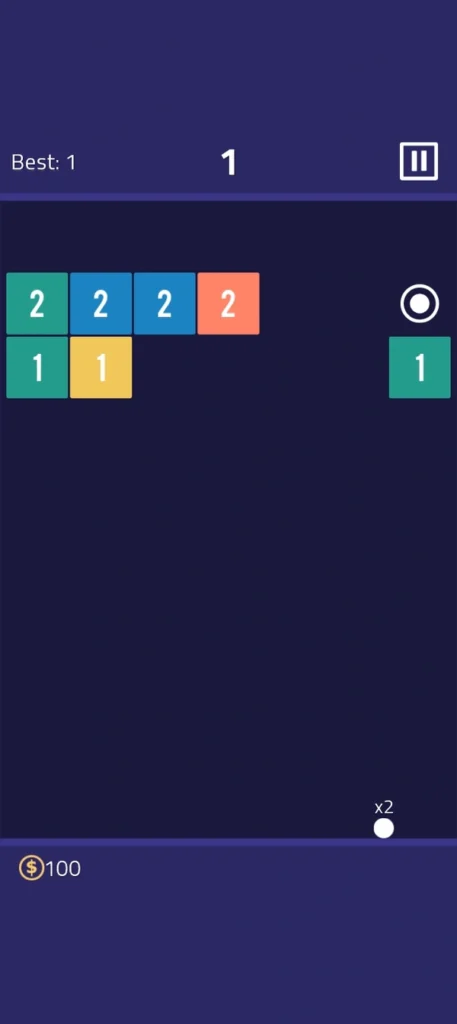
Kirpichi is a simple brick-breaker game that keeps the gameplay very basic.
You should tap the screen and swipe down to throw the ball towards the bricks. Each brick has a number, and you need to hit the brick until the number reaches zero. Once the number reaches zero, the brick will break.
This game will take very little storage when compared to most Android games.
Key features
- Less than 5MB
- Brick-breaking gameplay
- Simple touch controls
- Arcade gameplay
- Free to install
- Contains ads
Privacy
When it comes to privacy, the app may share location, app activity, and other information with third parties. And it says no data is collected.
Best for
Users whose biggest priority is keeping the game download extremely small.
My honest hardware verdict: Kirpichi is normal tiny game, which takes less than 5MB of space on your phone storage. And the graphics are super simple, it runs very easily on any basic phone without using any active RAM. The only thing to note is that it triggers a short ad when you finish levels, but the gameplay loop is completely smooth and stutter-free.
8. Stuck in Circle: Twisty Arrow — Best for Quick Tap Sessions
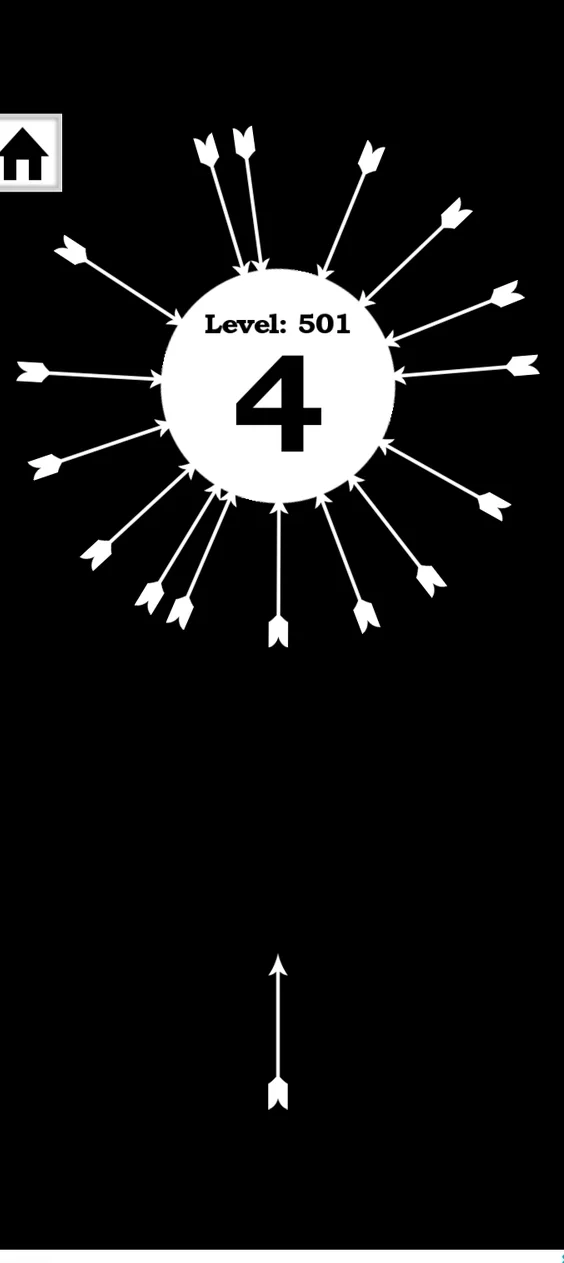
Stuck in Circle is one of the simplest games. In this game, you should shoot arrows at a rotating circle. The tricky part is that you should avoid arrows that are already stuck in the circle.
As you play the game, the circle starts rotating and twisting in reverse directions at different speeds.
Key features
- Less than 7MB
- Tap controls
- Increasing difficulty
- Simple arcade mechanics
- Sound effects
- Free to install
Privacy
When it comes to privacy, the app may share device information with third parties. This application will not collected. Data will be encrypted in transit.
Best for
Players who want an extremely small game for quick reaction-based sessions.
My storage optimization check: Shooting an arrows into a spinning circle uses a basic 2D rotation logic, so it will does not heat your phone at all. I played through 20 levels consecutively on my low storage test device, and the background memory is under 20MB. It handles perfectly on older Android versions without causing sudden app crashes.
Are These Lightweight Arcade Games Safe?
Actually, the game does not automatically mean that the app is safe. I recommend try to download these games from Google Play and making sure to check the Data safety section before installing.
The privacy information will be completely different for each game. For example, Google Play currently says that Pin Ball Space Adventure and AirGoal don’t share data with third parties and don’t collect data
How to Download These Games Safely
1. Open the Google Play listing
Use the official Google Play link for the game that you want to download.
2. Check the developer
Before tapping Install, verify that the developer name matches the listing or not.
3. Check compatibility
Check compatibility if it is compatible, then only install; don’t try to install it from a third-party application.
4. Read Data safety
Make sure to read the data safety section before installing. Try to scroll down to the Data safety section and see what information the developer says.
5. Install directly from Google Play
Tap Install on Google Play to install the game.
Final Verdict
If you want a lightweight arcade game for a low-storage Android phone, you have several good options on Google Play. You can install and have fun,
One More Brick is my overall pick because it combines a small size with offline play, millions of downloads, and recent updates. If you want something newer to play, Phasora is the best one because it is reflex-based gameplay, whereas RetroBlast is a good choice if you want several simple games in one app.
If you want to prefer a specific type of game, Pin Ball Space Adventure is the best one for pinball fans, Eskapa is reaction-based gameplay, and AirGoal is for football.
Just remember one thing: a game listed at under 20MB will not necessarily use exactly that much storage only after installation. It will have additional files; due to these additional files, the storage may increase.
Related Gaming Guides:
- If you want to discover larger open worlds that easily run on budget hardware, read my full review of the Best Android Open World Games for Low-End Phones.
- To enjoy complex management and building challenges completely offline, check out my field guide on the Best Android Simulation Games Offline.
FAQ’s
1. Which game on this list has the smallest installation size?
Titles like Kirpichi and Stuck in Circle: Twisty Arrow are incredibly small, taking up less than 5MB of initial space. They use very simple textures and clear 2D physics models, making them perfect if you have an absolute minimum amount of room left on your device storage.
2. Can I play all eight of these arcade titles without mobile data?
Yes, the vast majority of these titles support complete offline play once you clear the initial setup screen from the Play Store. They are highly optimized for short gaming sessions when you are traveling through areas with poor network coverage or weak signals.
3. Do these low-MB arcade games contain annoying advertisements?
Most free, ultra-lightweight games rely on short ad clips or optional revival videos to earn revenue since they do not charge any upfront purchase fees. If you want a completely clean screen layout, look at games like AirGoal or Eskapa, which offer optional placements instead of heavy pop-ups.