Introduction
Maintaining a small shop, service center, or small startup in India will be somewhat challenging. Because it takes more time to make hand-written invoices and GST calculations, it will completely slow down your work or growth. Actually, a smart automated billing application can generate GST invoices without error in a fraction of seconds which will save your time.
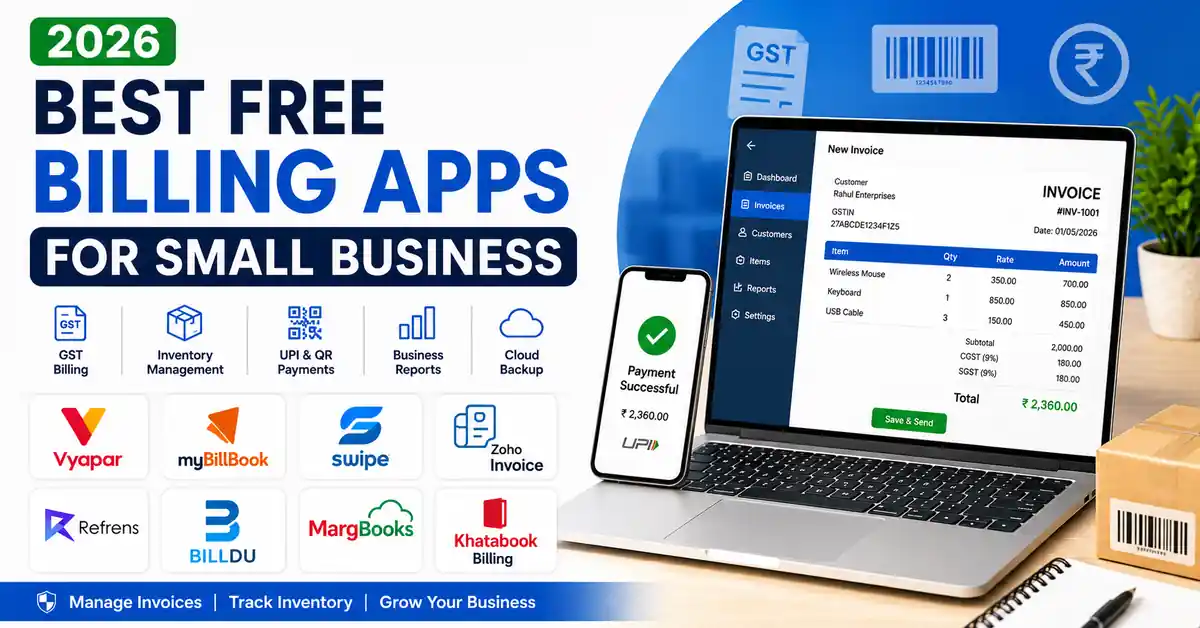
There are so many best free billing apps for small businesses. I have found so many applications on playstore. After trying some of the applications. I have filtered the top 8 best applications that will genuinely help you. Here you will find detailed information about free billing apps for Android.
Quick Comparison Of Billing Apps:
Actually, not all the apps are free. Mostly, some of the apps will give you basic features without the need of premium. Whereas others will provide you with a short trial or a limited number of invoices or reports. Before choosing the application, you should understand what features are included in the free version.
Best Free Billing Apps for Small Business
| App | Best for | GST billing | Inventory | Offline billing | Free plan |
|---|---|---|---|---|---|
| Vyapar | Retail shops, kirana stores | Yes | Yes | Yes | Free mobile plan |
| myBillBook | Small businesses, retail | Yes | Yes | No | Free trial |
| Swipe Billing | Retail stores | Yes | Yes | Yes | Free with limits |
| Zoho Invoice | Freelancers, service businesses | Yes | No | No | Completely free |
| Refrens | Freelancers, agencies | Yes | Basic | No | Free plan |
| Billdu | Freelancers, international users | Basic | No | No | Limited free plan |
| MargBooks | Retailers, wholesalers, pharmacies | Yes | Advanced | No | Free trial |
| Khatabook Billing | Small shops, credit tracking | Yes | Basic | No | Free core features |
1. Vyapar
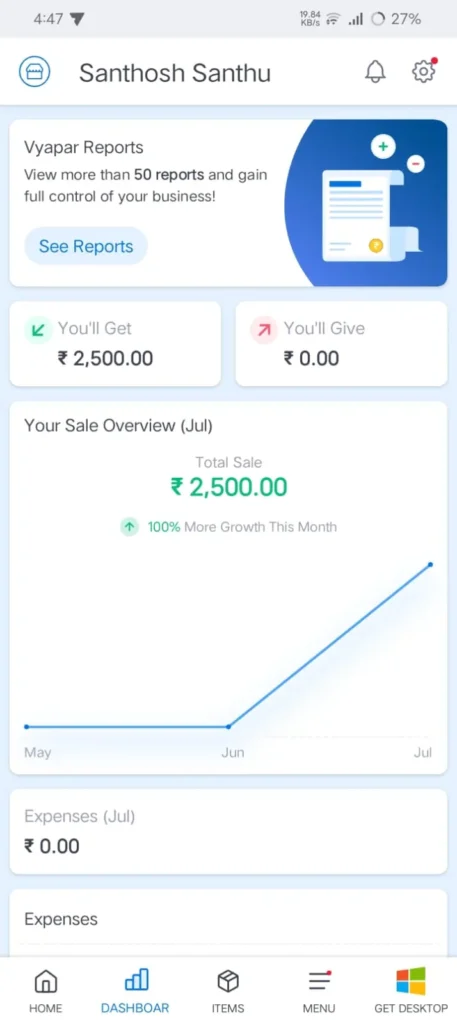
Vyapar is one of the trusted billing applications for small businesses. Because it helps in combining GST billing, inventory management, and expense tracking. It is the best mobile application which more useful for shop owners who want to manage or track their daily sales from their mobile.
This application allows you to create a GST and a non-GST invoice or bills through their WhatsApp, so that you can easily manage customer accounts and payments. And the best thing is, you can keep your inventory updated after every sale.
The best feature of Vyapar is offline billing. You can use this application without an internet connection. It provides the best experience with advanced features. Premium reports it requires a paid subscription.
Pros
- Beginner-friendly interface
- Excellent free mobile version
- Fast invoice generation
- Reliable inventory tracking
- Suitable for most retail businesses
Cons
- The desktop version is paid
- Some advanced reports require premium plans
2. myBillBook
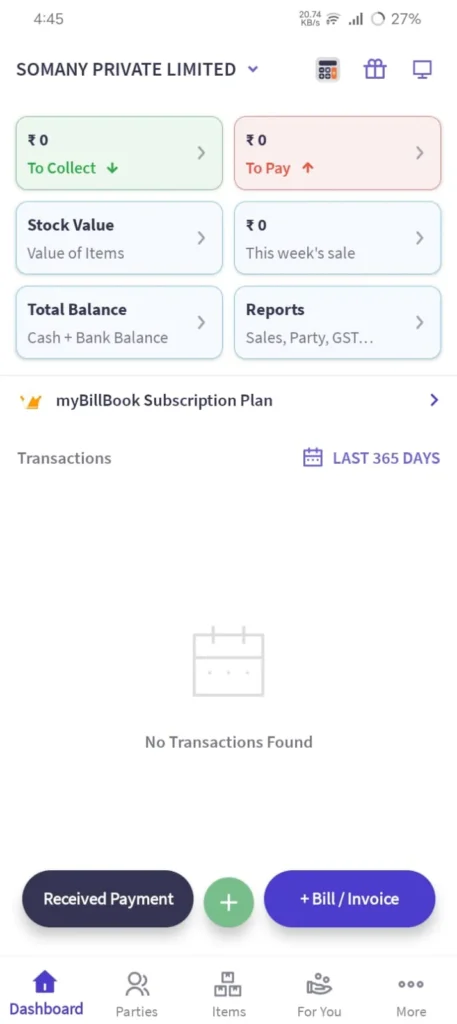
MyBillBook is one of the best billing applications. It provides the best business management features like employee management, custom records, and business reports. It also helps in making GST billing. It is one of the most suitable applications for basic invoicing.
The interface of the application is very clean and easy to navigate. It allows users to create professional invoices without any training. You can share your invoices through WhatsApp, which helps in maintaining records.
The main disadvantage of the free version is that it provides a trial period. If you are planning for premium features, you need to subscribe paid plan.
Pros
- It has a modern and user-friendly interface
- It is rich in business management features
- It provides a good inventory management
- It maintains detailed reports
Cons
- In the free version, it has a limited free trial
- Requires subscription after the trial period
3. Zoho Invoice
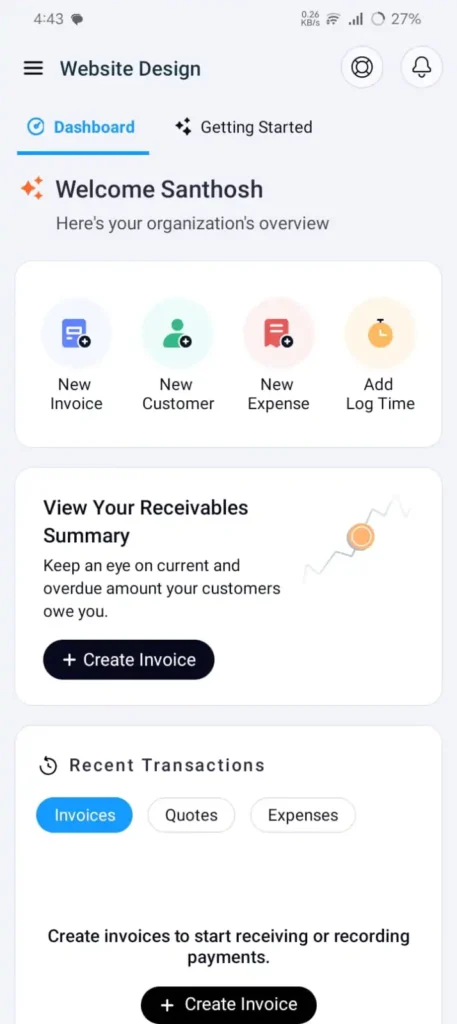
Zoho Invoice is the best one for freelancers and also those who provides service based businesses. Zoho mainly focuses on creating professional invoices, managing customers or clients, and tracking expenses. This application provides invoice templates, and you can able to customize those templates according to your needs. It consists of a clean interface where you can easily manage multiple clients without the need of accounting knowledge.
Pros
- It is free for many users
- It consists of professional invoice designs
- It is very easy to learn
- Excellent for service businesses.
Cons
- No inventory management
- Not suitable for product-based businesses
4. Swipe Billing
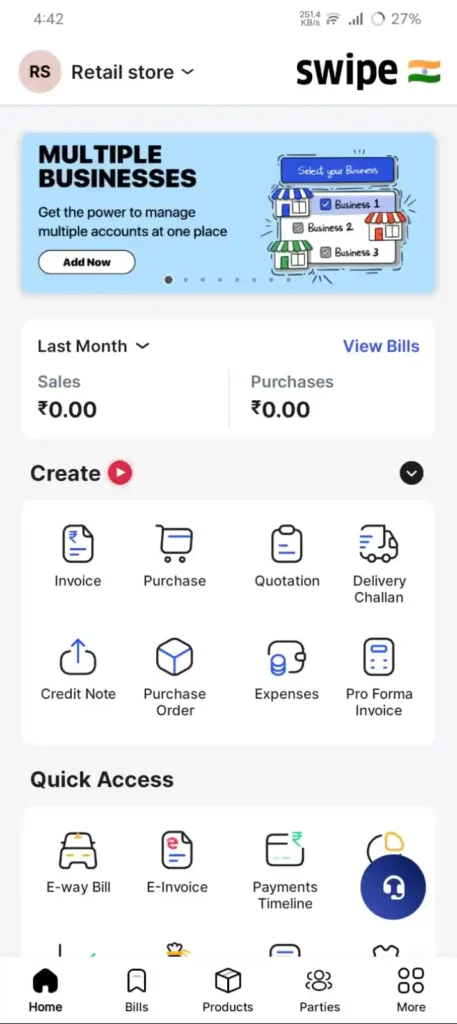
Swipe billing is one of the popular choices for retail stores because it mainly focuses on speed and simplicity. If you get so many customers, you need to create invoices very quickly and fast. Swipe Billing enables you to generate professional GST invoices in just a few steps that will automatically calculate taxes.
This application will also support QR code and UPI payments, without the need of carrying cash. And another advantage is that it helps in monitoring stock levels and tracking product variants, etc. You will receive low stock alerts when items run out.
If you want Tally integration, multi-user access, or additional reporting tools, you need to go with a paid plan.
Pros
- Fast invoice creation
- Beginner-friendly interface
- Good free features
- Reliable inventory tracking
- Excellent for retail stores
Cons
- Some advanced reports require paid plans
- Premium features cost extra
5. MargBooks
MargBooks is one of the cloud-based GST billing software which is developed by MargERP. This application is especially made for retailers, wholesalers, pharmacies, and some small businesses. MargBooks helps you in managing invoices and inventory accounting.
It has one advanced feature, which is barcode billing using a smartphone. It enables you to create invoices very quickly and reduce manual errors while creating invoices. It also supports making GST reports, payment tracking, and WhatsApp invoice sharing, etc. It is best suited for those businesses that need access to data from multiple devices.
Pros
- It is a Cloud-based software
- It is best suited for retailers and wholesalers
- It has a barcode billing support
- Multi-device access
- Strong inventory management
Cons
- Some advanced features require a paid subscription
- May have a learning curve for first-time users
6. Khatabook Billing
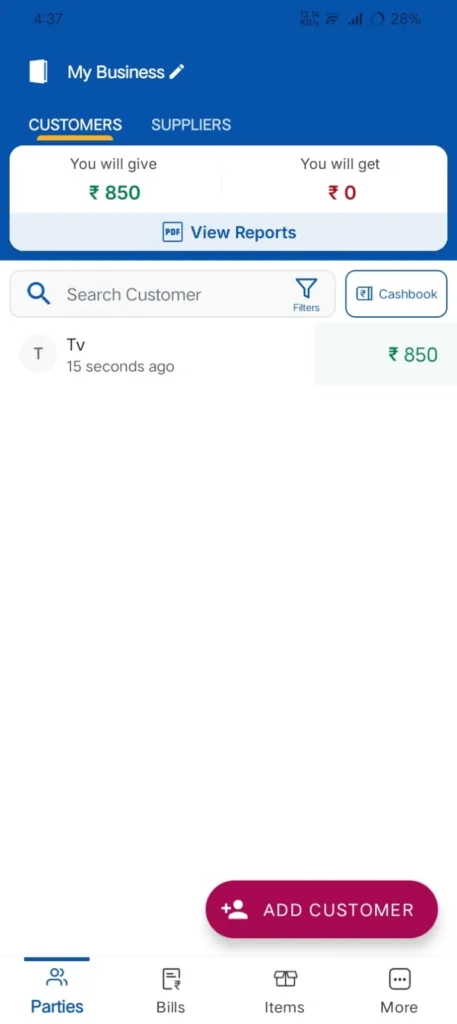
Khatabook Billing is a simple ledger application that helps shop owners to record customer credit. It helps in GST Billing, payment reminders, and invoice generation. And makes it useful for small businesses that who want both billing and customer management.
This application is very easy to use and makes a great choice for users who are new to digital billing. In this application, businesses can create invoices, record customer balances, and receive UPI payments, and you can back up data to the cloud.
Pros
- It has free core features
- It consists of a very simple interface
- Good customer credit tracking
- Fast setup
- Cloud synchronization
Cons
- Basic inventory management
- Limited reporting options
7. Refrens
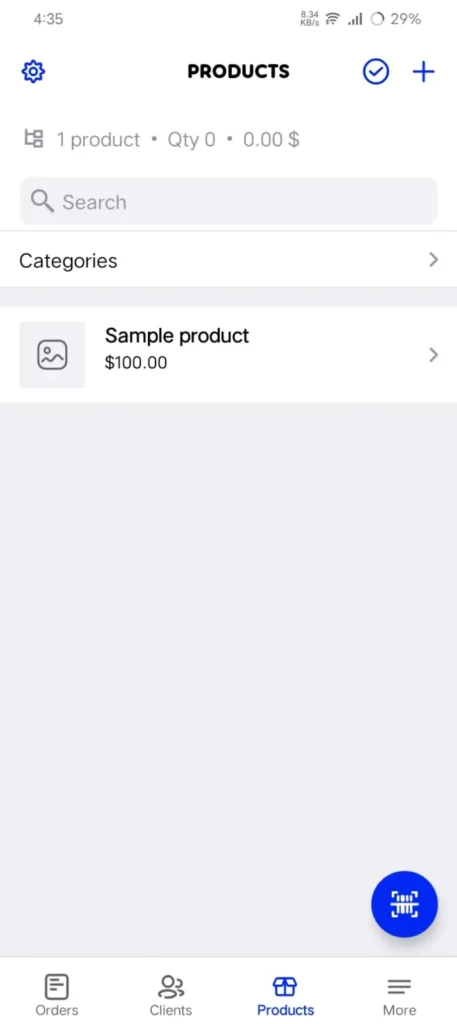
Refrens is especially designed for freelancers, agencies, and service providers. It will mainly focus on creating professional invoices and client documents.
One of its best features is that it can create invoices in multiple currencies, and it also supports GST billing for Indian customers. In this application, the free plan is suitable for businesses with low invoice volumes. If your business increases, then you should prefer the paid plan.
Pros
- Excellent for freelancers
- International invoicing
- Professional templates
- Easy to use
Cons
- Limited free documents
- Not suitable for retail inventory
8. Billdu
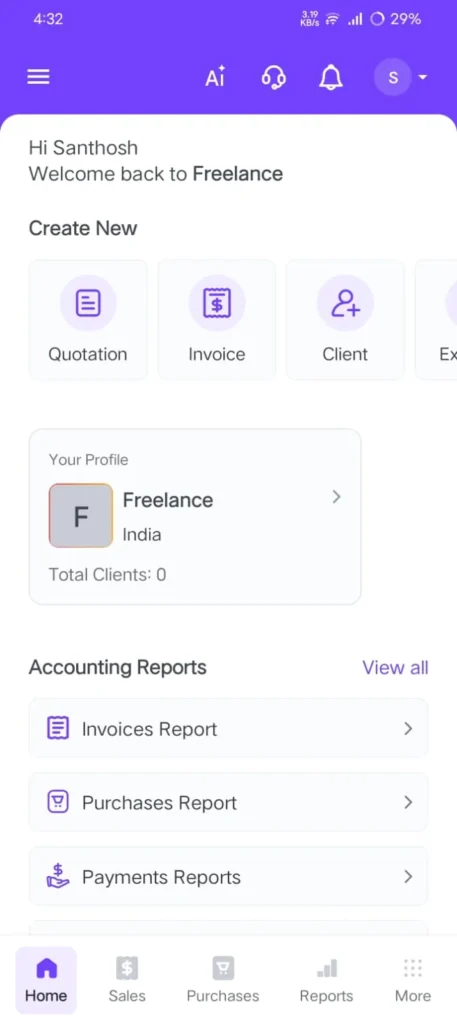
Billdu is one of the international invoicing platforms that is suitable for freelancers and service providers. This application is for those who need simple invoice creation without any complex features. Users can able to create quotations, purchase orders, etc.
The Billdu supports invoicing, but it is not specially built fo indian GST workflows. By using these application you can do client management, and also it provides an easy, modern interface.
Pros
- Modern interface
- Easy invoice creation
- Supports international businesses
Cons
- Limited free version
- Basic GST support
- No advanced inventory
Free vs Paid Billing Apps
Free billing apps are the best for startups and some small businessess which provides with some basic invoicing requirements. And also, they usually include GST billing, customer management, and inventory tracking. As a startups you can go with free plans. If your business grows, then paid plans become more valuable. Actually, the paid plan offers more advanced reports and multi-user access. It offers cloud synchronization, barcode management, etc.
If your business generates only a few invoices per day, then the free plan is more than enough. If your business has multiple employees or large inventories, you should go with the paid plan for more efficiency.
How to Choose the Right Billing App
Choosing the correct billing app will be based on the business that you are running. You need to choose the perfect app that supports GST invoices, and it should be able to manage your inventory, especially if you are selling products. The application should make simple billing that helps you to grow fast. And try to make sure that the app provides a cloud backup to save your data if you lose your phone.
If you are accepting digital payments, you should select an app that supports both UPI and QR code payments. Make sure the chosen application has customer support, because if you need any help while setting up invoices, or if you need more advanced features. Before deciding, try to compare the free plan with the paid plan.
Also Read: Best File Manager Apps for Android (2026 Guide)
Also Read: Best PDF Editor Apps for Android in 2026 (Tested)
Also Read: Best Coding Apps for Android (Tried & Tested in 2026)
Conclusion:
By concluding i can say choosing the best billing app is completely based on your business type. If your business is like Retail stores, then you should choose Vyapar or Swipe Billing.
If you run pharmacies and wholesale products, then you can prefer MargBooks because it contains advanced inventory capabilities. If you are a freelancer, then you can choose Zoho Invoice. Refrens is more suitable for both freelancers and consultants because of its clean invoicing tools and client management features.
Before deciding on a billing app, try to compare the latest pricing, free plan limits, and features of all the apps. Make sure the best billing app should simplify invoicing, and also it should save your time by avoiding errors and managing daily operations more efficiently.
FAQ’s
1. Which is the best free billing app in India?
Vyapar is one of the best choices for those who do retail businesses because it combines GST billing, Inventory management, and is able to create invoices very easily with a user-friendly interface.
2. Which billing app is best for freelancers?
Zoho Invoice and Refrens are excellent options for freelancers and service-based businesses because they will mainly focus on professional invoicing.
3. Can I generate GST invoices for free?
Yes. Several apps, including Vyapar, Zoho Invoice, Swipe Billing, and Khatabook, offer GST invoice generation in their free or basic plans.
4. Which billing app supports inventory management?
Vyapar, Swipe Billing, and myBillBook provide inventory management features.
5. Are billing apps safe?
Yes, billing apps are safe, but you should install it from trusted sources. Don’t try to install third-party billing apps because they are not safe.