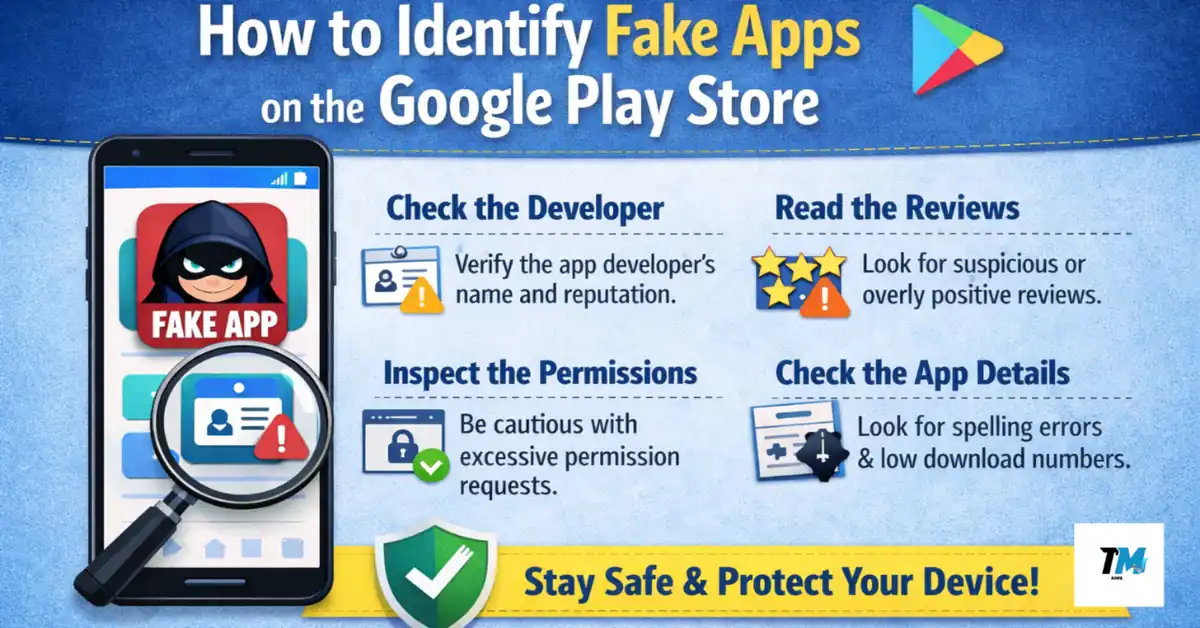
Most people believe the Google Play Store is completely safe. After all, it’s Google’s platform, and millions of users download apps from it every single day for banking, shopping, learning, gaming, and staying connected with others. While the Play Store is far safer than random app websites, it is not perfect.
The uncomfortable reality is that fake apps still find their way onto the Play Store. Many users end up losing money, exposing personal data, or giving dangerous permissions to apps they trusted often without realizing it until it’s too late.
The biggest problem is that fake apps are rarely obvious. Some look polished, use familiar names, display professional screenshots, and even show thousands of downloads. From closely observing Play Store trends, user complaints, and app behavior over the years, one thing is clear: most people don’t fall for fake apps because they are careless, but because these apps are deliberately designed.
This guide explains how to identify fake apps on the google Play Store using practical, real-world signals. If you build these checks into your habit, you can greatly reduce the risk of installing misleading or harmful apps.
What Exactly Is a Fake App?
A fake app is not always traditional malware. In many cases, it is an app that pretends to be something it is not. It may copy the name, logo, or description of a popular app, or promise features that are impossible, illegal, or misleading.
Some fake apps are created to steal personal information such as email addresses, phone numbers, passwords, or OTPs. Others focus on pushing aggressive ads, redirecting users to scam websites, or forcing unnecessary subscriptions. The most dangerous ones quietly run in the background, collecting data without clear permission or transparency.
This is why fake apps are difficult to detect. Many of them technically follow Play Store rules just enough to pass the initial review process.
Check the Developer Name, Not Just the App Name
One of the strongest indicators of whether an app is genuine is the developer name. Fake apps often copy the app title almost perfectly but fail to match the official developer behind it.
For example, a legitimate app is usually published by a registered company, established brand, or a developer with a clear identity. Fake versions are often uploaded by unknown developers with no history and no digital presence.
Always tap on the developer name and review their profile. A trustworthy developer usually has:
- Multiple apps with consistent branding.
- A professional website.
- A verified contact email linked to a real domain.
If a developer has only one app and no online footprint, it does not automatically mean the app is fake but it is definitely a reason to be cautious.
Read Reviews Like an Investigator, Not a Casual User
Many users glance at the star rating and install the app immediately. This is one of the most common mistakes.
Fake apps often inflate ratings using bots or paid reviews. Instead of focusing on five star feedback, scroll down and carefully read one star and two star reviews. Look for repeated complaints rather than isolated issues.
If several users mention problems like intrusive ads, subscription traps, fake features, or suspicious behavior, take those warnings seriously.
Also pay attention to how reviews are written. A large number of short, repetitive, overly enthusiastic comments written in similar language often indicate artificial review boosting.
Real apps usually have a natural mix of praise, criticism, bug reports, and feature requests written in normal, conversational language.
Look Closely at App Screenshots and UI Consistency
Fake apps often reuse screenshots taken from other apps or websites. In some cases, the interface shown in images looks nothing like the actual app after installation.
Before downloading, check whether:
- The screenshots are consistent in design and resolution.
- Text inside images should be spelled correctly.
- The interface follows modern Android design standards.
Examine Permissions with Common Sense
All apps need permissions, but fake apps often ask for far more access than necessary. For example, a flashlight app requesting access to contacts, SMS, or the microphone should immediately raise suspicion.
Before installing, review the permissions and ask yourself one simple question:
Does this app genuinely need this access to work?
Reliable developers usually explain why sensitive permissions are required. If there’s no explanation, don’t ignore it.
Check Update History and Ongoing Maintenance
Regular updates are a strong trust signal. Fake apps are often abandoned soon after launch or updated only to by pass Play Store policy checks.
Look at:
- The last update date.
- How frequently the app is updated.
- Whether update notes are meaningful.
Apps that have not been updated in a long time but still claim to support the latest Android versions are often unreliable.
Be Careful with Clone Apps and “Mod” Versions
Many fake apps themselves as modified or unlocked versions of popular apps. These apps usually violate policies and expose users to serious security risks.
Legitimate developers do not distribute paid features for free through unofficial apps. If an app claims to unlock premium content at no cost, it is almost always unsafe.
Watch Out for Subscription Traps
Some fake apps work normally at first and then suddenly push expensive subscriptions. Pricing details are often hidden in small text or shown briefly during setup.
Before installing, scroll down to the In app purchases section. If you see unusually high weekly or monthly charges without clear value, proceed carefully.
Transparent apps clearly explain pricing and allow users to understand what they’re paying for.
Trust External Signals, Not Just Play Store Rankings
High downloads or rankings do not always mean an app is trustworthy. Fake apps can temporarily gain visibility through paid installs or promotions.
Search the app name online. Genuine apps are usually mentioned on tech blogs, forums, or social media. If an app exists only inside the Play Store with no external references, that absence is worth noting.
Comparison Between Genuine Apps vs Fake Apps
| Check Point | Genuine Apps | Fake Apps |
|---|---|---|
| Developer Identity | Verified company or known developer | Unknown or newly created developer |
| App Description | Clear, realistic feature explanations | Vague, exaggerated promises |
| User Reviews | Mixed, detailed, natural feedback | Repetitive or artificial praise |
| Permissions | Limited and relevant | Excessive or unnecessary |
| Update Frequency | Regular and meaningful updates | Rare or policy-focused updates |
| Screenshots & UI | Professional and consistent | Low-quality or misleading |
| Pricing | Transparent subscriptions | Hidden costs or sudden paywalls |
What to Do If You Install a Fake App by Mistake
If you realize an app may be fake after installing it, act quickly:
- Uninstall the app immediately, if it is fake.
- Revoke all permissions which you has granted.
- Scan your device with a trusted security app.
- Change passwords if sensitive data was shared with specific.
- Report the app on the Play Store if it is fake.
These steps can limit damage and help protect other users.
Also Read: Offline vs Online Games: Which Is Better for Battery and Data?
Also Read: Best Privacy Focused Android Apps: Stop Companies Tracking You Now
Conclusion: Awareness Is Your Best Protection
The Play Store is safer than many alternative sources, but it is not immune to misuse. Fake apps thrive on rushed decisions and blind trust.
By slowing down, reading carefully, and thinking logically instead of emotionally, you regain control. The goal is not to fear every app it’s to install apps with awareness and intention.
Digital safety does not require technical expertise. It’s about building informed habits. Once these checks become routine, identifying fake apps becomes almost automatic.