Introduction
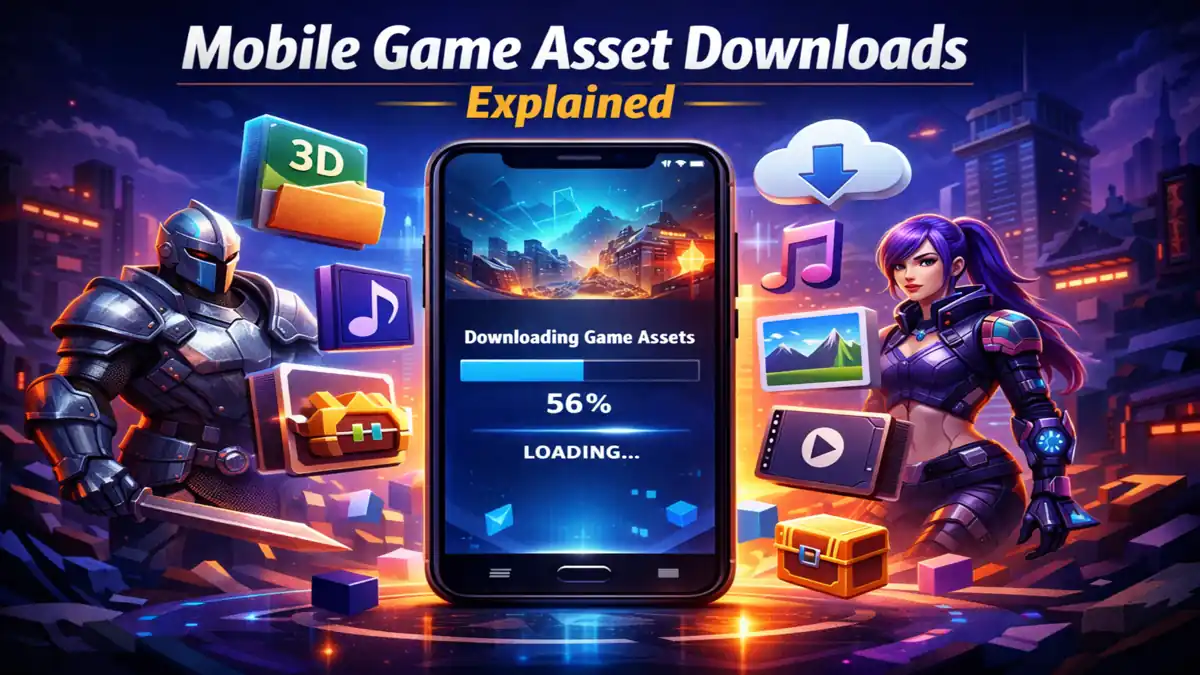
If you install a modern mobile game today, one thing you will notice almost immediately is how small the download size looks in the app store. Most of the time it shows something like 200 MB or 300 MB, which feels very manageable. You download it thinking it will be quick, open the game, and start playing.
But the moment you launch it, a new message pops up on the screen saying “Downloading additional resources.”
Honestly, this is the point where many people feel slightly annoyed. You just finished downloading the game, so why is it asking for more data again? It almost feels like the installation was incomplete.
I had the same doubt the first time I saw this. It felt unnecessary at first, but after using different games over time, the reason becomes much clearer. Modern mobile games are not small anymore. They are actually very large behind the scenes, and what you download from the store is only a small part of the full game .
That is where something called game assets comes into the picture, and understanding this completely changes how you see mobile game downloads.
What Are Game Assets?
To put it simply, game assets are all the files that make the game look and feel the way it does. Every visual, every sound, every movement inside the game depends on these files.
When you see a character running, that character is built using a 3D model. The details on that character come from textures. The sounds you hear are separate audio files. Even the buttons and menus you click are assets.
When I first understood this, it actually made sense why games take so much space. Because it’s not just a game file, it’s a collection of hundreds or even thousands of small pieces working together.
Modern games usually include:
- character models
- environment textures
- animations
- sound effects and music
- voice recordings
- maps
- cinematic videos
If all of this is bundled into one single download, the size can easily go beyond 3 GB or even 5 GB. And let’s be real, most users won’t install a game that big in one go.
Why Games Download Extra Files After Installation
Smaller App Size Feels Easier
One thing I noticed is that people are more likely to install a game if the size looks small. Even I do the same. If I see a 5 GB game, I usually skip it without thinking much.
Developers understand this behavior. So instead of showing the full size, they keep the initial download small and move the rest to in-game downloads.
Faster Start Matters
Nobody likes waiting too long just to open a game. By keeping the first download small, the game installs faster and opens quickly.
After that, while you are in the menu or tutorial, the game slowly downloads the remaining files in the background. It feels less frustrating compared to waiting everything at once.
You Don’t Need Everything Immediately
Another thing I realized is that not all game content is needed at the start.
For example, if a game has multiple maps or story chapters, you won’t use all of them immediately. So instead of downloading everything, the game only downloads what is needed first.
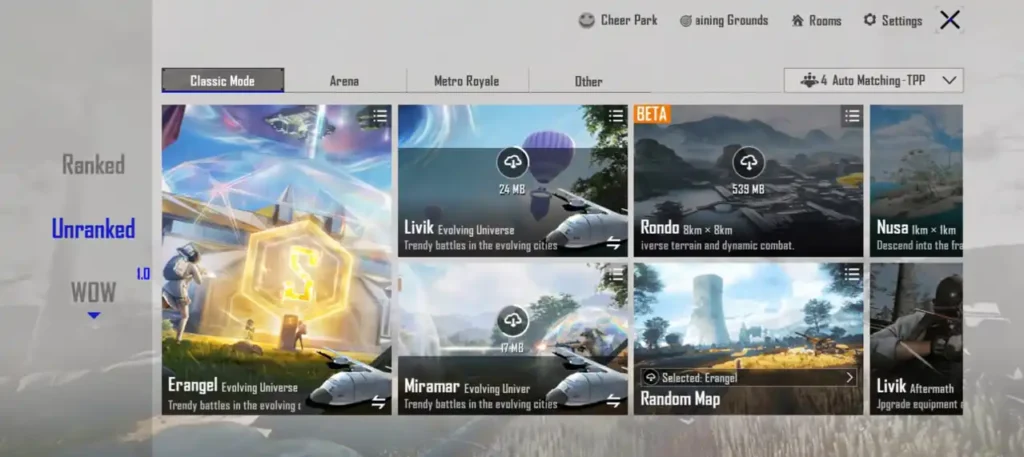
Games like PUBG Mobile and Call of Duty: Mobile do this very clearly. They let you download maps, HD textures, or even voice packs separately.
This actually helps a lot, especially if your phone has limited storage.
Updates Become Easier
Modern games keep getting updates all the time. New events, new skins, new maps.
If everything was part of the main app, every update would be huge. Instead, developers just push new assets when needed. This keeps updates smaller and faster.
Types of Assets You Usually Download
When you see “downloading resources,” it can include different types of files.
- Textures are one of the biggest ones. These control how everything looks. Higher quality textures mean better visuals but also more storage.
- 3D models define characters and objects. These are complex files, and games can have hundreds of them.
- Audio files include music, sound effects, and voice lines. Voice packs especially take a lot of space if multiple languages are included.
- Maps are another major part. Multiplayer games often have multiple maps, and each one is downloaded separately.
Some games also download cinematic videos, which are used in story mode. These can be surprisingly large.
How This Download System Works
From outside, it just looks like a progress bar. But internally, there is a proper system working. The game first connects to its server and checks what files are required. It compares your device files with the latest version. Then it starts downloading missing files in small parts instead of one big file. I noticed this is why downloads don’t completely restart if the internet disconnects.
After downloading, the game checks if everything is correct. If something is corrupted, it downloads that part again. Finally, all files are stored and ready to use.
Real Experience With Asset Downloads
From my experience, this system actually makes sense after using a few games.
I remember installing a game that was around 250 MB in the store. After opening it, it started downloading more than 2 GB of data. At first, it felt unnecessary.
But later, when I explored the settings, I saw options like HD textures, extra maps, and voice packs. It was clear that not everything was needed immediately.
In another case, I skipped downloading HD textures, and the game still worked fine. That kind of flexibility is actually useful.
Storage Impact on Your Phone
One important thing many people don’t realize is that the app store size is not the final size.
A 300 MB game can easily become 3 GB after downloading all assets. This surprises a lot of users.
Some games allow you to delete optional files later. For example, removing unused maps or high-quality textures can save space.
Internet Usage and Requirements
Asset downloads need a stable internet connection. From my experience, using WiFi is always better because these files can be quite large.
Once everything is downloaded, some games work offline. But online games will keep downloading updates regularly.
Common Problems Players Face
The most common issue is interrupted downloads. If your internet is unstable, downloads can pause. But most games resume automatically, which is helpful.
Another problem is storage space. If your phone doesn’t have enough space, the download simply stops.
Sometimes files get corrupted, but games usually fix this by re-downloading them.
What You Should Keep in Mind
Before installing any large game, it is better to check your storage first. Don’t rely only on the app store size.
Try using WiFi for downloads to avoid data usage issues.
Also, check settings inside the game. Many games allow you to skip optional downloads like HD textures.
Future of Asset Downloads
Mobile gaming is growing fast, and this system is also improving.
One thing that is starting to appear is asset streaming. Instead of downloading everything, the game loads data while you play.
Another improvement is better compression, which reduces file size without reducing quality.
This means games will become bigger, but downloads may feel lighter.
Also Read: Digital Signatures in Android Apps: Complete Guide
Also Read: Matchmaking Rating Systems in Online Games Explained
Conclusion
Mobile game asset downloads might feel annoying at first, but they actually solve a big problem. They allow games to stay large and detailed without forcing users to download everything at once.
From what I’ve seen, this system is actually more flexible. You can choose what to download, manage storage better, and still enjoy the full game.
Once you understand how it works, it stops feeling confusing and starts making sense.
FAQs
Why do games download extra files?
Because the base app only includes basic files, and the rest are needed for full gameplay.
Are these downloads necessary?
Yes, without them the game cannot run properly.
Why do games take so much space?
Because of high-quality graphics, audio, and large maps.
Can downloads resume if interrupted?
Yes, most modern games support resume functionality.
Can I delete downloaded files later?
Some games allow it, especially for optional content like HD textures.