Introduction
So you’ve built an Android app. Congrats. No, seriously. Now here is the part where most developers either hurry up or overthink publishing it on the Google Play Store and actually getting people to find it.
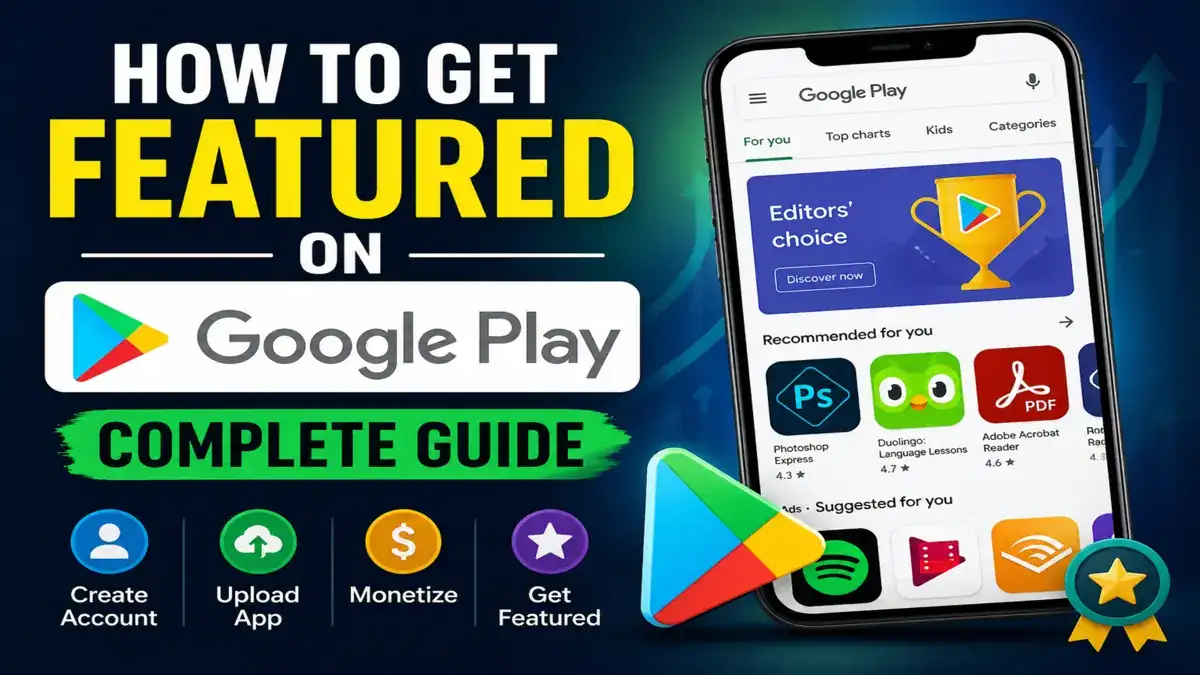
In this guide, we’ll talk you through everything from setting up your Google Play developer account to uploading your app, making money and yes, getting that covered featured spot. And you will know the exact process of google play store featured apps process android No filler. Just the operation.
Step 1: Create Your Google Play Developer Account
Before you upload a single line of code, you need a Google Play developer account. Think of it as your backstage pass to one of the world’s largest app markets one that reaches over 190 countries and billions of Android users.
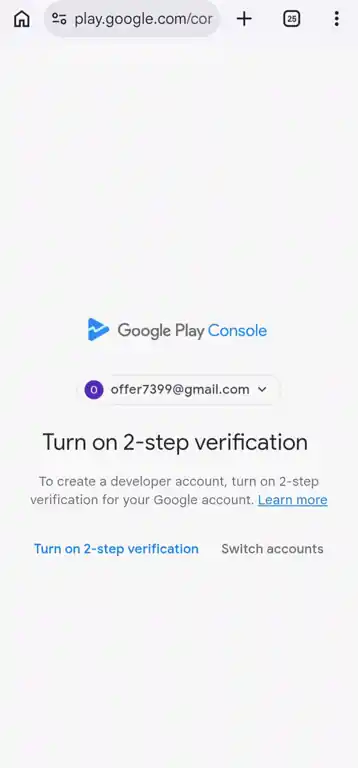
Head over to the Google Play Console to get started.
Here’s what the sign-up process looks like:
- Sign in with a Google account
- Choose your account type: Personal or Organization
- Accept the Google Play Developer Distribution Agreement
- Pay the one-time registration fee of $25 USD (non-refundable)
- Complete identity verification Google may ask for a valid government ID
That $25 fee isn’t just a formality. According to Google’s own documentation, it exists to maintain a secure, high-quality ecosystem and reduce spam apps. It’s a one-time cost, not annual. Once you pay, you can publish unlimited apps under the same account.
Account activation typically takes 24 to 48 hours after payment. So plan ahead, don’t expect to publish the same day you register.
Step 2: Navigate the Google Play Console (Your Developer Dashboard)
Google Play Developer Console is where you command. This is where it all happens once your account is live – app uploads, store listings, analytics, user reviews, monetization setup and policy compliance tracking.
It’s really well made. Manage multiple apps, invite team members with particular positions developer, finance, support, run A/B tests on store listings, and monitor real-time performance data like crash rates and ANR ratios.
Look at it first, then jump in. Many developers jump right into the upload step and ask why their app is rejected.
Step 3: How to Create and Upload Your App on the Play Store
Here’s the actual process for a Google Play Store app upload:
1. Create your app listing Open the Console and click Create App. You will select your app’s default language, name (up to 30 characters), app or game type, and whether it is free or paid.
2.Complete your store listing This is the public face of your app. Create a short description (up to 80 characters) and a full description that clearly explains what your app does. Don’t stuff your keywords in here. Use them naturally.
3. Upload your APK or AAB file As of August 2025, new apps must be submitted as Android App Bundle (.aab) format and must target Android 15 (API level 35). This is a hard requirement from Google, not optional. If Apps that don’t meet the target API level requirements that won’t be accepted for new submissions.
4. Add screenshots, icons, and a feature graphic Quality visuals matter more than most developers realize. More on this in the featuring section below.
5. Complete the content rating questionnaire Be honest here. Misreporting content ratings is a fast track to getting your app removed.
6. Data Security disclosures Google requires all apps to disclose what data they collect, how they use it and whether they share it with third parties. This is not optional, and Google is actively cross-referencing these declarations with the actual SDK behavior in the app using machine learning checks.
7. Submit for review Google’s review process for new apps typically takes a few hours to a few days.
Step 4: How to Make Money From Your Play Store App
Let’s be honest most people building apps want to earn money from them. So, there are multiple legitimate ways to do it.
In-app purchases and paid apps If you sell digital goods or charge for the app itself, Google may takes a service charges. For the first $1 million in annual revenue, that fee is 15%. Beyond $1 million, it jumps to 30%. Auto-renewing subscriptions are charged 15% from day one, regardless of your total revenue.
Apps that are free and monetized via in-app advertising don’t pay any Google commission on that ad revenue. And this is why ad-based monetization is popular for apps targeting large, broad audiences.
Freemium Model Offer a free version and charge for premium features with a one-time purchase or subscription. That is one of the most sustainable growth models.
The Play Console also provides built-in tax tools to help you manage earnings across different countries useful if your app takes off globally.
Step 5: The Google Play Store Featured Apps Process, How It Actually Works
Here’s where it gets interesting that Getting featured on Google Play can completely transform your app’s trajectory. Featured apps can see massive spikes in downloads, installs, and visibility. So how does the Google Play Store featured apps process actually work for Android?
First, understand that Google features apps in several ways:
- Editors’ Choice: manually curated by Google’s editorial team
- Top Charts: algorithm-driven, based on downloads and ratings
- New & Updated : for recently launched or refreshed apps
- For You: personalized recommendations based on user behavior
- Indie Games Corner / Apps Innovation Corner: program-based, for eligible indie developers
Google has officially said that apps need to be of great quality to be featured, and quality applies to the app itself and its marketing assets.
85% of featured apps on Google Play have an average rating of 4.0 or higher, according to AppTweak’s ASO Trends & Benchmarks Report 2025. If an app is rated lower than 3.5 stars it is unlikely to be considered for any editorial placement, even if the idea is innovative.
What Google Actually Looks For
Google’s featuring criteria, as outlined on the official Play Console guidance page comes down to a few core areas:
App quality and performance Your app must be very fast in loading and it should very crash rarely, and use battery responsibly. Google’s Android Vitals tracks metrics like crash rates, frozen frames, and slow rendering.
Quality of store listing Your icon, screenshots, feature graphic and descriptions should be very captivating. A blurry icon and a vague description won’t get you shortlisted. This is the first impression of your app, make it count.
when it comes to Ratings and reviews you must maintain a strong rating by responding to user reviews. Google’s algorithms factor in developer responsiveness. Users who see replies to their concerns are more likely to update negative ratings.
Regular updates Submit updates with meaningful new features not just bug fixes. Google rewards developers who actively invest in improving their apps.

Apps that integrate with Google technologies e.g. Android’s latest design guidelines, Material Design 3 or platform features that tend to get more editorial attention.
App localization Tailoring your UI and content to local languages and cultural norms not just translating text sends the message that you’ve built for a global audience.
How to Apply for Featuring
Unlike Apple, Google doesn’t accept open editorial pitches for most apps. However, there is a Featuring Nomination form for newly launched apps and games those released within the last four months. To be eligible, your app needs:
- A rating of at least 3.0 for apps and 3.8 for games.
- Compliance with all Android design guidelines.
- A high-quality store listing.
- Simultaneous launch across platforms.
For indie developers, the Indie Games Corner and Apps Innovation Corner programs offer additional paths to editorial consideration, check eligibility requirements on the Play Console.
Beyond the nomination form, PR plays a real role. Google’s editors actively follow tech media. Being picked up by outlets like TechCrunch, Android Authority or Android Central puts your app on their radar. Also consider platforms like Product Hunt to get visibility on your launch.
Common Mistakes That Kill Your Chances
Avoid these mistakes if you want to stay in Google’s good graces:
- Fake reviews or incentivized ratings : Google penalizes this, hard
- Incomplete Data Safety forms : flagged apps face removal
- Ignoring Android Vitals : poor performance scores disqualify you from featuring
- Outdated target API level: it as of August 2025, new apps must target Android 15 (API 35)
- Misleading app descriptions : it is one of the top reasons for Play Store removal in 2025
Conclusion:
So, Publishing on Google Play is straight forward if you follow the process. Getting featured takes genuine investment in quality, in your store listing, in your users, and in keeping your app updated.
The $25 developer account fee is the cheapest part of the whole journey. The real cost is building something worth featuring. But when that Editors’ Choice badge appears next to your app name, it’s worth every hour you put in.
Start with the Google Play Console. Build something real and promote every update like you are pitching to the editorial team.
If you want to understand the technical side behind what you’ve learned here, especially how apps are actually structured before they even reach the Play Store, you can explore how mobile apps are built using proper backend systems, APIs, and frontend design in real-world development.
FAQ’S
Do I need to pay every year to keep my app on the Google Play Store?
No. Google charges a one-time $25 USD registration fee only. There is no annual renewal. Once paid, you can publish unlimited apps under the same account forever.
How long does it take for a new app to get approved on Google Play?
Usually 1–3 business days. Your developer account takes 24–48 hours to activate first, then the app review follows. Get your store listing and Data Safety form right the first time any policy issue restarts the clock.
Can I submit my app directly to Google to get featured?
Yes, but only for new apps launched within the last 4 months. Use Google’s Featuring Nomination form. Your app needs at least a 3.0 rating (3.8 for games). Beyond that, great ratings, strong Android Vitals, and regular updates do most of the work.
What rating does my app need to get featured on Google Play?
Aim for 4.0 or above. 85% of featured apps maintain a 4.0+ rating. Apps below 3.5 are rarely considered. Reply to reviews, fix bugs fast, and never offer rewards in exchange for ratings.
What file format do I need to upload my app to Google Play in 2025?
Android App Bundle (.aab) format only. APK uploads are no longer accepted for new apps. Your app must also target Android 15 (API level 35) or it will be rejected at submission.