Introduction
Most people have never thought about what actually happens the moment they tap “Install” on an Android app. There is no visible check, no confirmation screen, no prompt asking you to verify anything. It just installs.
But underneath that, Android is doing something quietly important — it is verifying a digital signature on every single app before allowing it to run on your device. If that signature is missing or broken, the app is rejected instantly. No warning, no second chance.
I started paying attention to this only after I lost a keystore file during a system crash. The app was still live on the Play Store, but I could no longer push updates to it. That one missing file had cut me off from my own app completely. That moment made me realize that app signing is not just a technical checkbox, it is the identity of your app.
In this article, I will explain exactly how Android digital signatures work, why they exist, and why developers who ignore key management eventually regret it.
What Digital Signatures Actually Do
To understand this properly, think of a digital signature as the identity of the app. It is not just a security layer, it is what connects every version of the app back to the original developer.
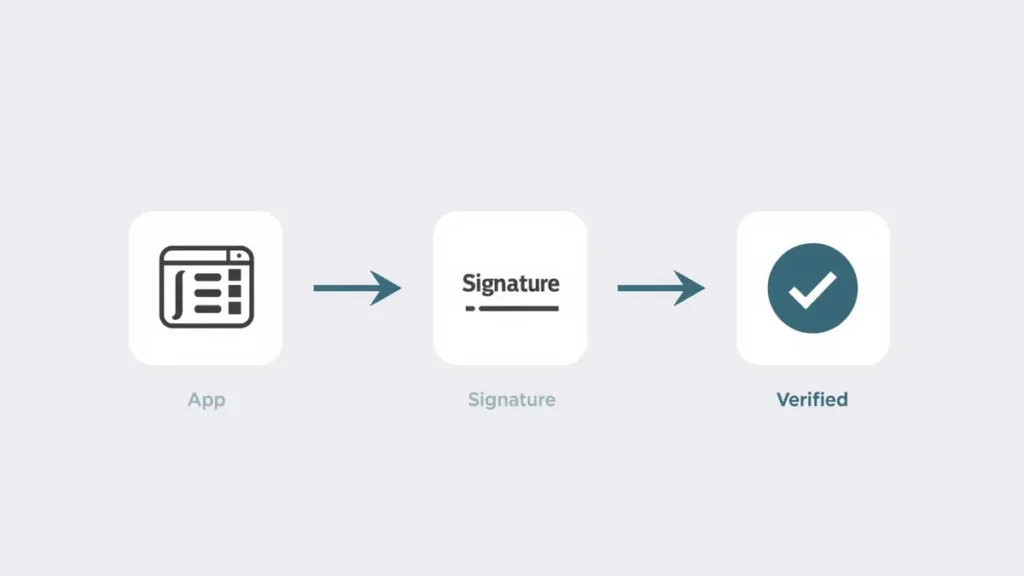
From what I have observed while working with Android builds, this system mainly handles four important things. It confirms that the app has not been modified after signing. Even a single byte change breaks the signature. It links the app to a specific developer key. It ensures that all future updates come from the same source. And it allows apps signed with the same key to share data securely when needed.
One thing that really stood out to me when I first understood this is that Android does not rely on external certificate authorities like websites do. It only cares about consistency. If the first version of an app is signed with a key, every future update must use that exact same key.
How App Signing Works Behind the Scenes
At first, this process sounds technical, but once you look at it step by step, it becomes easy to understand.
When a developer builds an app, they create something called a key pair. This includes a private key and a public certificate. The private key is kept completely secure, and the public part is included with the app.
During the build process, the system generates a hash of the entire app. You can think of it like a unique fingerprint. That fingerprint is then encrypted using the private key, and this becomes the digital signature.
When you install the app, Android takes the public key, verifies the signature, and creates a new hash from the app file. If both match, the app is accepted.
I actually tested this once out of curiosity. I took a signed APK and modified a small file inside it. The change was very minor, but when I tried installing it, Android immediately rejected it. That moment made it very clear how strict this system is.
Signing Workflow in Real Development
From a developer perspective, signing is not just one step at the end. It is a full workflow that you go through every time you prepare an app for release.
The first step is creating a keystore. This is where your private key is stored. I still remember when I created my first keystore, I didn’t treat it as something important. It just felt like another file generated during setup.
Then the app is built into an APK or App Bundle. After that, the signing process uses the private key from the keystore to sign the final output.
Finally, when the app is installed, Android automatically verifies everything. If the signature does not match, installation fails instantly without any warning.
If you are also thinking about how apps are structured beyond just signing, our guide on how to manage multiple apps efficiently covers the practical side of handling several apps on your device without slowing things down.
A Real Experience That Changed My Approach
One mistake completely changed how I look at app signing.

In my early days, I had a small project published, and I stored the keystore on my local system without any backup. At that time, I didn’t think much about it. It was just part of the project folder.
But after a system issue, that file was gone. The app was still live, but I could not update it anymore. Every new build failed because the signing key was different.
That was the moment I understood something very important. In Android, your signing key is not just a file. It is your app’s identity. Without it, you lose control over updates completely.
Since then, I always keep encrypted backups, use secure storage, and avoid careless handling. This is something many developers realize only after facing the problem.
Evolution of Android Signing Schemes
Android signing has improved a lot over time.
Earlier versions used a system where each file inside the APK was signed separately. This worked, but it had limitations. Some structural parts could still be modified.
Later, Android moved to signing the entire APK file instead. This made the process much more secure and prevented tampering.
Newer systems also introduced key rotation. This allows developers to change signing keys in certain situations without breaking updates. For long-term apps, this is a very important feature.
From what I have seen, modern apps almost always use newer signing schemes because they are safer and more efficient.
Why Signatures Are Critical for Updates
One of the most important roles of digital signatures is controlling how updates work.
Every time you update an app, Android checks whether the new version is signed with the same key as the existing one. If it is not, the update is rejected immediately.
This prevents fake updates. Without this system, someone could modify an app and distribute it as an update, which would be extremely risky.
Because of this, the signing key becomes the permanent identity of the app.
Real Risk Without Digital Signatures
Without digital signatures, attackers could modify apps and distribute fake versions. These modified apps can include hidden malware, steal user data, or track activity without permission. This is especially dangerous in apps that handle payments, personal data, or login credentials.
Speaking of hidden risks inside apps, you might find it interesting how hidden AI features in Android are quietly running in the background on your device right now, some helpful, some worth knowing about.
Google Play App Signing Explained
Google introduced Play App Signing to solve a major problem, which is losing the original signing key.
In this system, developers use an upload key to submit the app. Google then signs the app using the original key stored securely in its system.
From my experience, this reduces risk a lot, especially for developers who are still learning proper key management. It also provides recovery options, which is very important.
Common Mistakes Developers Make
While working on different builds, I have noticed some mistakes that are surprisingly common.
Using debug keys for production apps is one of them. Another is storing passwords in plain text. Some developers even upload keystore files to public repositories without realizing the consequences.
These may seem like small mistakes, but they can cause serious problems later, especially when updates are involved.
Interestingly, many users also unknowingly create problems on their own devices. If your phone has been feeling slower lately, it is worth reading about app usage habits that slow down your phone some of the causes are surprisingly similar in nature.

Algorithms Used in Signing
Android supports multiple algorithms, but RSA is the most commonly used because it is stable and widely supported.
There are also options like ECDSA, which are more efficient and produce smaller signatures. Older algorithms like DSA are now mostly outdated.
For hashing, SHA-256 is the current standard. Older methods like SHA-1 are no longer recommended.
Digital Signatures vs Code Obfuscation
This is something many beginners misunderstand.
Digital signatures are used to verify authenticity and integrity. Code obfuscation is used to make the code harder to understand.
Even if an app is fully obfuscated, it still needs a valid signature to install.
Security in High-Risk Applications
In sensitive applications like banking or enterprise apps, signatures are only one part of the system.
Other layers like hardware-backed keystore, verified boot, and integrity checks are also used. These layers work together to ensure that both the app and the device environment are secure.
You might also be surprised by how much AI is already involved in this kind of background security work. Our article on everyday tasks controlled by AI in mobile explains how deeply AI has been built into the apps you use daily.
Future of Android App Signing
From what I have seen, Android security keeps improving with every version.
New signing methods, better key handling, and stronger verification systems are being introduced regularly. Developers are also becoming more aware of how important key management.
Mobile games also face serious security challenges of their own. Find out how anti-cheat systems in mobile games detect and stop cheaters in real time.
If you enjoy understanding how systems work behind the scenes, you will find it interesting how online games handle player rankings. Read our detailed breakdown of matchmaking rating systems in online games and how they decide who you play against.
Conclusion
Digital signatures in Android apps may look like a small technical detail, but they are actually the foundation of trust in the entire ecosystem.
From my experience, once you understand how this system works, your mindset changes completely. You stop treating the keystore like a simple file and start seeing it as the identity of your app.
For users, this system works silently in the background. But it is the reason apps can be installed safely and updated without risk.
FAQs
1. Why does Android require apps to be signed?
Because it ensures apps are not modified and that updates come from the same developer.
2. Can I change my signing key later?
Normally no, but newer systems support controlled key rotation.
3. What happens if an APK is modified?
The signature becomes invalid and installation fails.
4. Is Play App Signing required?
No, but it is recommended for better security and recovery options.
5. Why is the keystore important?
Because it contains the private key that defines your app identity and allows future updates.