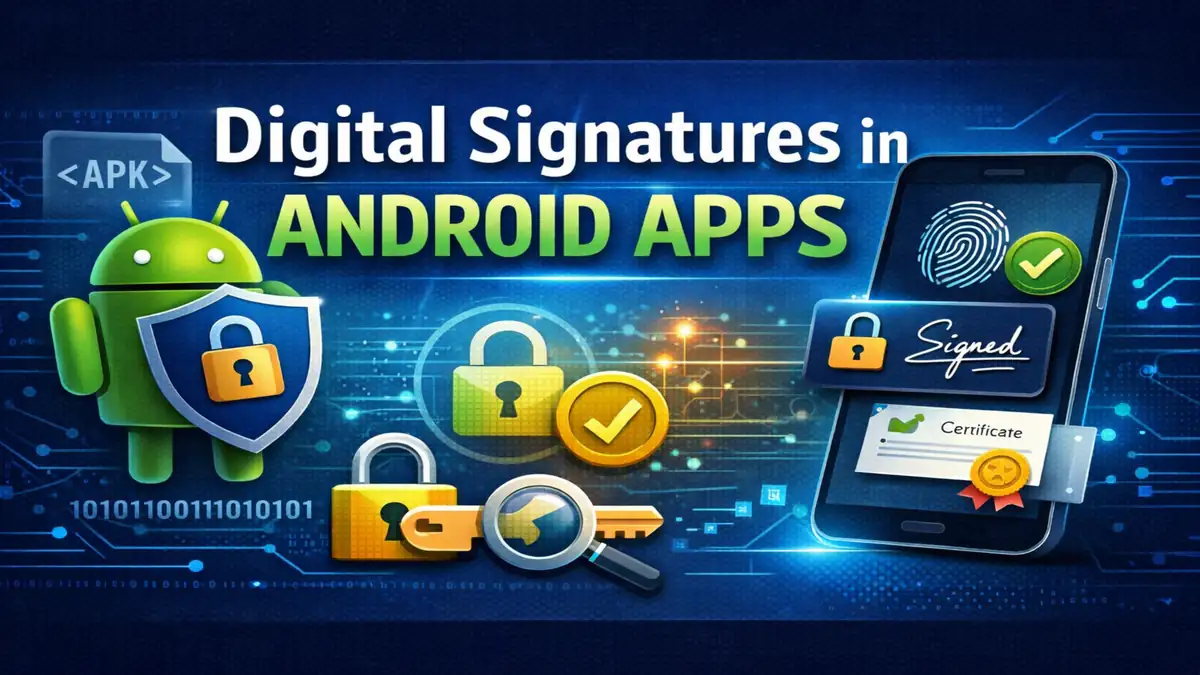
Every Android app you install carries a cryptographic signature. Most users never notice it, but without that signature the app would not install, update, or run on a secure device. Digital signatures are not optional in Android they are enforced by the operating system.
This article explains how digital signatures in Android apps actually work, how Android verifies them, how signing schemes evolved over time, and what can go wrong if keys are mismanaged. The goal here is clarity and technical depth, not surface-level explanation.
What Digital Signatures Do in Android
A digital signature in Android serves four core purposes:
- Confirms the app has not been modified.
- Links the app to a specific signing key.
- Ensures updates come from the same developer.
- Enables controlled data sharing between apps signed with the same key.
Every APK Android Package must be signed before installation. The Android Package Manager checks this signature during install time. If verification fails, installation stops immediately.
Unlike web SSL certificates, Android does not require a certificate authority (CA). Trust is based on key continuity. If version 1 of an app is signed with Key A, every update must also be signed with Key A.
The Cryptography Behind App Signing
Android app signing uses public-key cryptography.
A developer generates:
- A private key (kept secret).
- A public certificate distributed with the app.
The private key creates the signature. The public key verifies it.
When signing an APK:
- A cryptographic hash of the app contents is created.
- That hash is encrypted using the private key.
- The encrypted result becomes the digital signature.
During installation:
- Android extracts the certificate.
- It decrypts the signature using the public key.
- It recalculates the hash of the APK.
- It compares both hashes.
If they match, the file is unchanged.
Even a one byte modification after signing invalidates the signature.
Signing Workflow in Practice
1. Generating a Keystore
Developers create a keystore file (commonly .jks). This file contains:
- The private key.
- The certificate.
- An alias name.
- Password protection.
Losing this file can permanently block app updates.
2. Building the APK or AAB
The source code is compiled into DEX bytecode and packaged as an APK or Android App Bundle.
3. Signing the Build
The build system Gradle or apksigner signs the output using the private key stored in the keystore.
4. Installation Verification
The Android Package Manager verifies the signature before allowing installation.
This process happens automatically. Users never see it unless something fails.
Evolution of Android Signature Schemes
Android improved its signing model over time.
APK Signature Scheme v1
Used in early Android versions. Each file inside the APK was individually signed. The weakness: certain ZIP metadata could be altered without invalidating the signature.
APK Signature Scheme v2
Introduced in Android 7.0. Instead of signing individual entries, it signs the entire APK file. This prevents structural tampering.
APK Signature Scheme v3
Introduced in Android 9.0. Adds support for key rotation.
APK Signature Scheme v4
Introduced in Android 11. Designed for incremental installation.
Modern production apps use v2 or higher.
Why Secure App Updates Depend on Signatures
When an app update is installed, Android checks whether the new version is signed with the same key as the currently installed version.
If the keys differ, the update is rejected.
This prevents attackers from distributing a modified version of a popular app as a fake “update.” Without this rule, malware could easily replace legitimate apps.
A Real Lesson About Keystore Management
Early in my Android development work, I treated the keystore file like just another project file. It lived on a local machine with no proper backup.
When that machine failed, the keystore was lost.
The app was still live on the Play Store, but updates were impossible. Because updates must use the same signing key, there was no way to publish a new version. The only option was to create a new package name and rebuild the user base.
Since then, I follow strict key management practices:
- Encrypted offline backup.
- Cloud backup with restricted access.
- No password storage in version control.
- Separate upload key when using Play App Signing.
This is not theoretical risk. It happens.
Google Play App Signing
With Play App Signing, developers upload an AAB signed with an upload key. Google re-signs distributed APKs using the official app signing key stored in Google’s infrastructure.
Advantages:
- Reduced risk of permanent key loss.
- Hardware-backed key storage.
- Recovery options if upload key is compromised.
The original signing key remains protected inside Google’s systems.
Common Developer Mistakes
- Using debug keys in production builds.
- Storing keystore passwords in plain text.
- Committing keystore files to Git repositories.
- Sharing signing keys across unsecured systems.
- Failing to enable key rotation when available.
Any of these mistakes can cause security issues or block future updates.
Algorithms Used in Android Signing
Android supports several cryptographic algorithms:
- RSA which is commonly 2048 bit or stronger.
- ECDSA.
- DSA (legacy).
SHA-256 is standard for hashing. SHA-1 is considered outdated and should not be used for new builds.
RSA remains widely used due to compatibility and stability. ECDSA offers smaller signatures and efficiency benefits.
Digital Signatures vs Code Obfuscation
Digital signatures verify authenticity and integrity.
Code obfuscation tools such as R8 make reverse engineering more difficult.
They address different problems. An obfuscated app without a valid signature will still fail installation.
High-Security Environments
In banking, healthcare, and enterprise environments, digital signatures are combined with:
- Hardware backed Android Keystore.
- Verified Boot.
- Play Integrity API.
- Certificate pinning.
These layers work together to ensure:
- The operating system has not been tampered.
- The device environment is trustworthy.
- The app itself is genuine.
Security is strongest when these mechanisms are used together.
Key Rotation and Long-Term Maintenance
If a signing key is exposed, it must be replaced.
APK Signature Scheme v3 allows key rotation while preserving update compatibility. Without this capability, a compromised key would permanently block updates.
Long-term projects should plan for key lifecycle management from the beginning.
How Advanced Users Can Check Signatures
Developers and security researchers can verify signatures using:
- apksigner verify.
- jarsigner verify.
- Android Studio build outputs.
Certificate fingerprints SHA-256 can be compared across versions to confirm continuity.
Also Read: Matchmaking Rating Systems in Online Games Explained
Also Read: Mobile App Architecture Explained: Frontend, Backend, APIs & System Design Basics
Conclusion:
Digital signatures in Android apps are not just a publishing requirement. They are central to platform trust.
For developers, the signing key is as important as the source code. Protect it carefully, back it up securely, and plan for long-term maintenance. Once an app is in production, the signing key becomes part of its identity.
Frequently Asked Questions
1. Why does Android require all apps to be signed?
Android enforces signing to prevent tampering and unauthorized updates. If a signature does not validate, installation fails automatically.
2. Can I change my app’s signing key later?
Normally, updates must use the same key. However, newer signing schemes support controlled key rotation.
3. Does Android require a certificate authority?
No. Self-signed certificates are allowed. Trust depends on consistent key usage across updates.
4. What happens if someone modifies my APK file?
Any modification changes the file hash. Signature verification will fail and Android will reject the install.
5. Is Play App Signing mandatory?
It is not mandatory, but it significantly reduces the risk of losing the primary signing key and improves long-term security management.