How to speed up your Android phone in 2026 (no fake “boosters”)

You know your Android is slow when opening WhatsApp feels like loading a AAA game.
Tap. Wait. Think about life choices. Tap again just to be sure.

This site is for people like you  Indian 18–25 year olds who live on their phones: classes, UPI, reels, gaming, everything.
You don’t want “buy a new phone” as the first advice when you literally just finished EMI for the current one.

Good news and bad news.
Bad: your phone didn’t suddenly become slow for a mysterious cosmic reason.
Good: most of the slowdown is fixable with boring, practical steps — the kind Google, tech sites, and performance nerds keep repeating because they actually work.

So this is not another “install booster app #27” article.
This is “you and your 2–3 year old Android, sitting down for one grown-up conversation and a proper cleanup.”

THE THING NOBODY ACTUALLY SAYS OUT LOUD

Nobody wants to say this out loud, so I’ll do it: your Android is slow mostly because of how you use it, not because it “got old in two years.”

Yes, hardware ages.
Apps get heavier, Android updates demand more, and brands definitely ship extra bloatware because they cannot help themselves.
But you and I both know that since the day you bought this phone, you’ve been doing violence to it:

  • Installed 60 apps, use 12.
  • Saved every meme, reel, and random PDF “for later.”
  • Never deleted downloads.
  • Let every app auto‑sync, auto‑start, auto‑everything.

Google’s own support page basically screams the basics: restart the phone, keep storage free, update apps, uninstall the problem apps, and factory reset if it’s truly hopeless.
Tech sites in 2026 still say the same thing with fancier titles:

  • Delete unused apps and old files.
  • Clear cache for bloated apps.
  • Keep 20–30% storage free.

But articles often skip the part that hurts: your phone is slow because you treat it like infinite storage, infinite RAM, and infinite background battery.

You’ve seen this pattern.
Day one: phone is a rocket.
Year two: keyboard takes half a second to appear, camera app lags when you open it from the lock screen, and even the dialer hesitates like you’re asking for a loan.

The thing nobody wants to say bluntly: if your phone has 64 GB and you’re sitting at 62 GB used, that lag is not “mystery Android issue.”
CNET, ZDNet, Android Authority — all of them hammer the same idea: clearing unused apps and freeing storage is step one to speed boosts.

And don’t get me started on “RAM cleaners” and “phone booster” apps.
Half of them run in the background, show ads, scan “junk” every hour, and proudly tell you they saved 200 MB — while using 300 MB themselves.
Real security vendors literally warn you that a lot of these “cleaners” do almost nothing useful or make things worse.

Then there’s the Indian twist: you’re often on budget or mid-range hardware.
4 or 6 GB RAM. 64/128 GB storage. A chipset that was “decent” when you bought it and is now gasping under Instagram + gaming + video calls.
Generic Western articles assume everyone has 256 GB + UFS 3.x + 8 GB RAM minimum. You don’t.

So the unfiltered truth is this:

  • No tweak will turn a ₹9,000 phone into a flagship.
  • But a focused 30–60 minute cleanup can make your existing phone feel like it did a small time travel back towards year one.

And yes, you will have to delete some stuff.
I know. I hate it too.

HOW THIS ACTUALLY WORKS THE REAL MECHANICS

Speed on Android comes from three things working together: CPU/GPU, RAM, and storage.
You can’t change the first two easily, so your biggest power is managing RAM and storage and not choking the poor thing with background nonsense.

Here’s what’s happening under the hood:

Google Play Store tips and tricks India
Google Play Store tips and tricks India (2026)
  • Storage almost full = everything slows down.
    When internal storage is packed, Android struggles with temporary files, cache, and app updates.
    Multiple guides in 2025–2026 recommend keeping at least 20–30% of your storage free for best performance.
    CNET and ZDNet both start their “speed up your Android” routine with deleting unused apps and clearing old downloads and media.
  • Too many background apps = RAM pressure.
    Apps like Instagram, Facebook, games, shopping, and UPI all run services in the background.
    Android Authority and others remind that restricting background usage and putting unused apps to sleep improves both speed and battery.
  • Cache buildup = some apps get bloated and weird.
    Cache is useful, but when bloated or corrupted, it can slow down specific apps.
    Performance guides suggest clearing cache for selected heavy apps (browsers, social media, etc.), not nuking everything every hour.
  • Animations = your phone trying to look pretty instead of fast.
    Dev options let you lower animation scales to 0.5x or off, which doesn’t actually change performance but makes the phone feel snappier.
    Android power users have been doing this for years.
  • Old software and apps = inefficiency and bugs.
    Official Android documentation and almost every serious guide says updating your OS and apps can include performance improvements and bug fixes.

Now, the niche angle everyone glosses over:
Speeding up Android in 2026 for Indian users is not just about “clear cache” — it’s about:

  • Living with budget hardware longer.
  • Handling insane WhatsApp media flood from family groups.
  • Dealing with heavy apps (Instagram, YouTube, BGMI) on mid hardware.

Here’s a short list with actual opinions:

  • WhatsApp is a silent phone killer.
    Your “family” and “college” groups spam videos, photos, forwards.
    These stack inside WhatsApp folders and your gallery. If you don’t clear them, your phone will suffer.
  • Instagram + Reels + TikTok clones are heavy.
    They cache content aggressively to serve you “instant” feeds, bloating storage.
    Clear their cache regularly and consider using them less in the background if you care about speed.
  • Lite apps and web versions matter more on budget phones.
    Multiple 2026 performance guides recommend switching to Lite apps (Facebook Lite, Messenger Lite) or browser versions to save RAM and storage.
  • Restarting is not “old school.”
    Even now, Google and others include “restart your device regularly” as a legit speed‑up step.
    Weekly reboots clear stuck processes and random jank.

Once you understand these mechanics, “speed up your phone” stops sounding like magic and starts looking like hygiene

COMPARISON WHAT’S ACTUALLY DIFFERENT BETWEEN YOUR OPTIONS

OptionWhat it actually doesWho it’s forThe catch
Manual clean‑up & settings tweakFrees storage, RAM, reduces animations, boosts snappinessEveryone, especially 2–3 year old budget phonesTakes 30–60 mins of boring, focused effort
Using Lite apps / web versionsCuts RAM and storage usage of heavy social appsBudget devices, 3–4 GB RAM usersFeatures are fewer, UI may feel less “fancy”
Factory reset (after backup)Wipes junk, resets OS to clean stateVery slow phones after years of useTime consuming, need to backup + set up from zero
Buying a new phoneHardware jump: better CPU, RAM, storage speedPhones over 3–4 years old or with failing hardwareCosts money, and you’ll still need hygiene later

If you’re expecting me to say “just upgrade,” no.
Start with manual clean‑up + Lite apps; if your phone is still a slug after that and it’s 3–4 years old, then a factory reset or upgrade becomes a reasonable next step — not the first.

WHAT ACTUALLY HAPPENS WHEN YOU TRY THIS

When you actually sit down to speed up your Android, it doesn’t feel like tech.
It feels like doing a room-cleaning your mom asked for three months ago.

You start with apps.
Settings → Storage → Apps (or just long‑press icons) and uninstall everything you haven’t opened in months.
Shopping apps you only use once per sale. Random filters. VPN you tried once. Two extra browsers “just in case.”
ZDNet’s 4‑step refresh literally begins with deleting unused apps, because they take storage and sometimes run sneaky background services.

Next is storage.
You open Files or Files by Google and look at Downloads. It’s a museum now.
Old PDFs from college, screenshots of marksheets, random images, movies someone shared via Xender in 2022.
Guides from CNET and others say: delete these or push them to cloud/drive or external storage to free space fast.

Then, WhatsApp.
You open Storage and Data → Manage Storage.
Suddenly you realise one group alone is using 6 GB because your uncle sends 1080p “good morning” videos.
You delete media from specific chats in bulk and feel physical relief.

At this point, you’ve probably freed 10+ GB on a 64 GB phone.
You don’t see the speed yet, but you’ve removed the biggest choke.

Then you restart.
Security guides and even Google keep saying that a simple reboot clears stuck tasks and refreshes memory.
When it boots, the home screen already feels… lighter. Animations show up quicker.

This is where the part that surprised me came in: tuning animations.
You unlock Developer Options (tap Build number 7 times), go to animation scales, and drop Window/Transition/Animator to 0.5x or off.
Suddenly every tap feels more instant, even though the hardware is the same.
Android Authority calls this out clearly — reducing animation scales gives a strong perception of speed.

Then you check battery/background usage.
On phones with One UI or similar, you see “Put unused apps to sleep,” background limits, and per‑app background controls.
You restrict background for apps you don’t need 24/7 and let essentials (UPI, messaging you care about) stay active.
For a day or two, you notice fewer random slowdowns when you unlock the phone.

There’s a pattern other articles rarely acknowledge: after a good cleanup, the worst lag moves from “everything is slow” to “only some heavy apps are slow.”
You feel this when lighter apps — dialer, SMS, camera, banking — become quick again, but editing a Reel still cooks the phone.
That’s not failure. That’s you reaching the hardware limit for certain workloads.

When you keep this up weekly — deleting fresh junk, clearing caches for heavy apps, restarting every few days — your phone stops rotting.
It doesn’t go back to brand‑new, but it settles into a stable “good enough” speed where you’re not annoyed every time you unlock it.

And once you’ve done all this and the phone still stutters doing basic stuff?
That’s when you know it’s not “you didn’t clean enough.” It’s the Android equivalent of joints starting to hurt when climbing stairs.

THE ADVICE EVERYONE GIVES VS WHAT ACTUALLY WORKS

Advice 1: “Install a phone booster / cleaner app.”
These apps promise one‑tap miracles: free RAM, clean junk, make phone “300% faster.”
But serious performance and security guides point out that many cleaners run in the background, show ads, and clear cache aggressively, which can actually slow you down or drain more battery.
What actually works: do a manual cleanup. Use your built‑in Files app or Files by Google to remove junk. Clear cache only for specific heavy apps. Use the battery/background controls built into Android and your brand’s skin instead of random third‑party “boosters.”

Advice 2: “Clear all cache every day.”
Cache exists to make apps faster by storing temporary data.
Android Authority, CNET, and others suggest clearing cache as part of periodic cleanup, but not obsessively wiping everything daily.
Doing it too often just forces apps to rebuild cache, using data and CPU all over again.
What actually works: clear cache for bloated apps occasionally — browsers, YouTube, Instagram, WhatsApp — especially when they misbehave. Leave the rest alone unless needed.

Advice 3: “Update Android and all apps and it will be faster.”
Updates can include performance and security fixes — Google and multiple 2026 guides emphasise checking OS and app updates.
But on some older or very low‑end devices, major OS jumps can actually feel heavier because new features expect better hardware.
What actually works: keep security and minor performance updates enabled, but be cautious with huge Android version jumps on 3–4 year old budget phones. Also, update heavy apps when on Wi‑Fi after freeing storage, not on a nearly full phone.

Advice 4: “If it’s slow, just factory reset.”
Factory reset does reset everything and can make an abused phone feel clean again.
Google even includes it as a last resort step when troubleshooting slow devices.
But it’s not a casual button — you have to back up, log in everywhere again, restore chats, set up UPI, all of it.
What actually works: treat reset as Plan C. Plan A is cleanup + settings + Lite apps. Plan B is checking if your phone is just too underpowered for your usage. Only then go full reset, and only after backup.

THE PRACTICAL PART WHAT TO ACTUALLY DO

  1. Do a ruthless 30‑minute app and file purge.
    Open Settings → Storage → Apps and uninstall anything you haven’t used in a month.
    Then open Files/Files by Google, clear the Downloads folder, and delete old documents, APKs, videos, and memes you genuinely don’t need.
    Target: free at least 20–30% of your internal storage, especially on 32/64 GB phones.
  2. Clean up WhatsApp and media-heavy apps.
    In WhatsApp, go to Settings → Storage and Data → Manage Storage and bulk delete from groups that spam media.
    In Instagram/YouTube, go to app info → Storage and clear cache (not data) to remove pile‑up.
    Do this once every couple of weeks — it’s the difference between “always full” and “phone can breathe.”
  3. Tune animations for instant-feeling response.
    Enable Developer Options (About phone → tap Build number 7 times), then set Window, Transition, and Animator animation scales to 0.5x.
    Multiple 2025–2026 guides show this as a simple visual speed-up trick that makes navigation feel much snappier even on older phones.
    You’re not changing hardware speed, but you are removing extra delay from every open/close action.
  4. Put background apps on a leash.
    Go to Settings → Battery or Apps → Background usage, and enable options like “Put unused apps to sleep” or “Background limits.”
    Manually restrict background activity for apps that don’t need 24/7 access — shopping, games, random tools.
    Leave messaging, UPI, and critical apps optimized or unrestricted so you don’t miss important notifications.
  5. Switch heavy socials to Lite or web where possible.
    Replace full Facebook with Facebook Lite, consider using web for some services instead of full apps.
    On budget phones, this reduces RAM use and storage bloat in a way you can feel within days.
    Focus this on notorious hogs: Facebook, Messenger, sometimes even Twitter/X clients.
  6. Restart regularly and tie it to something you already do.
    Once every 2–3 days, restart your phone — Android support and multiple tech sites still recommend this as a simple speed and stability fix.
    Connect it to a routine: last thing before sleep on certain days, or after a big app uninstall session.
    You’ll notice fewer random slowdowns and weird bugs sticking around.
  7. Update smartly, and know when it’s time to stop fighting.
    After cleanup, check for system updates and app updates on Wi‑Fi; these often bring performance and security improvements.
    If, after all of this, your phone still struggles with basic tasks — keyboard lag, camera delay, calls taking long to connect — and it’s 3–4 years old, hardware is the bottleneck now.
    That’s your sign to start planning an upgrade rather than doing the 19th “how to speed up Android” ritual.

QUESTIONS PEOPLE ACTUALLY ASK

how to speed up android phone 2026 without buying new one

Start by removing unused apps and clearing out your Downloads and WhatsApp media — most guides treat this as step one because storage pressure is a huge slowdown factor.
Then clear cache for heavy apps like browsers and social media, not for every single app.
Enable background limits for non-essential apps and reduce animation scales to 0.5x in Developer Options to make everything feel snappier.
Restart regularly and keep your system and key apps updated.

why is my android phone suddenly so slow

Sudden slowness usually means something changed: storage filled up, an update misbehaved, or an app started hogging resources.
Check storage first — if you’re under 10–20% free, that’s a big red flag.
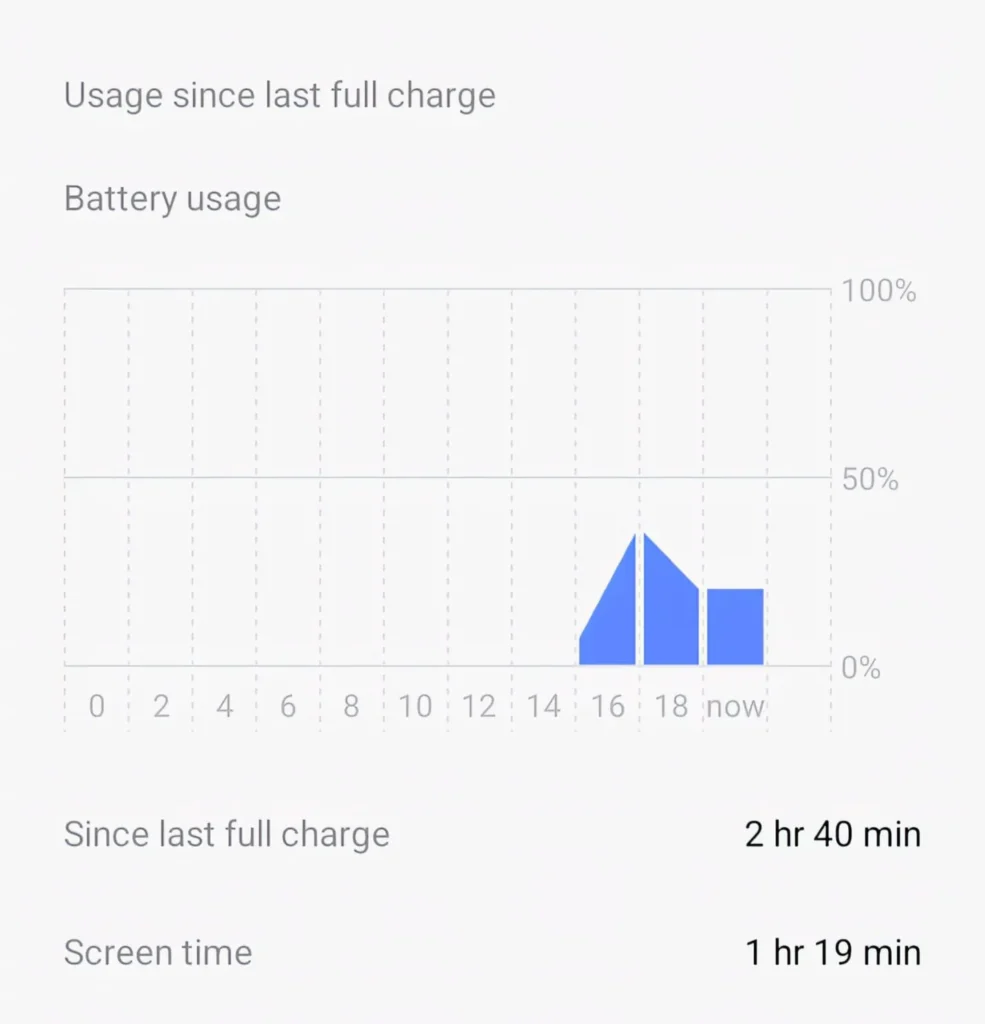
Then look at battery or usage stats to see if one app is draining battery or sitting at the top of CPU usage.
Clean up, restart, and if the issue began right after installing a specific app, try uninstalling it and see if the speed returns.

does clearing cache really speed up android phone

Yes, but in context.
Clearing cache for bloated apps like browsers, YouTube, Instagram, and WhatsApp can fix slowdowns, crashes, or odd behaviour.
It frees storage and removes outdated temporary data.
Just don’t treat it like a daily ritual for every app — overdoing it makes apps rebuild cache constantly, which wastes time and data.

is it safe to use cleaner or booster apps on android

Most “boosters” are unnecessary and some are outright harmful.
Security and performance resources warn that many cleaner apps show aggressive ads, run in the background, and don’t offer real long‑term benefits.
Your phone already has built‑in tools to manage storage and background usage effectively.
If you must use one, stick to well‑known brands and avoid apps demanding extreme permissions.

how much free storage should i keep on my android phone

A good rule from multiple performance guides is to keep 20–30% of your internal storage free for best speed.
On a 64 GB phone, that means aiming for at least 12–18 GB free if possible.
This gives Android room for updates, cache, and temporary files without choking.
If you’re constantly near full, offload media to cloud or external storage.

will factory reset make my old android phone faster

A factory reset wipes all user apps and data, returning the phone to its clean state.
Google and various guides list reset as the final step when other methods fail.
On a heavily abused device, it can absolutely bring a noticeable speed boost.
But it doesn’t upgrade hardware; if the phone is too weak for modern apps, the improvement will only go so far.

how often should i restart my android phone for best performance

You don’t need to treat it like a Windows XP PC, but restarting every few days helps.
Both older and recent advice from security and tech outlets still recommend periodic reboots to clear background tasks and memory leaks.
If your phone feels sluggish or apps are misbehaving, a reboot is often the quickest fix.
Make it a habit instead of waiting until everything freezes.

are lite apps really better for speed on budget phones

Yes, especially on 3–4 GB RAM devices.
Guides for budget Android performance in 2025–2026 explicitly recommend Lite apps like Facebook Lite and Messenger Lite to reduce RAM and storage usage.
They may look less fancy and miss some features, but in daily use they keep your phone more responsive.
If your main apps are heavy socials, switching to Lite versions is one of the biggest levers you have.

SO WHERE DOES THIS LEAVE YOU

Your phone isn’t cursed.
It’s just doing too much, with too little free space, for too many hours, on hardware that was never meant to be a full‑time gaming console + camera + mini‑laptop + TV.

Every serious guide in 2026 is still repeating the same boring fundamentals — delete unused apps, free storage, control background usage, clear bloated caches, tweak animations, restart, and update wisely.
If that sounds repetitive, it’s because nothing “secret” has replaced them.

The honest situation: you can’t magically turn a 2019 budget phone into a 2026 flagship.
But you can absolutely move from “why is everything lagging” to “this is fine for a couple more years” with one good cleanup and a few new habits.

So here’s one concrete thing you can do today: open Settings → Storage and Files/Files by Google, and free at least 5–10 GB by uninstalling unused apps and deleting old downloads and WhatsApp media.
Then restart, reduce animation scales, and live with it for a week before you decide your phone is “finished.”

It’s not glamorous.
It won’t get you reels content.
But it might actually make your phone bearable again which, honestly, is all you were asking for

You survived a full article about cleaning and settings, which already proves you care more about your phone than most people in your WhatsApp groups.
Now you also know that the “miracle” fixes for Android speed are just unsexy maintenance steps repeated consistently, not one magic slider hidden three menus deep.

If you remember just one thing, let it be this: a fast Android in 2026 is less about specs and more about how much digital junk you’re willing to let go of.
Free the space, tame the background apps, and your phone will feel younger than any booster app promises.

So go do the boring purge now and if, after all that, it’s still crawling, at least you’ll know it’s the hardware, not you being lazy.

Santhosh is the creator and editor of TechMyApp, with over 5 years of experience testing 500+ Android apps and games. Launched the platform in January 2026 and shares simple, practical guides on apps, mobile performance, and AI features to help users better understand and optimize their smartphone experience.

Leave a Comment