Introduction
In last month one of my friend came to me while playing BGMI on my phone. There was so much lag and my friend said, that he said still you are playing in this low-end device and he laughed at me. Then it self i started thinking about gaming setup. Actually I need a better gaming experience, But i don’t want to spend more money. So, I started looking for cheap gadgets which are required for my setup.
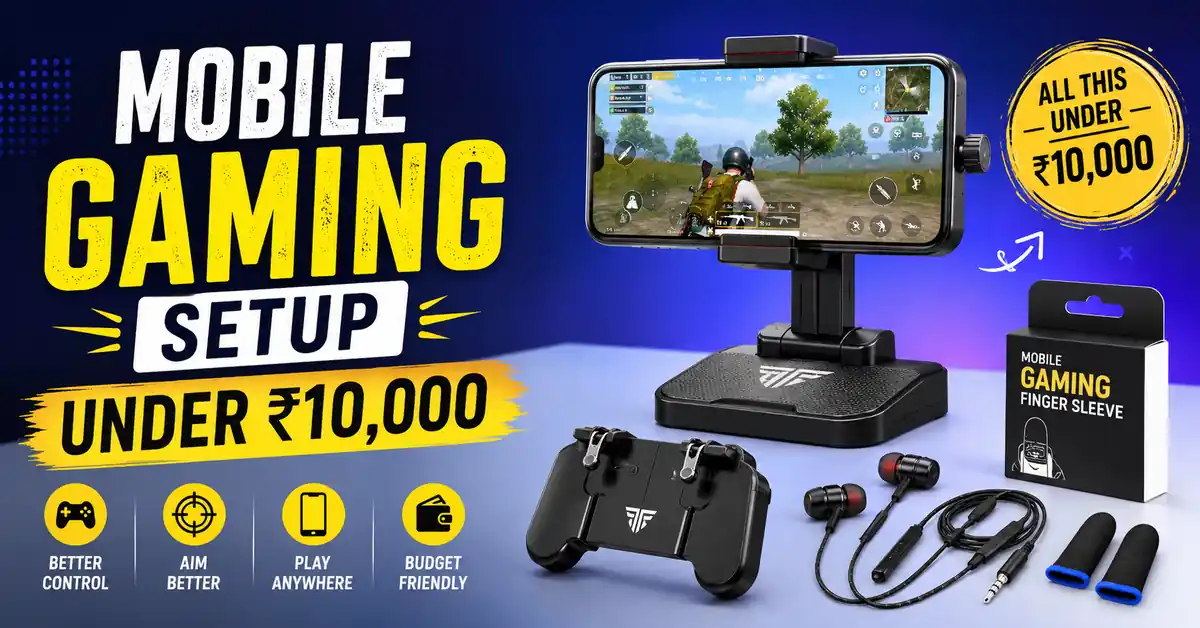
So, I watched videos, reviews and also tested few accessories by buying. At the end I found Few things that actually made my gaming more smoother when compared to before. So, In this article i will share you exactly what worked for me and what you should do to avoid wasting your money. And Mostly you will learn how to make mobile gaming setup under 10000
Let’s Be Honest About What ₹10,000 Can (and Can’t) Do
Firstly, 10,000 is not enough to buy a powerful gaming phone. And you are not able to buy other expensive accessories etc.. But this is not the actual point right? So, if you have already a good phone with, Atleast 4GB RAM. But I assure you that this budget can help you to improve your gaming experience a lot. Some upgrades can make games to run more smoother, And it can keep your phone cool to avoid lags while playing long gaming sessions.
The Main is not to replace your mobile phone. It is to get the best performance from the phone which you are using currently.
Step 1: Improve Your Phone’s Performance First (Cost: ₹0)
Firstly, before buying new mobile spend some time to optimize your phone. This is the same thing even I did, And honestly speaking this step made a big difference than I expected.
Here are a few things that helped:
Turn on Game Mode if your phone has game mode turn on . Many phones like Xiaomi, Samsung, Realme, and Oppo includes gaming mode that which blocks notifications.
Clear cached files and junk data to free up storage and reduce lags while playing.
Delete apps you don’t use anymore. I found more than a dozen apps on my phone that which I had not opened in months.
Reduce or disable animations In Developer Options you can see options for disabling animations. It makes the phone feel faster when opening apps and switching between screens.
Use lower graphics settings in games. In BGMI, I switched from higher graphics to Smooth graphics with a higher frame rate. By using lower graphics settings in games makes your gameplay more smoother.
Optimizing all this may take less than half an hour. Make sure that all the steps mentioned above are done correctly.
Step 2: Upgrade Your Controls (₹800–₹1,500)
Try to upgrade your controls, And don’t spend money highly on controls.
So, I have tried a few different options, and here is what I learned.
Option A: L1R1 Triggers (₹300–₹500)
These are some small clip-on triggers you should attach to your phone and it will act like an extra buttons. They are especially useful for games like BGMI and Free Fire because they make you shooting and aiming more comfortable. So, previously I bought a cheap pair online for ₹350. They worked well at first but it got stopped working properly after a few weeks. Later on, I bought better pair from a local store which is near me, and Still I am using it
If you mainly play games like battle royale games, These will help you more.
Option B: Bluetooth Controller (₹700–₹1,500)
I also tried a budget Bluetooth controller, and this made a difference than I expected. While playing Games like Call of Duty Mobile, Asphalt, Minecraft, made me more enjoyable.
The controls were more comfortable, and long gaming sessions felt less tiring.
The only catch is that BGMI doesn’t officially support controllers, so a controller isn’t the best choice if that’s your main game.
What I would Recommend is
If you mostly play BGMI or Free Fire, go for a good pair of triggers.
If you want to play different types of games and want console like experience, a budget Bluetooth controller is will be the better investment.
Step 3: Keep Your Phone Cool (₹400–₹900)
The main mistake that many of the gamers do is they will ignore that they will avoid mobile temperature.
So, Whenever if your phone gets too hot, it will automatically slows itself to avoid damage. This is called Actually called thermal throttling, and it is one of the most biggest reason which starts lagging while you have been playing games.
Same thing I noticed this on my phone. The first 10-15 minutes of a BGMI match was very smooth, but later in the game on in the middle of the game it started lagging. So, to fix these i bought a clip-on phone cooler for my mobile.
It will be like a small fan that will get attached to the back of your phone and helps you to keep the temperature low while playing game. After using it for my phone it maintained cool temperature. Don’t buy expensive cooler for your mobile because any basic model can help if your phone heats while gaming.
Step 4: Earphones — This Actually Affects Gameplay (₹600–₹1,500)
While playing game audio can actually improve your gameplay, especially while playing games like BGMI or any battle royale game. These actually helps to hear footsteps, gunshots and vehicle sounds clearly so, that you can spot enemies easily.
Since long time, I used the free earphones that which are came with my phone. They for long time but the sound was not very clear. After switching to other earphones, I Can hear sounds much better than previously. You can prefer the best wired earphones which are under 800rs that which offer clear sound.
Step 5: Don’t Ignore a Phone Stand (₹200–₹500)
Most of the gaming beginner who prefer gaming setup will ignore phone stand which is very important if you are gaming continuously for hours.
Holding your phone for longer time can strain on your hands. I used to rest my phone on random objects which are on my desk. And this made me not comfortable. So, I bought a simple phone stand from local mobile shop. After using phone stand gaming became more comfortable for me.
So, Don’t try to ignore phone stand. Phone stand makes you to concentrate on your gaming. your hands will not get strain.
Step 6: Improved Wi-Fi or Data — Because Lag Is the Real Enemy (₹0–₹300)
Most of the gamers focus on their phone and accessories but they forget important thing that is internet speed and it’s stability.
You can have a smooth gaming phone and great controls, but if your ping is high, you will still face lag, some delayed shots while firing.
If You Use Wi-Fi
If you use Wi-Fi make sure try to keep your router close if possible. By moving it closer your connection will get improved. Also if your router supports 5GHz Wi-Fi network, use it instead of 2.4GHz network. It is usually faster and maintains stability for gaming.
If You Use Mobile Data
If you are using Mobile Data make sure you are in the area which has a strong signal. Even the best mobile network can struggle if the signal is weak.
Most of the games also include network optimization settings. Turning those settings can help and maintain more stable connection while playing matches.
What I’d Buy If I Had to Start From Zero With ₹10,000
Here’s the exact which I prefer to follow:
| Item | Approx. Cost |
|---|---|
| L1R1 Shoulder Triggers (pair) | ₹499 |
| Budget Bluetooth Controller (Gamesir/Mocute) | ₹1,100 |
| Clip-on Phone Cooler | ₹799 |
| Wired Earphones (boAt/Realme Buds 2) | ₹599 |
| Phone Stand (metal, adjustable) | ₹299 |
| Screen Protector (matte/anti-glare) | ₹299 |
| Portable Power Bank (10,000mAh, for long sessions) | ₹999 |
| Spare (for sales, better deals, or replacements) | ₹5,406 |
Also Read: Best Lifetime Deal Apps for Android (Pay Once, Keep Forever)
Also Read: How to speed up your Android phone in 2026 (no fake boosters)
Conclusion:
Building a good mobile gaming setup does not need high invest. With a simple budget of 10,000 you can setup mobile gaming which helps you in improving your gaming experience. The biggest mistake is buying everything at once and expecting results instantly.
If you want to get out of all the problems like increasing temperature while playing game, game lagging etc.. follow all above steps to get out of it And you will get a best gaming experience.
FAQ’S
1. Do I really need to spend ₹10,000 to improve my mobile gaming setup?
Not at all. In fact, most people will notice a difference by spending much less. Start with the area that’s causing the biggest problem. If your phone gets hot, buy a cooler. If your controls feel awkward, try triggers. You can build your setup over time instead of buying everything at once.
2. Are phone coolers actually worth buying?
If your phone becomes hot during gaming and starts lagging after 15–20 minutes, then yes. A phone cooler won’t turn a budget phone into a flagship, but it can help maintain smoother performance during long gaming sessions by keeping temperatures under control.
3. Should I buy a gaming controller or triggers?
It depends on the games you play. If you spend most of your time playing BGMI or Free Fire, triggers are usually the better choice. If you play racing games, sports games, or controller-supported titles, a Bluetooth controller can make gaming much more enjoyable.
4. Are wireless earbuds good for mobile gaming?
They’re fine for casual gaming, watching videos, and listening to music. However, if you’re playing competitive games where reaction time matters, wired earphones are often the better option because they usually have lower audio delay.
5. What’s the most important upgrade for mobile gaming?
Honestly, there’s no single answer. For some people it’s better internet, for others it’s a phone cooler or better controls. Before buying anything, spend some time figuring out what’s actually affecting your gameplay. Fixing the biggest problem first usually gives the best results.