Introduction
When you tap the Update button on an app it looks very simple. Download, install, done. But that is not what actually happens.
That one tap can replace thousands of lines of code. It can change how the app talks to servers. It can fix security problems you never even knew existed.
I have been testing app updates on Android devices for a few years now. I have seen updates fix battery drain problems completely. I have also seen updates cause new bugs that were not there before.
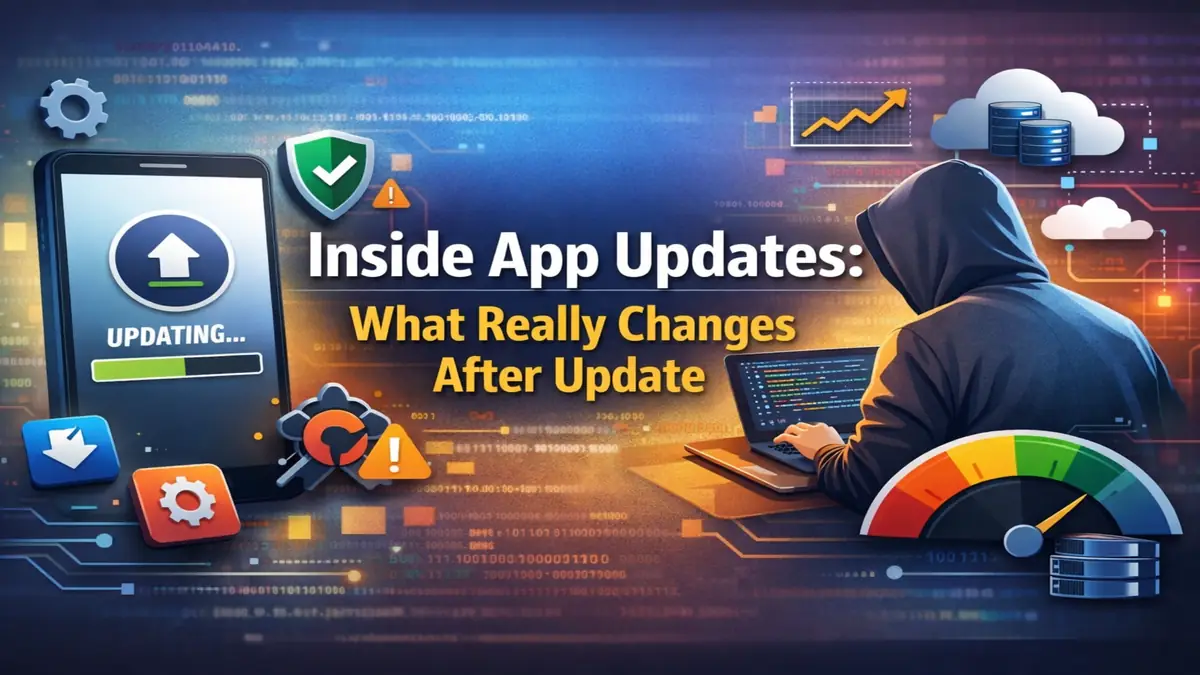
The Inside app updates is not a small surface change. It can change how the entire app works from the inside.
What App Updates Really Change
App updates change much more than what you can see. They can change the app’s core logic and code. They can also change databases, security systems, and server connections.
Some updates are small quick fixes. Others are deep changes that users never see directly. Both matter a lot for how your app performs every day.
1. Code Changes
Every update starts with changes to the app’s code. Developers fix errors that caused crashes. They also remove old outdated parts and add new features.
I once watched CPU usage on a task manager app before and after an update. The old version kept waking up in the background constantly. After the update that stopped completely and battery life got better.
The update notes just said “performance improvements.” But the whole background scheduling system had been rewritten inside. Code changes are the base of every single update.
2. Security Fixes
Security fixes are one of the most important parts of any update. Apps use systems to keep your data safe and private. When a weak point is found developers must fix it fast.
Security fixes can include stronger login checks and better data protection. They also close gaps that could let bad actors in. These fixes happen quietly behind the scenes.
I once saw a money app push a small update labeled only “bug fixes.” It actually fixed a login problem that could have let old sessions stay active too long. Without that update users were still at risk.
This is why skipping updates on banking and payment apps is a bad idea.
3. Outside Library Updates
Most apps use outside tools built by other companies. These tools handle things like notifications, payments, and crash reports. When those tools get updated developers add the new versions to their apps.
This usually makes the app more stable and safe. But sometimes it causes problems on older phones. I have seen apps start crashing on older Android phones after a new outside tool needed a newer Android version to work.
This is why big updates often roll out slowly to catch problems early.
4. Database Changes
Big updates often change how the app stores your information. Developers may add new storage areas or change how old ones are organized. This happens when a new feature needs to save a new type of information.

For example adding a scheduled post feature to a social app needs new time fields in the storage system. The app does this work quietly in the background the first time you open it after updating.
If an app takes longer to open right after a big update this is usually why. It is organizing your old data into the new format. Good apps do this without losing anything.
5. Design Changes
Design changes are the most obvious thing people notice in updates. New button positions, different colors, changed menus. These are the things users talk about most.
But design changes often come from real usage information. When a shopping app moved its checkout button many users thought it was just a style choice. But it actually reduced accidental taps and made buying easier.
Design updates are usually based on how real people actually use the app every day.
6. Features That Turn On Later
Not every new feature turns on the moment you install an update. Developers can turn features on and off from their servers without pushing another update. The new code is already in your app but the feature stays off until they are ready.
This lets developers test features with a small group first. If something goes wrong they can turn it off immediately. This is why two people using the same app version sometimes see different things.
7. Speed and Size Improvements
When update notes say “performance improvements” it usually means real behind the scenes work. The app may use less memory now. It may load things faster or use less internet data.
I compared the size of a media app before and after a major update once. The new version was much smaller. The developers had replaced large image files with smaller flexible ones and removed parts of the app nobody used.
These changes make your phone run cooler, use less RAM, and feel faster overall.
8. Permission Changes
Some updates ask for new permissions. This happens when a new feature needs access to part of your phone. Camera access for scanning, microphone for voice input, or storage for saving files are common examples.
If an update asks for a permission that has nothing to do with what the app does that is worth paying attention to. Always read what the new permission is for before saying yes.
9. Phone System Changes
Android and iPhone systems change over time. When the phone system adds new rules apps must follow them. Updates help apps stay working properly on the latest phone systems.
These changes can affect how the app runs in the background. They can also change how notifications work or how the app uses your storage. On older phones some updates may actually remove support for that device.
I have held off on updates before when I knew a new version dropped support for an older phone I was still using. Compatibility choices can affect older devices a lot.
10. Server and Connection Changes
Some updates change how the app talks to its servers. The app may connect to a different web address now. It may send and receive data in a new way.
These changes often happen at the same time as app updates to keep everything working together. If the app and server are on different versions things can break. Keeping them in sync is why some backend changes come with app updates.
Should You Update Right Away?
For banking, payment, and messaging apps update as soon as possible. Security fixes in these apps matter a lot. Waiting puts you at risk.
For work tools you use every day waiting 24 to 48 hours is fine. Let other people find any new problems first. For casual games and simple apps the timing does not matter much at all.
Why Updates Sometimes Cause New Problems
Not every update makes things better right away. New background services can use more battery. Changes may not work well on older phones.
Sometimes an update breaks something that was working fine before. When this happens developers usually push another fix very quickly. Checking reviews right after a big update can tell you if others are having problems too.
Also Read: AI-Powered Camera Features Explained: HDR, Night Mode & Image Processing Guide (2026)
Also Read: AI in Smartphones: How Spam and Fraud Apps Are Detected in 2026
Conclusion
Inside App updates are not just about new features and fresh designs. They fix security problems, improve speed, change databases, and update server connections. Most of this work happens completely out of sight.
Understanding what updates actually do helps you make smarter choices. You know when to update fast and when to wait a little. You also know why the app might act differently right after a big update.
An app update is regular maintenance work. It keeps the app safe, fast, and working properly on your phone. Now you know exactly what is happening every time you tap that Update button.
FAQ’s
What happens to my data when I update an app?
In most cases your data stays safe and untouched. The app may reorganize how it stores things during the first open after updating. Good apps do this without losing any of your information.
Why do some updates show no visible changes at all?
Many updates fix security problems or improve speed behind the scenes. These changes make the app safer and more stable. You cannot see them but they matter a lot for how the app works.
Can app updates ask for new permissions?
Yes they can. New features sometimes need access to your camera, microphone, or storage. Always check what the new permission is for before you say yes to it.
Why does an app open slowly right after updating?
The app is usually reorganizing your stored data into a new format. This only happens once after the update is installed. After that first open the app goes back to normal speed.
Is it risky to skip app updates for a long time?
Yes especially for banking and messaging apps. Known security problems stay unfixed if you do not update. Small casual app updates are less urgent but security fixes should never be skipped.