Introduction
Smartphone cameras got much better over the last ten years. But the hardware did not change that much. The real change happened in software.
If you ever took a sunset photo where both the sky and the person looked good, that was software doing the work. If you ever got a clear photo in near darkness without a tripod, that was software too.
This article explains how HDR, Night Mode, and AI-Powered camera features actually work. No marketing claims. Just what really happens when you tap the shutter button.
What Are AI-Powered Camera Features?
A-powered camera features are systems that look at a scene and fix the photo automatically. They adjust brightness, color, and sharpness without you doing anything. They work in the background every time you take a photo.
When you press the shutter button your phone does not just take one photo. It takes many photos very quickly before and after you tap. Then it picks the best parts from all of them and combines everything into one final image.
This is why modern phones take good photos even in difficult light. A few years ago the same scenes would have needed you to adjust settings manually.
HDR Explained Simply
What Is HDR?
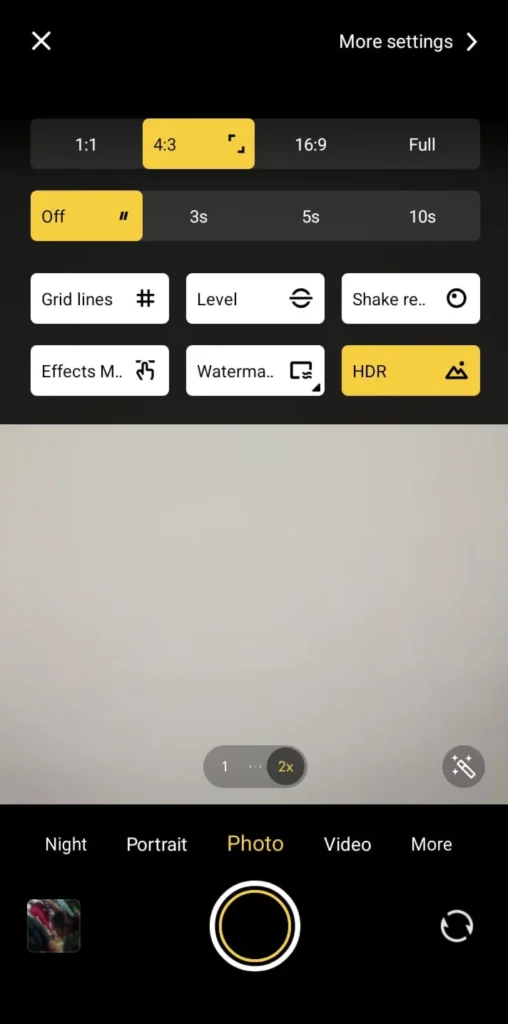
HDR stands for High Dynamic Range. It solves one of the oldest problems in phone photography. That problem is bright and dark areas appearing in the same photo at the same time.
Think about taking a photo of someone standing in front of a bright window. Without HDR either the person looks too dark or the window looks completely white. You cannot get both right at the same time with one photo.
HDR fixes this by taking several photos at different brightness levels. Then it combines the best parts of each one into a single image.
How Modern HDR Actually Works
Old HDR systems took two or three photos at very different brightness levels. New systems take many quick photos instead. This reduces blurry photos and keeps everything sharp.
The system lines up all the frames to fix small hand movements. It keeps the bright areas from going completely white. It also lifts the dark areas so you can see detail in shadows.
Different parts of the photo get processed separately too. Your face, the sky, and the background all get their own adjustments. This is why skin tones look natural even when the background is very bright.
I tested this in strong afternoon sunlight once. Current HDR kept facial detail very well without making the whole photo look flat and washed out. Older phones used to make everything look the same brightness which looked very unnatural.
Night Mode: How Dark Photos Get Bright
Taking photos in low light is hard for phone cameras. Small sensors cannot gather enough light without making the photo look grainy. Night Mode solves this in a smart way.
How Night Mode Works
When Night Mode turns on the camera takes many short photos instead of one long one. Short photos mean less blur from shaky hands. The system then lines all those photos up carefully.

It removes the grain by comparing all the frames together. Areas that look different between frames get smoothed out. Areas that look the same in every frame get kept sharp and clear.
Then it combines everything into one bright final photo. The result often looks brighter than what your eyes actually saw in real life.
I tested this during evening street photography once. Night Mode made the shadows under streetlights much clearer and easier to see. But sometimes it made the scene look too bright. A dark street can end up looking like it was taken at sunset instead of at night.
What Happens to Every Photo You Take
HDR and Night Mode are just two visible features. Even a normal photo taken in good light goes through many steps automatically.
Scene Detection
The phone looks at what you are photographing first. It checks if it sees a face, food, text, a landscape, or a dark scene. Then it adjusts how it processes the photo based on what it found.
Brightness Balancing
Different parts of the photo get different brightness adjustments. The sky might get darkened slightly while the shadows get lifted a little. This all happens separately for each area of the photo.
Grain Removal
Modern phones remove grain without making the whole photo look soft and blurry. They remove grain only where it appears while keeping sharp edges looking sharp. This is much better than older methods that just blurred everything equally.
Sharpening
The phone adds sharpness to edges and details in the photo. It does this carefully so smooth surfaces like skin do not look rough or fake. Only the edges and fine details get the sharpening treatment.
Color Adjustment
Every phone brand has its own style for colors. Some brands prefer natural looking colors. Others make colors look more vivid and bright. This happens automatically every time you take a photo.
Portrait Mode: How Backgrounds Get Blurred
Portrait mode separates you from the background and blurs everything behind you. Early versions needed two cameras to do this. New systems can do it with just one camera using trained software.
The system finds your face, hair edges, shoulders, and the line where you end and the background begins. It keeps you sharp and blurs everything else. Hair used to be the hardest part to get right.
Hair edges have improved a lot compared to early portrait modes. But complex backgrounds can still cause small problems. If your clothing color is similar to the background the separation can sometimes look wrong at the edges.
Multi Frame Capture: The Most Important Change
The biggest improvement in phone cameras is something most people never think about. Your camera is always saving frames in the background even before you tap the button.
When you finally take the photo the system picks the sharpest and most balanced frames from that saved collection. Then it combines them into one final image. This is why you rarely get a blurry photo from a small hand movement anymore.
Older phones could not do this. You had to be very still at exactly the right moment. Now the phone handles all of that automatically for you.
Where Phone Cameras Still Struggle
Phone cameras are very good now but they still have limits. Too much grain removal can erase fine details like fabric texture or individual hairs. Strong HDR can make a photo look flat and unnatural.
Fast moving subjects can sometimes look ghostly or doubled in Night Mode photos. Mixed lighting like indoor lights and sunlight together can confuse the color system. The phone may make everything look orange or blue when it should look neutral.
From my own testing, sunset photos sometimes look better with HDR turned down a little. Letting some shadows stay dark creates more depth and looks more real.

Why Software Matters More Than Megapixels
More megapixels means more detail in a photo. But megapixels alone do not make photos look good in low light or in tricky brightness situations.
A well tuned 12 megapixel camera regularly takes better photos than a poorly tuned 50 megapixel one. The software processing makes the real difference. This is also why phone cameras can get noticeably better through a software update alone without any hardware change.
What to Expect From Phone Cameras Going Forward
Camera improvements are now mostly about software not hardware. Real time HDR for videos is getting better. Moving subjects in low light are being handled more accurately.
Background removal in portrait mode keeps improving too. Color accuracy in mixed lighting is also getting more attention from developers. The direction is clear. Smarter processing, not bigger sensors.
Also Read: AI in Smartphones: How Spam and Fraud Apps Are Detected in 2026
Also Read: Online Multiplayer Lag: Network vs Device Performance Explained
Conclusion
AI-powered camera features changed what phone cameras can do completely. HDR blending, multi frame stacking, and smart processing let phones handle light situations that used to be impossible for small cameras.
These features work automatically in the background every time you take a photo. But knowing how they work helps you understand when to trust them and when to turn them down a little.
The result is not just better photos. It is consistent photos that actually look good even when the light is difficult.
Frequently Asked Questions
1. What are AI-powered camera features?
They are processing systems that look at your scene and automatically fix brightness, color, and sharpness by combining many frames into one final image. They work in the background every time you take a photo without you doing anything.
2. How does HDR make photos look better?
HDR takes several photos at different brightness levels and combines the best parts of each one. This keeps both bright areas and dark areas looking good at the same time in the same photo.
3. Is Night Mode the same as long exposure photography?
No it is different. Night Mode takes many short photos and combines them instead of one very long photo. This reduces blur while still making the photo bright and clear.
4. Why do some phone photos look too processed and fake?
Strong sharpening, heavy grain removal, or aggressive HDR can all make photos look unnatural. This happens most often in scenes that were already well lit and did not need much processing.
5. Are more megapixels always better in a phone camera?
Not at all. The quality of the software processing and the sensor often matter much more than how many megapixels the camera has. Many phones with fewer megapixels take better photos than ones with more.