Introduction
You use AI every single day. You just don’t know it yet. It is already living inside your phone. Most people think AI means robots or sci-fi movies. But that is not true at all. AI is much simpler than that. It helps you take better photos. It finishes your sentences. It finds your way home faster. I remember the first time I realized this. I was typing a message to my friend. My phone suggested the exact word I was about to type. I laughed out loud. The phone knew what I was thinking. That moment changed everything for me.
This article will show you every AI features on your phone already running. By the end you will see your smartphone differently. You will never look at it the same way again.
What Is AI on Your Phone, Really?
AI on your phone means your device learns from you. It studies how you use apps and what you type. Then it uses that information to help you.
You don’t need to download anything special. You don’t need a premium plan. These features are already built in.
Most of them have been there for years. You just never noticed them. Now you will.
1. Your Keyboard Predicts What You Will Say Next
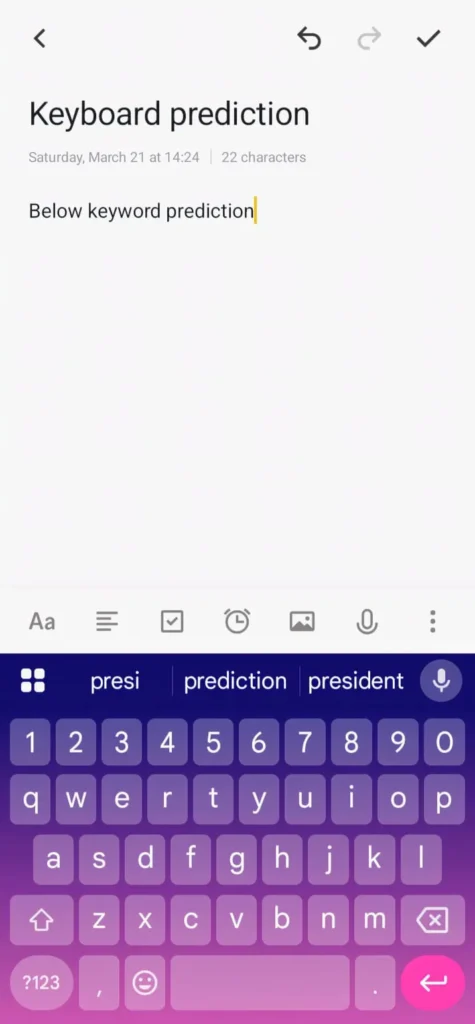
Open any messaging app right now. Look at the top of your keyboard. You will see three word suggestions already there.
That is not random. Your phone studied thousands of your past messages. It knows exactly how you write.
It knows the words you use most. It knows what you say after certain phrases. It even knows how you text different people.
You text your mom differently than your boss. Your phone notices that. It adjusts its suggestions for each person.
This feature is called predictive text. It uses machine learning trained on your habits. The longer you use your phone, the smarter it gets.
Personal Experience: I once let my phone finish an entire message using only suggestions. It was surprisingly accurate. It even matched my casual tone with my friends.
2. Face ID and Fingerprint Are Pure AI
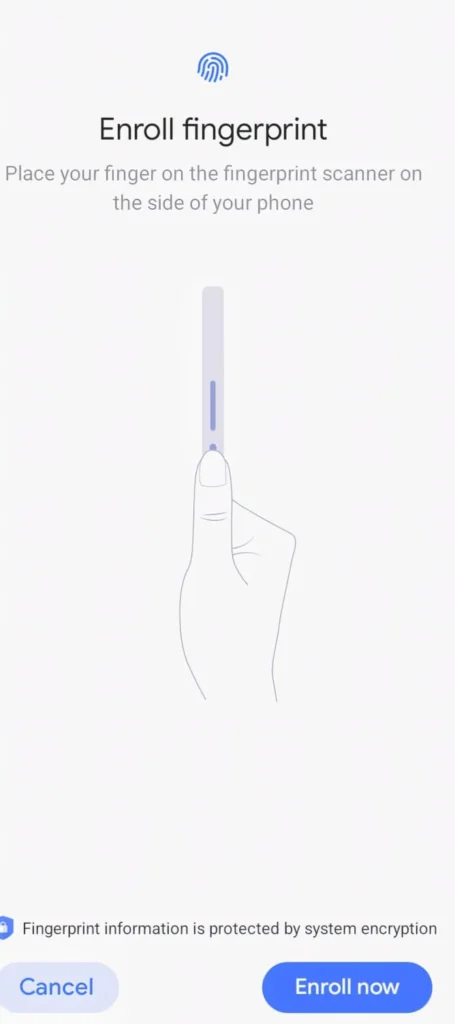
Every time your phone unlocks when you look at it, AI did that. It just saved you two seconds. That happens around seventy times a day.
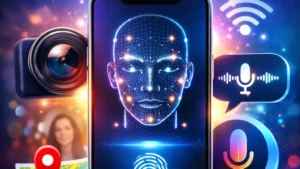
Face recognition maps over 30,000 invisible dots on your face. It measures the distance between your eyes and nose. Then it compares that map every single time.
If you grow a beard it still works. If you get glasses it still works. That is because it is not matching a photo.
It is matching a three-dimensional model. That model updates over time. Regular software could never do this.
Fingerprint sensors work the same way. The AI matches partial prints even when your finger is wet. Only machine learning makes that possible.
3. Your Camera Is Smarter Than Any Professional
Point your camera at anything. AI starts working before you press the button. It is doing at least eight things at once.
Scene Detection : The AI sees whether you are shooting food or a sunset. It adjusts color and brightness automatically. You get a better photo without touching any settings.
Portrait Mode : Your phone separates you from the background. It creates a blurred background effect. This used to require an expensive professional camera.
Night Mode : AI takes multiple photos very quickly in low light. Then it blends them into one clear bright image. This all happens in under two seconds.
Google Lens : Point your camera at a plant or a restaurant menu. AI identifies it instantly. You get answers without typing a single word.
I once used Google Lens on a plant in my garden. I could not name that plant for three years. The AI told me in four seconds.
4. Voice Assistants Understand Context Now
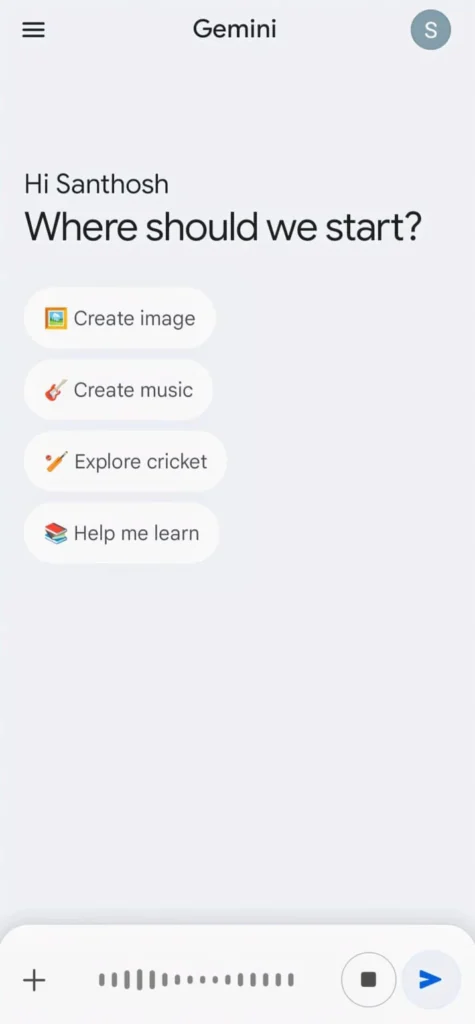
Siri and Google Assistant are not just voice search engines anymore. They understand context now. That is a big difference.
You can say “What is the weather like?” Then say “What about tomorrow?” The assistant knows tomorrow refers to the weather.
It remembers the conversation. It connects your questions together. That is natural language processing at work.
A few years ago voice assistants were frustrating. They misunderstood accents. They failed at complex questions.
Today they can set alarms, send messages, and book rides. They answer follow-up questions in one conversation. The improvement came entirely from better AI.
Tip: Ask your assistant “Remind me to call the dentist when I get home.” It understands location, time, and intent together. That is not programming. That is an intelligence.
5. Your Photos App Organizes Itself
Open your Google Photos app right now. Look at your albums. You will find folders like “Dogs” and “Beaches” and “Food.”
You never created those folders. AI created them for you. It happened automatically in the background.
Photo apps use something called computer vision. Every photo you take gets scanned by AI. It identifies faces, objects, and locations.
Then it sorts everything without you doing anything. You can search “birthday cake” and every photo with a cake appears. No tags needed. No sorting ever.
This feature saves hours every year. Most people never use it. Now you know it exists.
6. Maps Know Where You Are Going Before You Tell Them
Open Google Maps in the morning. Before you type anything your office is already suggested. That is AI predicting your destination.
Your phone learned you leave for work around 8:30 AM on weekdays. It starts loading traffic data for that route automatically. It is ready before you even open the app.
Maps also analyze live traffic and accident reports. They check road closures and weather conditions. Then they recalculate your route every few minutes.
Google Maps now predicts how crowded a restaurant will be. It predicts parking difficulty too. All of this runs on machine learning.
7. Your Battery Lasts Longer Because of AI
This one surprises most people. AI is managing your battery right now. It is happening in the background.
Both Android and iPhone have Adaptive Battery. This feature uses machine learning to study your charging habits. It learns your daily routine.
If you plug in at 11 PM and wake at 7 AM your phone learns that. It charges slowly to 80% overnight. Then it finishes to 100% right before you wake up.
This reduces battery aging over time. It keeps your phone healthier for longer. That is why newer phones last all day.
Apps you never use get put into deep sleep too. Apps you use every morning get prepared in advance. AI manages all of this silently.
8. Spam Filters Use AI to Protect You
Every spam call that never reached you was blocked by AI. Every scam text that disappeared was stopped by AI. It is working every single day.
Your phone runs a machine learning model trained on millions of spam patterns. It checks caller IDs against huge databases. It reads texts to detect suspicious links.
Google Call Screen takes this further. When an unknown number calls an AI voice answers for you. It asks who is calling and why.
You see the transcription and decide whether to pick up. The caller never speaks to you until you choose. This has saved millions of people from scams.
9. App Suggestions Know Your Routine
Look at your home screen right now. You will see app suggestions appearing at certain times. Your music app appears during your commute.
Your fitness app shows up on Sunday mornings. Your food delivery app appears around lunchtime. You never set this up.
AI mapped your behavioral patterns against time and location. It learned you open Spotify when you connect to your car Bluetooth. It learned you check news right after your alarm.
Now it surfaces those apps exactly when you need them. You don’t ask for anything. The AI just knows.
10. Smart Replies Save You Real Time
Open Gmail after reading a message. You will see two or three short reply suggestions at the bottom. Things like “Sounds great!” or “I will check and let you know.”
AI read that message and generated those replies. It understood the tone and the question. Then it offered you shortcuts.
This seems like a tiny feature. But when you are busy it saves real time. Millions of people use it every single day.
It works because the AI behind it is genuinely smart. Not because someone programmed fixed responses. Because AI actually understood the message.
11. Sleep Tracking Without a Smartwatch
Many people don’t know their phone tracks health without a watch. Google Pixel phones use the microphone and accelerometer to track sleep. They detect breathing sounds and movement patterns.
Apple Health collects steps and heart rate trends. It tracks blood oxygen data too on supported models. The AI analyzes all of this over weeks and months.
It does not just show you numbers. It shows you patterns. That is where the real value comes from.
Personal Experience: I used sleep tracking on my phone for two weeks. I noticed I was getting poor sleep on nights I used my phone late. The AI showed me the exact pattern. I changed my habit and my sleep improved. That was real value from AI I did not even know I had.
Why This All Matters for You
Knowing about these features is not just interesting. It is actually empowering. You use your phone better when you understand it.
You take smarter photos. You protect yourself from scams. You save time every single day.
AI is not coming in the future. It is already here. It is running on the device in your pocket right now.
The companies behind these features spend billions of dollars on them. Thousands of engineers build them. Most of that work happens invisibly.
How to Get More From These AI Features
Turn on adaptive charging. Go to your battery settings and enable it. It extends your battery life over time.
Use Google Lens every day. It translates text, identifies products, and finds where to buy things. Most people never open it.
Add an alternate appearance to Face ID. It works even when you look different. This improves accuracy a lot.
Search your photos app. Type any word like a color or a place. See what AI has already sorted for you.
Enable Call Screen on Android. It stops spam calls before they reach you. Turn it on immediately if you have not already.
Also Read: 10 App Settings to Speed Up Phone Instantly (Fix Lag & Boost Performance)
Also Read: Game Settings That Improve Your Gameplay Instantly (Best Setup Guide 2026)
Conclusion
AI is not something coming in the future. It arrived quietly and slipped into your pocket. It has been helping with you every single day.
From the moment you unlock your phone to the moment you take a night photo, AI is working for you. It predicts your words and protects your battery. It organizes your memories and keeps scammers away.
The best part is you don’t need to do anything new. These features are already there. You just needed to notice them.
Now that you know, use them. Trust them. Let the AI in your phone work even harder for you. That is exactly what it was designed to do.
FAQ’s
1. Is my phone AI always listening to me?
No, your phone only processes voice when you say a wake word like “Hey Siri.” Background features like predictive text work on stored data only. Your privacy settings control everything.
2. Does using AI features drain my battery faster?
No not at all. Most AI features run on low-power processors in the background. Adaptive Battery actually helps your phone last longer by managing power smartly.
3. Can I turn off AI features if I want?
Yes, absolutely. You can disable predictive text, face recognition, and smart replies from your settings. Each feature is controlled individually so you choose what feels comfortable.
4. Do older phones have these AI features?
Older phones have basic versions like predictive text and autocorrect. Advanced features like Night Mode and adaptive battery need newer hardware with dedicated AI chips built in.
5. Is phone AI connected to the internet to work?
Some features like voice assistants need internet access. Others like face unlock and keyboard predictions work fully on your device. No data gets sent anywhere for those features.