Introduction
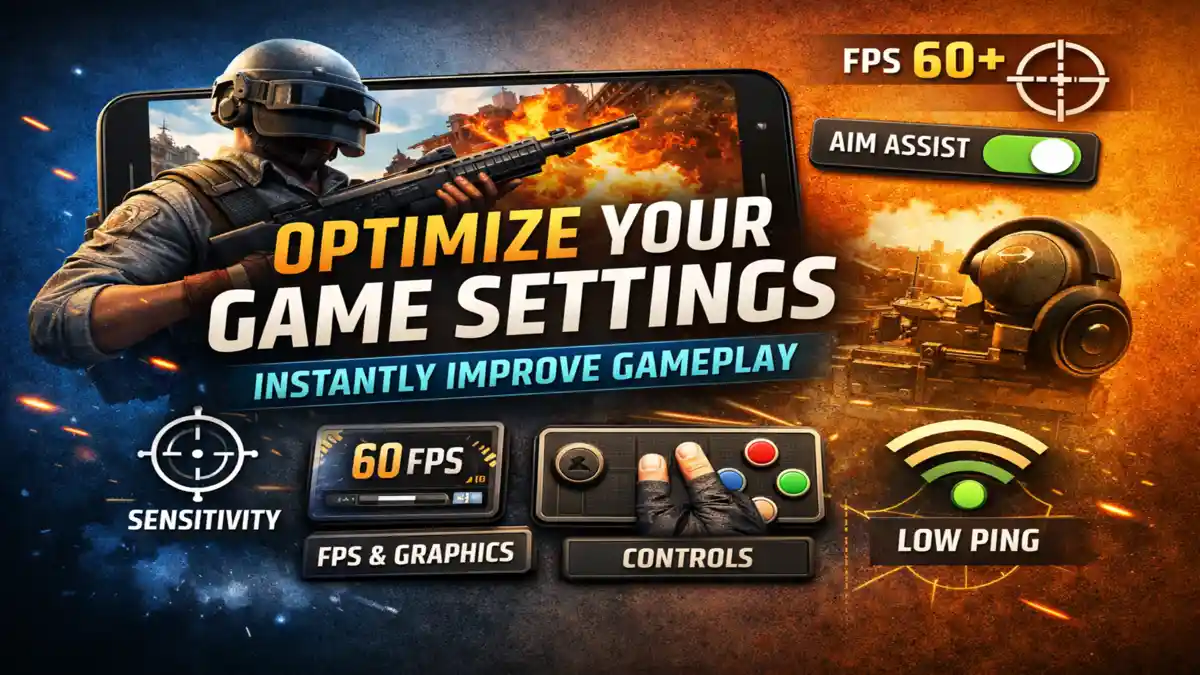
Many players mostly believe that improving game playing depends only on practice. While practice is important, it is not the only factor. Game settings play’s a major role in how your gameplay feels and performs. I realized that while playing on my Android device like Snapdragon 778G, 6GB RAM, 90Hz display. My aim was very clear, and I understood the game mechanics, but my performance was inconsistent. I tested this for about a week and noticed something interesting. My gameplay didn’t improve slowly it improved suddenly after fixing a few settings. That made me realize the problem which is always not a skill, it was how the game was set up will be done. And I mostly discuss about game settings that improve your gameplay instantly.
Instead of playing continuously, I spent time adjusting settings inside the training mode. After testing for a few matches, I noticed a clear difference. My aim felt smoother, movement became more natural, and reactions improved.
This showed me that correct settings can improve gameplay instantly without needing extra hours of practice.
Why Default Game Settings Are Not Optimized
Most games have default settings that are designed to work on a wide range of different devices. These settings are not created for maximum performance. They are made to ensure the game runs safely without crashes.
Because of this, default settings often:
- Keep sensitivity lower than ideal.
- Use higher graphics for visual appeal.
- Set basic control layouts for beginners.
These choices make the game playable, but not optimized. Many of the players feel that something is not right. Actually they not able to identify problem.
Adjusting these settings based on your device and play style that can create a noticeable improvement.
Sensitivity Settings and Aim Control
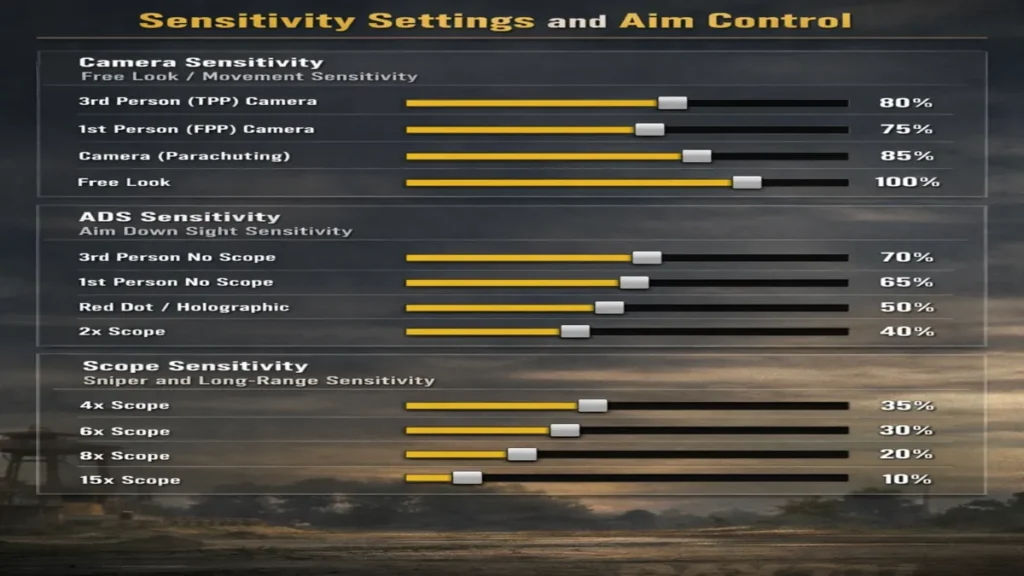
Sensitivity is one of the most important settings in any shooting or action game. It controls how your camera moves when you swipe on the screen.
If sensitivity is too low, your movement becomes slow. You may not be able to track enemies properly. If sensitivity is too high, your aim may become unstable and difficult to control.
The correct sensitivity depends on your device and screen size. Larger screens usually require slightly higher sensitivity, while smaller screens feel better with lower values.
How to Adjust Sensitivity Properly
The best way to adjust sensitivity is through testing. Open training mode and try aiming at fixed targets. Move your crosshair quickly between targets and see how it feels.
After that, test moving targets. This step is important because many settings feel fine on static targets but fail during movement.
You should also adjust different sensitivity types separately:
- Camera sensitivity for general movement.
- ADS sensitivity for aiming down sights.
- Scope sensitivity for long-range accuracy.
Using the same value for all may feel simple, but it usually reduces control.
From my experience, spending even 15–20 minutes on sensitivity tuning can improve aim consistency.
Graphics Settings and Frame Rate Balance
Graphics settings control how the game looks, while frame rate controls how smoothly it runs. Many players mostly focus on visuals, but performance is more important for gameplay.
High graphics settings can reduce frame rate, especially on mid range devices. This can cause lag, and delayed reactions.
Lower graphics settings usually provide a better performance. A stable frame rate makes gameplay smoother and more responsive and easy.
Example Comparison
On my device:
- High graphics gave around 45–50 FPS with occasional drops.
- Smooth graphics provided stable 60 FPS.
The smoother option felt much better during gameplay.
Stable FPS helps you track enemies more easily and react faster. Even though visuals are slightly reduced, the gameplay experience improves.
Control Layout and Button Placement
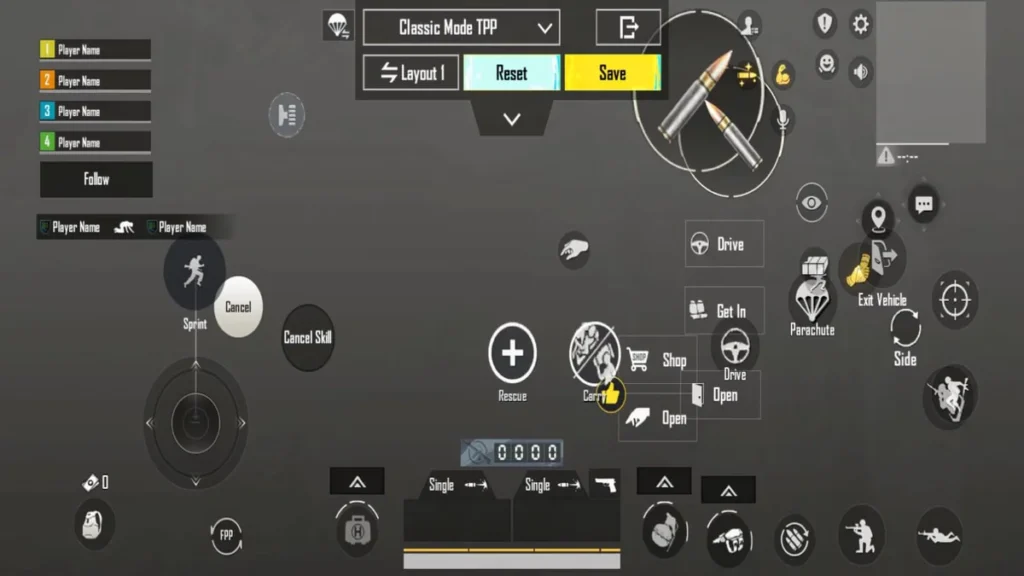
Control layout affects how quickly you can perform actions in the game. Default layouts are designed for beginners, but they are not always efficient for fast gameplay.

Buttons may be placed too far apart, which increases finger movement. This can slow down your reactions during important moments.
Improving Your Control Layout
You can customize button positions based on your comfort. Move important buttons like fire, jump, crouch, and reload to positions that are easy to reach and tap so that you can play very easy.
Some players prefer advanced layouts like 3-finger or 4-finger claw setups. Even i prefer 3-finger layout while playing BGMI. These allow multiple actions at the same time, such as moving and shooting together that makes you win the game.
If you are not comfortable with advanced layouts, make the small changes that can still help. Adjusting button size is also useful. Larger buttons are easier to press during fast fights.
Audio Settings and Sound Awareness
Audio plays an important role in gameplay. It provides clear information about enemy movement, direction, and actions.
Footsteps, gunfire, and reload sounds can help you understand where enemies are before you can see them very perfectly.
How to Improve Audio Settings
To get better sound awareness:
- Increase footstep and effects volume.
- Reduce background music.
- Use earphones or headphones for better clarity.
Directional audio can also help to identify where sounds are actually coming from. However, performance may vary depending on the device.
Good audio settings can give you an advantage by allowing you to react earlier and very fast.
Aim Assist Settings
Aim assist helps players to maintain aim on targets. And It is especially useful for beginners and fast paced games.
However, very high aim assist can sometimes interfere with best control, especially when multiple enemies are close together.
Setting aim assist to a moderate level provides a balance between both support and control.
Network Settings and Ping Stability
Network performance directly affects gameplay. High ping can cause delays in actions and reduce responsiveness.
To improve network stability:
- Use a strong and stable internet connection.
- Prefer Wi-Fi over mobile data when possible.
- Close background apps before playing.
- Select the nearest server.
Even small improvements in ping can make gameplay feel smoother.
Field of View Settings
FOV determines how much area you can see on the screen. A higher FOV increases visibility but makes enemies appear smaller.
A lower FOV makes enemies larger but reduces your overall awareness.
Most players find a medium or slightly high FOV to be the best option. The ideal setting depends on screen size and personal preference.
Visual Effects and Performance Impact
Some visual effects are designed to improve appearance, not gameplay. These include motion blur, bloom, and high shadow quality.
Disabling or reducing these effects can:
- Improve performance.
- Increase visibility.
- Reduce distractions.
For example, turning off motion blur makes moving objects clearer and easier to track.
Common Mistakes Players Make
Many players make simple mistakes when adjusting settings:
- Copying settings from other players without testing.
- Changing multiple settings at once.
- Ignoring comfort and usability.
Each device and player is different. What works for one player may not work for another.
Testing and adjusting gradually is the best approach.
What This Means For You
If your gameplay feels inconsistent, your settings may be the reason. Instead of focusing only on practice, take time to optimize your setup.
Start with the most important settings like sensitivity and frame rate. Then adjust controls and audio.
Make changes step by step and test them in real matches. This will help you understand what works best for your playstyle.
From my experience, most players try to improve by playing more matches. But sometimes, fixing settings gives faster results than hours of gameplay.
Also Read: Common App Problems Users Face Daily (And Fix Tips That Actually Work)
Also Read: AI Model Drift in Mobile Apps: Causes, Detection And Fixes
Conclusion
Game settings are an important part of improving performance. They affect how the game feels and how you react during gameplay.
When your settings are properly adjusted, your actions become more accurate and consistent. This allows your actual skill to perform better.
Taking time to optimize your settings is one of the easiest ways to improve gameplay instantly.
FAQ:
1. What is the most important setting for better gameplay?
Sensitivity is the most important setting because it directly affects aim and control.
2. Should I use high graphics settings?
Not always. Lower graphics with stable FPS usually provides better performance.
3. Is aim assist necessary?
Yes, but it should be balanced to avoid losing control in crowded fights.
4. How long does it take to adjust settings?
Basic adjustments can be done in 15–20 minutes, but fine tuning takes more time.
5. Do settings really improve gameplay?
Yes, correct settings make gameplay smoother and help your skills perform better.