Introduction
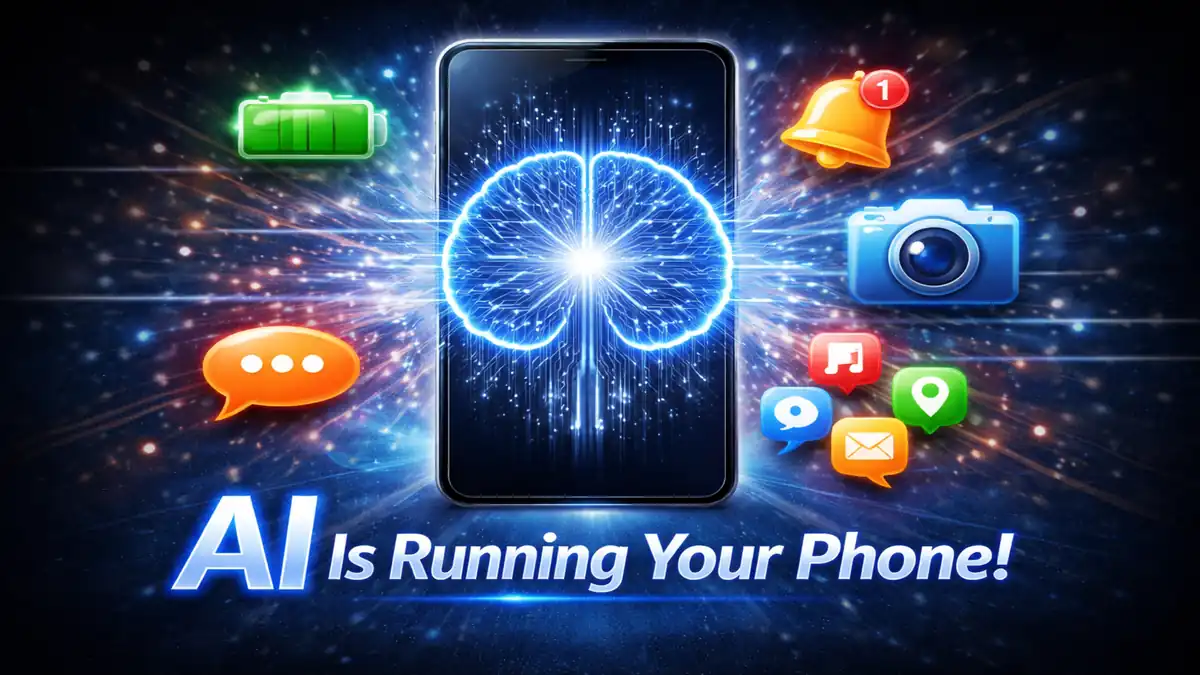
You wake up in the morning And You pick up your phone then You your day starts. Did you know is that AI already started working before you even touched the screen I mean before you woke up. It managed your battery overnight. It sorted your notifications. It prepared your apps for the morning.
AI controls more of your daily phone experience than most people ever realize. It is not doing one or two things quietly. It is managing dozens of tasks every single hour of every single day.
I never thought about this until one day my phone felt unusually slow after a factory reset. Everything I took for granted suddenly stopped working smoothly. That is when I realized how much AI was doing behind the scenes without me ever noticing.
This article shows you everyday tasks controlled by AI in mobile phone right now.
Why AI Controls So Much on Your Phone
Phones became too complex for simple programming alone. Too many things happen simultaneously. Too many variables change every second.
AI handles complexity better than fixed rules ever could. It learns from patterns. It adapts to changes. It makes decisions faster than any human could manually manage.
Your phone has thousands of processes running at the same time. AI manages all of them intelligently. Without AI your phone would feel slow, draining, and frustrating every single day.
1. Managing Your Battery Every Single Hour
This is the most active AI task on your entire phone. It never stops working. It runs every single second you own your device.
Your phone AI studies every app you use. It tracks which apps you open at what times. It learns your complete daily routine over several weeks of observation.
Apps you never use get put into deep sleep automatically. Apps you use every morning get resources prepared before you even reach for your phone. The AI predicts your behavior before you act on it.
Charging is managed the same way. If you charge every night at 11 PM and wake at 7 AM the AI learns this pattern completely. It charges your battery slowly to 80 percent overnight. Then it finishes the last 20 percent just before your usual wake time.
This reduces battery aging dramatically over months of use. Your battery health stays better for longer. All of this happens without you changing a single setting yourself.
I noticed my phone lasting almost two hours longer after using it consistently for three months. The AI had learned everything about my habits by then. The improvement came without me doing anything at all.
2. Sorting and Prioritizing Your Notifications
Your phone receives dozens of notifications every single day. Without AI every single one would arrive with the same loud alert. Your phone would be completely unusable within hours.
AI studies which notifications you actually respond to. It learns which apps you ignore consistently. It adjusts notification behavior based on those learned patterns over time.
Important messages from people you contact frequently get delivered immediately. Promotional notifications from apps you rarely interact with get silently grouped together. The AI decides urgency based on your past behavior.
It also learns your schedule. During your usual sleep hours notifications get silenced automatically. During your work hours certain alert types get suppressed. The AI knows your routine and respects it without being told explicitly.
This is why your phone feels manageable despite receiving so much information constantly. The AI filters the noise so only what matters reaches your attention at the right moment.
3. Autocorrect and Predictive Typing
Every single word you type on your phone goes through an AI system first. This system checks spelling, predicts your next word, and suggests completions before you finish typing.
The AI learns your personal vocabulary over time. Words you use frequently get added to its predictions. Names, places, and phrases specific to your life get remembered and suggested accurately.
It also learns your relationships. You type differently to your boss than to your best friend. The AI notices these patterns and adjusts its suggestions accordingly for each conversation context.
The three word suggestions sitting above your keyboard right now are not random at all. They are calculated predictions based on everything you have typed before on that device. The longer you use the same phone the more accurate these predictions become.
I tested this once by typing the start of a sentence I use very often. My phone completed it perfectly without me typing more than four words. The AI had memorized my common phrases completely over two years of use.
4. Adjusting Screen Brightness Automatically
Most people think adaptive brightness just reads a light sensor and adjusts accordingly. The AI does much more than that simple reaction.
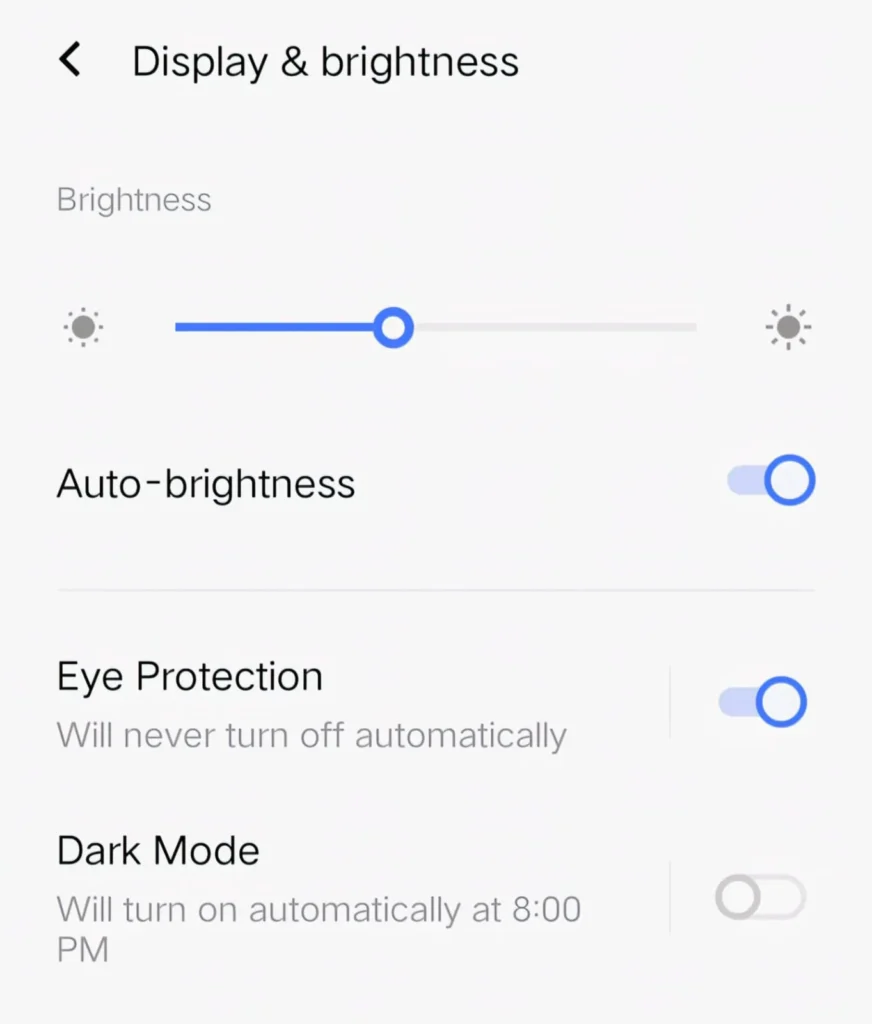
It watches how you manually adjust brightness throughout the day. It learns you prefer slightly dimmer settings in the morning. It learns you want brighter settings outdoors at midday. It learns your evening preferences too.
After several weeks it starts predicting your brightness preferences before you change them manually. You stop touching the brightness slider almost completely. The screen is always at roughly the right level for your current situation.
The AI also considers what you are doing on your phone. Watching a video gets different brightness treatment than reading text. Playing a game gets different treatment than browsing social media. Each activity type has learned preferences that the AI applies automatically.
5. Face Unlock and Fingerprint Recognition
Every time your phone unlocks when you look at it or touch the sensor AI just completed a complex recognition task in milliseconds.
Face recognition maps over 30,000 invisible dots on your face. It measures distances between your eyes, nose, and mouth precisely. It creates a three dimensional mathematical model of your face that updates continuously.
This is why face unlock still works when you grow a beard, get a haircut, or start wearing glasses. The AI is not matching a photo. It is matching an adaptive model that has been learning your face since the first day you set it up.
Fingerprint recognition works the same way. The AI matches partial prints even when your finger is slightly wet or positioned at a different angle. This partial matching requires machine learning to do reliably. Fixed pattern matching software could never achieve the same accuracy.
6. App Loading and Performance Management
When you tap an app icon it opens very fast. Most people assume this is just good hardware. The AI is doing significant work behind the scenes to make that speed possible.
Your phone AI tracks which apps you open at what times of day. It pre-loads those apps into memory before you tap them. When you finally open the app it is already prepared and waiting. The loading time you experience is much shorter because of this preparation.
Apps you have not opened in weeks get cleared from memory completely. The resources they occupied get freed up for apps you actually use regularly. The AI constantly balances memory allocation based on your real usage patterns.
RAM management alone involves thousands of decisions every hour. The AI makes all of them automatically. Without this intelligent management your phone would slow down to a crawl within minutes of heavy use.
7. Camera Scene Detection and Enhancement
The moment you open your camera app AI starts working immediately. It analyzes your viewfinder in real time before you press the shutter button.
It identifies what type of scene you are pointing the camera at. Food, portrait, landscape, night scene, text, or architecture. Each scene type gets different camera settings applied automatically.
For portraits it detects faces and adjusts exposure to make skin tones look natural. For food it boosts colors and contrast to make the meal look appetizing. For night scenes it prepares multi frame capture to produce a bright clear image.
All of these adjustments happen in fractions of a second. You never see them happening. You just notice that your photos consistently look better than they used to with older phones that did not have this AI layer.
The AI also tracks the best moment to capture. It monitors for motion blur, eye blinks in portrait shots, and camera shake. Some phones delay the actual capture by a fraction of a second to get a sharper frame. This happens invisibly every single time you tap the shutter.
8. Spam Call and Message Detection
Every incoming call and message on your phone passes through an AI filter before reaching you. This filter checks everything against patterns of known spam and fraud behavior.
For calls it checks the incoming number against massive databases of known spam callers. It analyzes call patterns associated with automated dialing systems. It flags suspicious numbers before your phone even rings sometimes.
For messages it reads the structure and content of incoming texts. It looks for suspicious links, urgent language patterns associated with scams, and formatting typical of automated mass messages. Identified spam gets filtered away before you ever see it.
Google Call Screen takes this further on Android. An AI voice answers unknown calls for you. It asks the caller who they are and why they are calling. You watch the conversation appear as text and decide whether to pick up.
I have not answered an unwanted sales call in over a year because of this feature. The AI screens everything for me automatically. Calls I want get through immediately. Everything else gets handled without bothering me at all.
9. Search and Content Recommendations
Every search you perform on your phone is processed by AI before results appear. The AI understands the intent behind your words not just the words themselves.
Type a vague search query and the AI figures out what you actually meant. It considers your location, your recent search history, and the time of day to deliver relevant results. Two people typing the same words can get different results based on their context.
Content recommendations in news apps, social media feeds, and video platforms are all controlled by AI too. The AI tracks which content you engage with, how long you spend on each piece, and what you skip past quickly.
Over time it builds an accurate model of your interests. The content it shows you becomes more relevant every single week. This is why social media feeds feel so personalized and why it is so easy to spend hours scrolling without getting bored.
10. Health and Activity Monitoring
Your phone tracks your health passively throughout the entire day. You do not need to open any app. The AI collects and analyzes data continuously in the background.
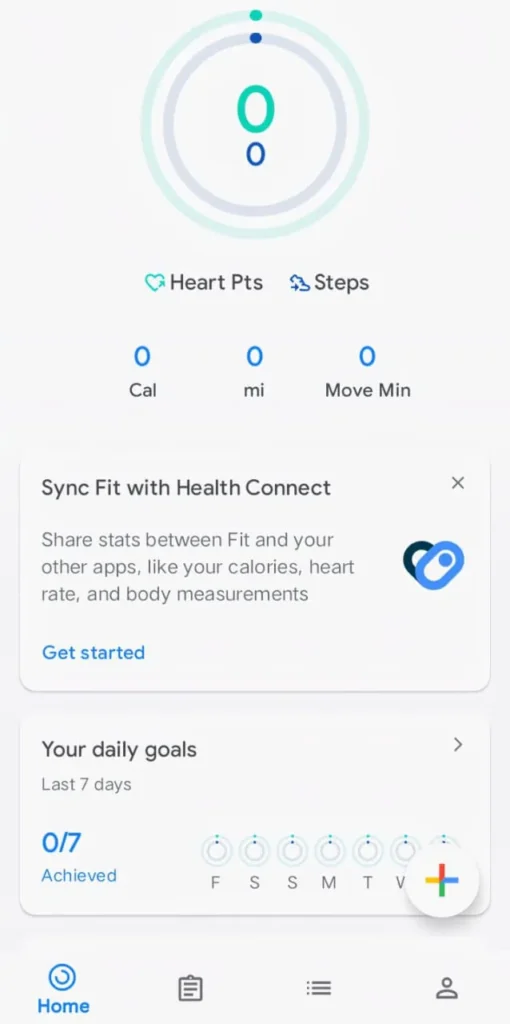
Step counting uses AI to distinguish between walking steps, running steps, driving vibrations, and phone movement in a bag. Pure motion detection alone cannot make these distinctions accurately. AI pattern recognition handles the difference reliably.
Sleep tracking on supported pho6nes uses the microphone and accelerometer together. The AI detects breathing patterns, movement frequency, and ambient sound changes throughout the night. It builds a sleep quality picture from all these signals combined.
The health AI does not just collect numbers. It looks for patterns across days and weeks. It notices when your activity level drops. It identifies irregular sleep patterns before they become serious issues. It gives you insights that raw numbers alone would never reveal.
11. Voice Recognition and Assistant Commands
Every time you speak to your phone AI converts your words into text and meaning simultaneously. This is one of the most complex AI tasks happening on your device.
Wake word detection runs permanently in ultra low power mode. The AI listens for your specific trigger phrase constantly without draining your battery noticeably. When it hears the wake word it activates the full voice processing system.
Natural language understanding then figures out what you actually want. You do not need to use specific command words. You can speak naturally and the AI extracts your intent from conversational language.
Follow up questions work because the AI maintains conversation context. Ask about the weather and then ask about tomorrow. The AI knows tomorrow refers to weather without you specifying. This context memory makes voice assistants feel genuinely intelligent rather than just voice activated buttons.
12. Maps and Navigation
Every time you open Google Maps AI is working at multiple levels simultaneously. Route calculation considers live traffic, accident reports, road closures, and weather conditions all at once.
Predictive destination suggestions appear before you type anything. The AI learned your regular routes and schedules. It knows you usually head to work on weekday mornings. It starts preparing that route before you even open the app.
Real time rerouting uses AI to continuously evaluate whether your current route is still the fastest option. It checks new accidents, traffic changes, and road conditions every few minutes. If a better route becomes available it switches automatically.
Maps also predicts arrival time with remarkable accuracy. It accounts for traffic patterns typical for that specific time and day. It has learned from millions of journeys to make predictions far more accurate than simple distance and speed calculations could ever achieve.
13. Automatic App Updates and Security
Your phone manages app security automatically through AI systems running completely in the background. Google Play Protect scans every app on your phone continuously for malicious behavior.
It does not just check apps when they are installed. It monitors their behavior during use. An app that starts behaving unusually after an update gets flagged and investigated automatically.
The AI looks for patterns associated with malware, data theft, and unauthorized access. Apps that try to access data they have no reason to access get caught. Apps that attempt unusual network connections get flagged for review.
Update management also uses AI to schedule downloads at convenient times. Your phone learns when you are connected to WiFi and when your battery is adequate. It schedules large updates during these optimal windows automatically without interrupting your normal usage.
14. Language Translation in Real Time
AI translation now works directly on your phone for dozens of everyday tasks. You do not need to open a separate translation app for most situations.
The camera can translate text in real time through the viewfinder. Point your camera at a sign, menu, or document in another language. The AI replaces the original text with your language translation overlaid on the image instantly.
Conversation translation works through Google Assistant. Two people speaking different languages can have a full back and forth conversation with the AI translating each side in real time. The whole exchange flows naturally without anyone opening any app or pressing any complicated buttons.
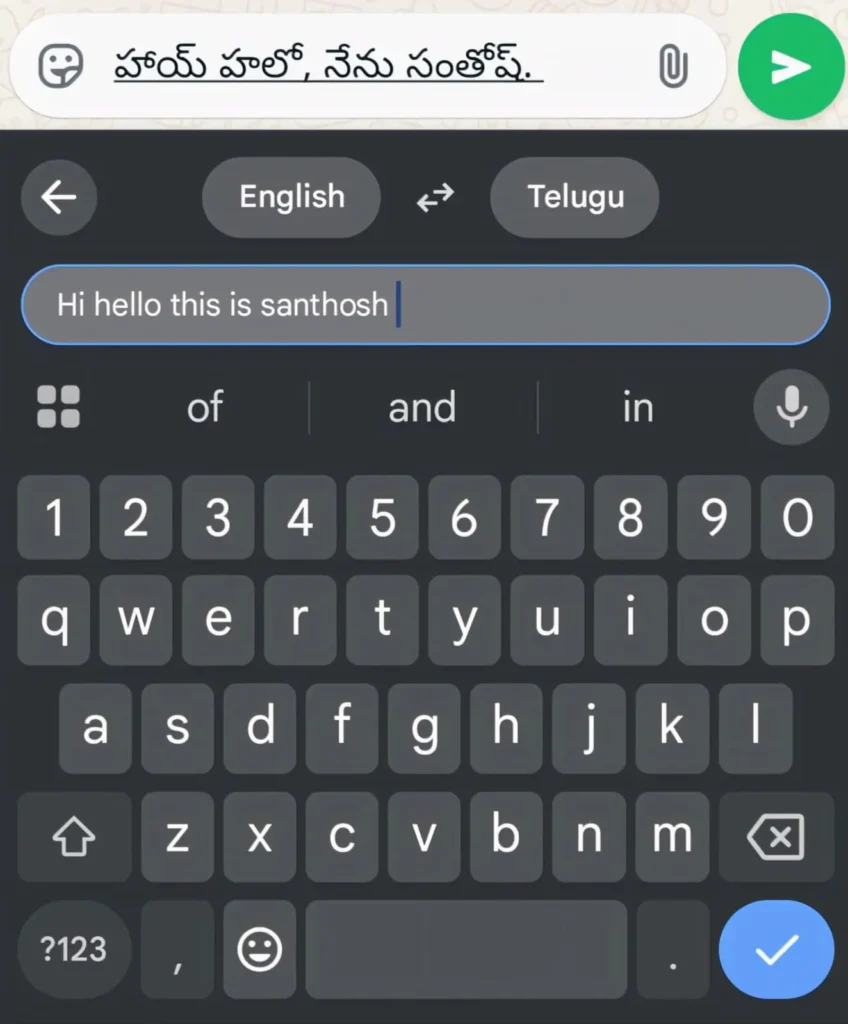
Gboard translates as you type inside any messaging app. Write in your language and send in another. The recipient reads your message in their language automatically. The translation happens seamlessly inside the keyboard itself.
15. Emotional and Context Awareness
This is one of the newest and most interesting areas of mobile AI. Your phone is beginning to understand context and situation in ways that go beyond simple pattern matching.
It knows when you are in a meeting based on your calendar and location. It adjusts notification behavior accordingly without being told. It knows when you are driving based on speed and motion patterns. It activates driving mode automatically.
Some phones detect stress patterns in how you interact with your device. Rapid frantic tapping, late night heavy usage, and unusual behavior patterns can trigger gentle digital wellbeing suggestions. The AI notices your patterns and responds to support your wellbeing.
These context aware features will become much more sophisticated over the next few years. Your phone will understand your situation and needs with increasing accuracy. The line between a smart device and a genuinely intelligent assistant is getting thinner every single month.
Why This All Matters for You
Understanding what AI controls on your phone changes how you use it. You stop seeing your phone as just a communication device. You start seeing it as an intelligent system that is actively working for you.
Every automatic adjustment, every smart suggestion, every filtered notification is AI making a decision on your behalf. Most of those decisions are good ones. They save you time, protect your privacy, and improve your experience every day.
When something feels off with your phone now you will know where to look. When your battery drains faster than usual you know the AI battery management might need your usage patterns to settle in. When notifications feel wrong you know the AI is still learning your preferences.
This knowledge makes you a smarter phone user. Smarter phone users get more value from their devices. More value from the same device you already own is always worth understanding.
Conclusion
AI controls far more of your daily mobile experience than most people ever think about. Battery management, notification sorting, typing predictions, camera enhancements, spam filtering, navigation, health tracking. All of it runs on AI working quietly every single second.
You do not need to do anything special to benefit from these systems. They are already running right now on the phone in your pocket. They have been learning your habits and improving your experience since the day you first turned on your device.
The best thing you can do is understand what is happening and let the AI do its job. Keep your phone updated so these systems get better over time. Use your phone consistently so the AI has enough information to learn your patterns accurately.
Your phone is smarter than you think. Now you know exactly how smart it really is.
Also Read: App Usage Habits Slowing Down Your Phone (12 Mistakes You Must Fix Today)
Also Read: Game Response Delay During High Server Load: Causes and Easy Fixes
FAQ’s
Does AI on my phone work without an internet connection?
Many AI features work completely offline including face unlock, keyboard predictions, battery management, and camera scene detection. Features like voice assistants, maps navigation, and content recommendations need internet to function fully. The trend is toward more features working offline as on device AI processing improves every year.
Is the AI on my phone always learning from my behavior?
Yes most adaptive AI features learn continuously from your daily usage patterns. Battery management, adaptive brightness, and notification AI all update their models based on your behavior regularly. This learning happens on your device and most of it never gets sent to any external server.
Can I stop AI from controlling certain things on my phone?
Yes you can disable most AI features individually through your phone settings. Adaptive battery, smart notifications, and predictive text all have on and off toggles. Turning them off gives you more manual control but removes the convenience and optimization these systems provide every day.
Does AI on my phone share my personal data with companies?
On device AI processes most data locally without sending it anywhere. Some features like voice assistant queries and search recommendations communicate with Google servers to function.
Will AI features on phones keep getting better in the coming years?
Yes significantly. On device AI processing power doubles roughly every two years as chip technology improves. Features that currently feel impressive will feel basic within three to four years. Every software update you install today brings small AI improvements that compound into dramatic changes over longer periods of time.