Introduction
Android phones are very powerful. But the default apps are not always the best. The right apps make your phone so much more useful.
Most people use the same basic apps forever. They never explore what else is available. They miss out on tools that save hours every single week.
I remember when I first got my Android phone. I thought the default apps were enough. Then a friend showed me a few apps and my whole experience changed overnight.
This article covers the best essential apps for Android user needs. These are not random suggestions at all. These are apps that actually make a real difference every single day.
Why the Right Apps Matter
Your phone is only as good as the apps on it. Bad apps slow everything down. Good apps make everything faster and easier.
Most people download apps randomly without thinking. They never think about what they actually need. Then their phone gets full of useless apps that do absolutely nothing useful.
The apps below are different. Each one solves a real everyday problem. Each one adds genuine value to your daily life.
1. Nova Launcher
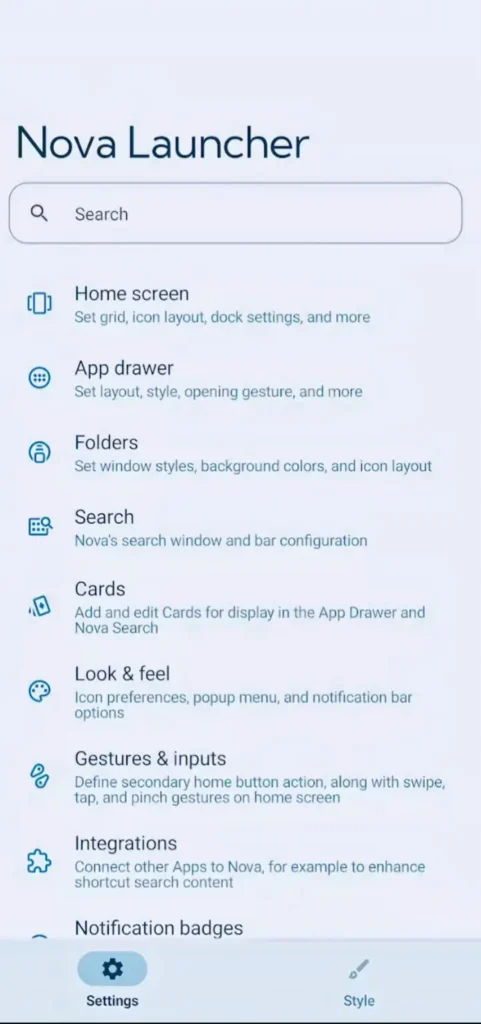
The default Android home screen is okay. But okay is not good enough. Nova Launcher makes everything much better.
It gives you full control over how your phone looks and feels. You can change icon sizes, grid layouts, and animations. You can make your home screen look exactly how you want it to look.
Nova Launcher also makes your phone feel noticeably faster. Animations are smoother. Everything responds quicker than the default launcher ever did.
I switched to Nova Launcher two years ago on a whim. My old phone suddenly felt like a brand new device. I kept showing it to everyone around me because the difference was so obvious.
It is free to download and use right now. The paid version adds even more features on top. Start with the free version and see how much you enjoy it.
2. Solid Explorer
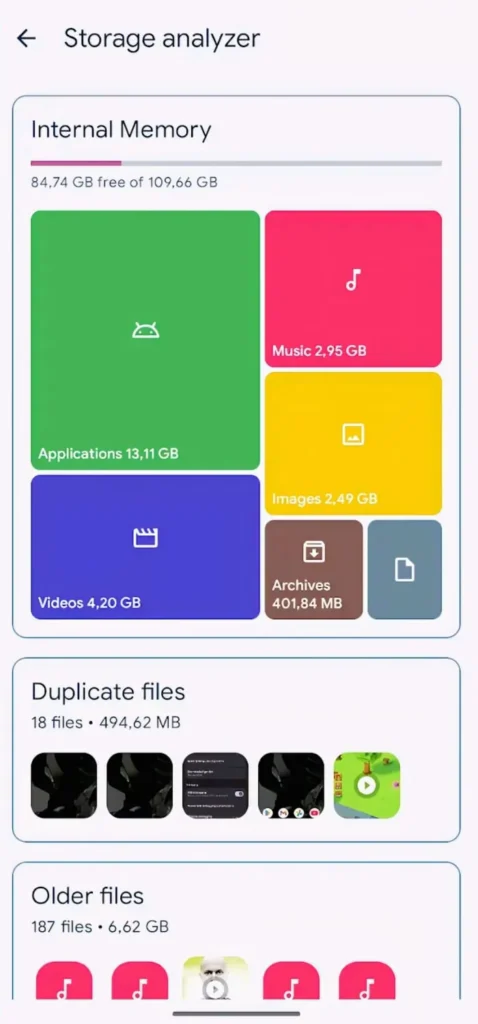
Android’s default file manager is very basic. It hides a lot of what is actually on your phone. Solid Explorer shows you everything clearly.
Solid Explorer shows all your files in a clean organized way. You can open two folders side by side at the same time. Moving and copying files between folders becomes very easy and fast.
It also connects to Google Drive, Dropbox, and other cloud storage. You access everything from one single place. No more jumping between five different apps just to find one file.
I used the default file manager for over a year. Then someone recommended Solid Explorer in a forum. I tried it once and never looked back after that first experience.
3. Greenify
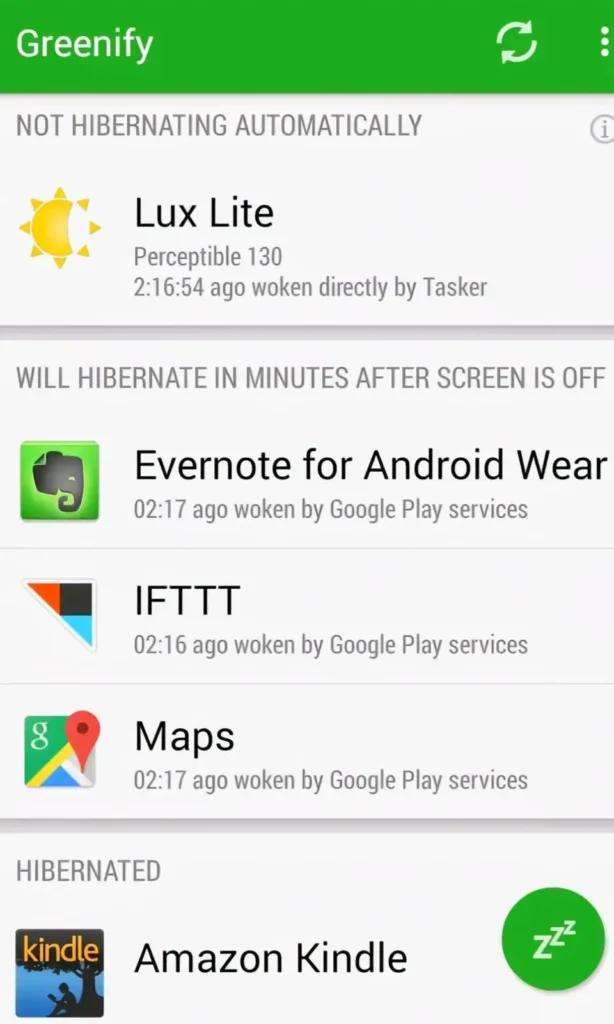
Background apps drain your battery without you knowing. Most people never find out which apps are doing this. They just charge their phone more and accept it.
Greenify finds those apps and puts them to sleep automatically. Your battery lasts longer without changing any settings manually. Your phone also stays cooler throughout the entire day.
My old phone used to die by 4pm every single day. I tried everything to fix it. Then I installed Greenify and suddenly my phone was lasting until 8pm without any other changes at all.
This app works best on phones that heat up quickly. It also helps phones that never seem to last a full day no matter what. The battery difference shows up within the first two or three days.
4. Bouncer
Every app asks for permissions these days. Location, microphone, camera, contacts. Most people just tap Allow without reading anything.
Bouncer gives permissions only temporarily. When you close the app the permission disappears on its own. The app cannot use your location or microphone silently in the background anymore.
This protects your privacy without you thinking about it every day. You get the app feature you need without giving permanent access forever. It is one of the smartest privacy tools available on Android right now.
I installed Bouncer after reading about how some apps track location in the background. Within one week I caught three apps accessing things they had absolutely no reason to access. That discovery genuinely shocked me.
5. Tasker
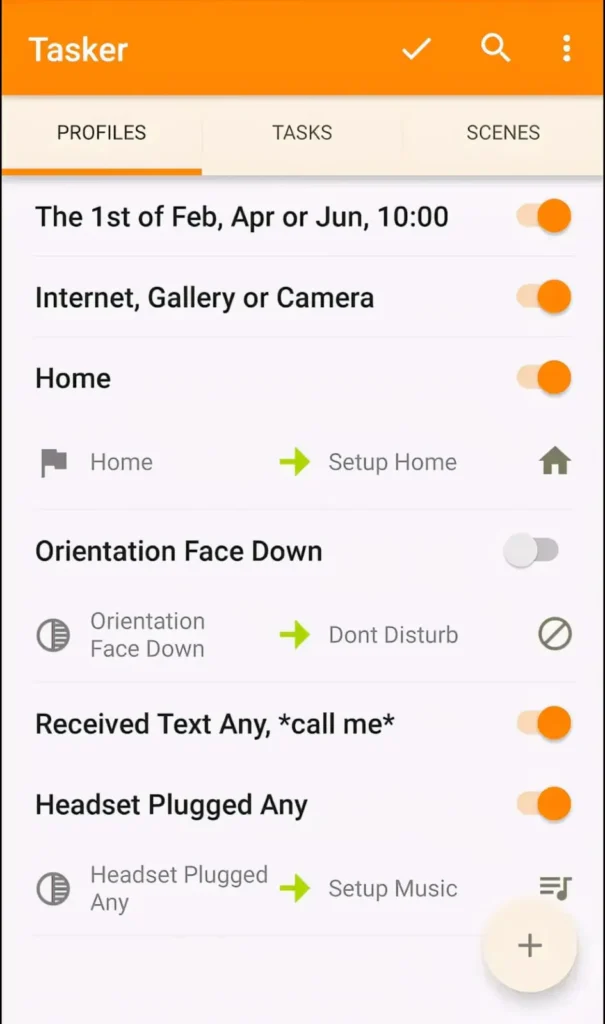
This is the most powerful app on this entire list. Tasker lets your phone do things automatically based on rules you set up yourself. It sounds technical but everyday people use it all the time.
You can set your phone to turn on WiFi when you arrive home. You can silence it automatically when you open Netflix. You can send a message to someone when your battery gets critically low.
The possibilities are almost endless. Whatever repetitive thing you do on your phone every day Tasker can automate it. It saves real time every single day without you doing anything after setup.
My favourite automation is silencing my phone automatically when I open my reading app at night. I used to forget to silence it constantly. Tasker fixed that problem forever without me thinking about it again.
It costs a small amount to buy. But it is genuinely worth every single rupee. Power users call it the most essential Android app ever created and they are not wrong.
6. Bitwarden
Most people use the same password for every app and website they have. This is very dangerous and very common. One hack and everything gets compromised at the same time.
Bitwarden stores all your passwords safely in one secure place. You only remember one master password. It fills in all your other passwords automatically whenever you need them anywhere.
It is completely free for personal use. The security is strong and trusted by millions of people around the world. There is genuinely no reason to keep using weak repeated passwords after you find this app.
I switched to Bitwarden after forgetting an important password at the worst possible moment. Setting everything up took about thirty minutes on a Sunday afternoon. Now I never think about passwords at all. Everything just works automatically every time.
7. Fluid Navigation Gestures
Android gestures are useful but limited. Fluid Navigation Gestures gives you much more control over how you navigate your phone. You set it up exactly how you want it.
You can swipe from different parts of the screen for different actions. Go back, go home, open recent apps, or launch a favourite app directly. All from one quick natural swipe anywhere on the screen.
It works with any launcher on any Android version. Setup takes only a few minutes to complete. After just one day of use it starts feeling completely natural and automatic.
I set up a swipe to open my camera directly from anywhere on my screen. Something that used to take three taps now takes one swipe. Small changes like this add up over thousands of uses every month.
8. Brevent
Some apps start themselves automatically every time your phone boots up. You never asked them to do this. They just run silently in the background consuming your battery and RAM without asking permission.
Brevent stops specific apps from starting on their own. You choose exactly which apps can start automatically and which ones cannot. Everything else stays completely asleep until you personally open it.
This makes your phone feel faster from the very first restart. Less background activity means more power for the apps you actually care about. It is one of the best free performance improvements available for Android right now.
9. Google Photos
Most people have this app but never use it to its full potential. Google Photos does so much more than just store pictures. It is genuinely one of the most impressive apps on any smartphone platform.
It organizes all your photos automatically by face, place, and object without you doing anything. You can search for any photo by typing a simple word. Type “birthday” and every birthday photo from every year appears instantly.
It also cleans up storage on your phone quietly in the background. Old photos get backed up and removed from local storage automatically. Your gallery stays clean without you lifting a finger.
I tested the search feature by typing “dog” once just to see what would happen. Photos of dogs I had completely forgotten about appeared from three years ago. I spent twenty minutes just going through old memories that day. That was a genuinely lovely surprise.
10. Musicolet
If you keep music saved on your phone Musicolet is something you need immediately. It is the best offline music player on Android right now. It is also completely free with zero ads anywhere.
It reads all the music files on your phone automatically. It organizes everything cleanly by artist, album, and genre. The interface is simple and feels natural from the very first time you open it.
It works with no internet connection required at all. No streaming subscription needed. No account required. Just your music playing exactly how you want it every single time.
11. MacroDroid
MacroDroid is like Tasker but much simpler to start with. It lets you create phone automations without needing any technical knowledge at all. Absolute beginners set it up successfully in minutes.
You can make your phone turn on Bluetooth automatically when you open Spotify. You can make it lower the volume when you plug in your earphones. Small smart automations that save a little time dozens of times every day.
The free version gives you five automations to start. That is more than enough to see how useful and fun it is. The paid version removes all limits and costs very little.
12. Inware
Most people have no idea what is actually happening inside their phone. Inware shows you everything in real time on one clean screen. CPU temperature, RAM usage, battery health, storage details, and much more.
You can see exactly which parts of your phone are working hard at any moment. You can spot heating problems before they damage anything. You can understand your device in a way that most people never bother to learn.
I installed Inware when my phone started feeling warm during normal use. It showed me my CPU was running unusually hot even when idle. I found a background app causing the problem and removed it that same day. Inware probably saved my phone from serious damage.
It is completely free and very lightweight. Every Android user should have it installed just to understand what their device is actually doing.
13. Sketchbook
Even if you are not an artist Sketchbook is worth having on your phone. It is a professional drawing app that costs absolutely nothing at all. Artists and non artists both use it every day.
It has hundreds of brushes and drawing tools. Layers work like professional design software. You can create impressive results even as a complete beginner.
I used it once just to sketch out a room layout when I was rearranging furniture. It was so much faster than trying to explain the idea in words. Sometimes a quick sketch solves a problem that words never could.
It works great with a stylus but finger drawing works fine too. The interface never feels overwhelming even on a small phone screen.
14. Podcast Addict
Podcasts make boring commutes and household chores actually enjoyable. Podcast Addict is the best podcast app on Android without any competition. It has every feature you could ever want.
It finds and downloads new episodes automatically overnight. You can speed up playback to listen faster without losing quality. It remembers exactly where you stopped in every single episode across every show.
The free version is already better than most paid podcast apps on other platforms. You will not feel like anything important is missing. Millions of Android users use nothing else for their podcasts.
I started using Podcast Addict during long commutes last year. I finished three books worth of content in podcast form in just two months. It made time I used to waste into time I actually enjoyed.
15. Aegis Authenticator
Two factor authentication keeps hackers out of your accounts. Most people use Google Authenticator for this important task. Aegis does the same job but much better in every way that matters.
The biggest difference is backups. Aegis lets you back up all your authentication codes safely and easily. Google Authenticator has no proper backup feature at all.
If you lose your phone with Google Authenticator you can lose access to every protected account permanently. That is a terrifying situation that has happened to many real people. Aegis prevents this completely.
I switched to Aegis after a friend told me they lost access to six important accounts when their phone broke. Setting up Aegis took fifteen minutes. Now I sleep better knowing my accounts are protected no matter what happens to my phone.
How to Use These Apps Together
Do not install all fifteen apps at the same time. Your phone will feel overwhelming and you will not learn any of them properly. Pick five that solve your most pressing problems first.
Start with Bitwarden for passwords and Bouncer for privacy. Add Google Photos for storage management and Nova Launcher for customization. Then add Aegis for proper account security.
After one full week add more based on what you still feel you need. Build your app setup slowly and thoughtfully over time. Every app should solve a real problem you actually have in your daily life.
Delete any app you install and do not use regularly after one week. Unused apps waste storage and slow your phone down silently. Keep only what genuinely helps you every single day without exception.
Also Read: Fix These Beginner Mistakes in Online Multiplayer Games
Also Read: 10 Smart Tricks to Win More Matches in Mobile Games (Pro Tips)
Conclusion
The right apps make Android the most powerful mobile platform available to anyone. These fifteen apps cover productivity, privacy, performance, and personalization together. Every single one adds genuine real value to daily phone use.
Your phone is a tool. The right apps make that tool work much harder for you every day. The wrong apps just take up space and drain your battery slowly.
Start with two or three apps from this list today. See how much they change your experience in just one week. Then come back and add more whenever you feel ready.
Android gives you the freedom to customize and improve everything. These apps are the best possible place to start using that freedom wisely.
FAQ’s
1. Are these apps safe to download on Android?
Yes every app mentioned is available on the official Google Play Store and trusted by millions of users worldwide. Always download apps only from the Play Store and never from random websites. Check reviews and permissions carefully before installing anything new on your device.
2. Do these apps slow down my Android phone?
Most of these apps are very lightweight and actually designed to improve performance not hurt it. Apps like Greenify and Brevent specifically make your phone faster and more efficient over time. Install one app at a time and check how your phone feels after each addition.
3. Are any of these apps paid or require money to use?
Most apps on this list are completely free to download and use fully. Tasker costs a small one time payment but delivers genuine value every single day. The rest are free with optional paid upgrades that are never necessary for everyday use.
4. Which app helps the most with battery life on Android?
Greenify and Brevent together make the biggest real difference for battery life. Greenify stops background app activity and Brevent prevents unwanted apps from starting automatically. Using both together regularly can add one to two extra hours of battery life every single day.
5. Can beginners use all these apps without technical knowledge?
Yes most apps on this list are designed for everyday users and are simple to set up from day one. Tasker and MacroDroid have a small learning curve but both have many helpful tutorials available online for free. Always start with the simpler apps first and work your way up at your own pace.