Introduction
So, when you try to take a photo. It looks okay and very good you will be satisfied. You open your gallery app. A few taps later the photo looks completely different. Brighter, sharper, cleaner. Better than what your eyes actually saw in that moment.
That transformation happened because of AI. It is working inside your gallery app right now. Most people never understand what is actually happening behind those simple tap buttons.
I used gallery apps for years without thinking about any of this. I just tapped enhance and moved on. Then I started studying what these tools actually do to my photos. Everything I understood about mobile photography changed completely after that.
This article explains AI photo enhancements in gallery apps. What they do, how they work, and how to use them properly.
What Is AI Photo Enhancement?
AI photo enhancement means using artificial intelligence to automatically improve your photos. The AI studies your image. It identifies what needs fixing. Then it makes hundreds of tiny adjustments in seconds.
This is very different from old photo editing. Old editing required you to adjust every single setting manually. Brightness, contrast, saturation, sharpness. Everything needed human decision making.
AI removes that need completely. It looks at your photo and decides what adjustments will make it look best. It applies those adjustments faster than any human editor ever could.
The results used to be average a few years ago. Today they are genuinely impressive. AI enhancement can turn a bad photo into a great one with almost no effort from you at all.
How AI Studies Your Photos
Before making any changes the AI analyses your photo deeply. This analysis happens in fractions of a second. Most people never realize it is happening at all.
The AI identifies what type of scene is in the photo. Is it a portrait, a landscape, food, a building, or a night scene. Each type needs different adjustments to look its best.
It finds the brightest and darkest areas of the image. It measures color balance and identifies color casts. It detects faces and identifies skin tones specifically. It measures sharpness across different parts of the image.
All of this analysis feeds into the enhancement decisions. The AI makes adjustments based on what it found not based on generic preset values. This is why AI enhancement looks more natural than old automatic filters.
1. Auto Enhance
Auto enhance is the most basic AI tool in any gallery app. One tap and the AI improves your photo automatically. No manual adjustments needed.
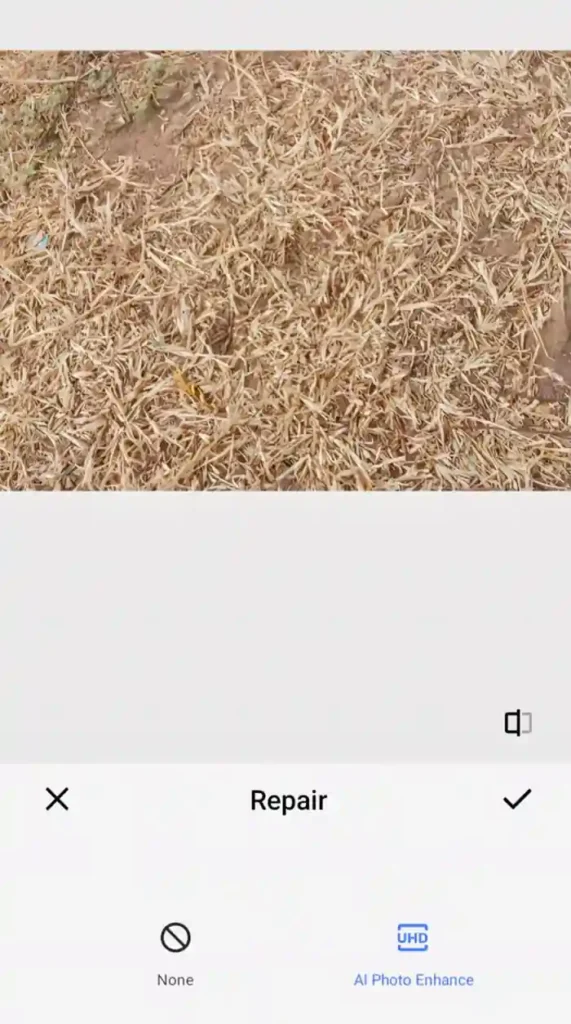
But what actually happens when you tap auto enhance is much more interesting than it looks. The AI applies dozens of micro adjustments simultaneously. Brightness lifts slightly in dark areas. Contrast increases selectively. Colors become more vivid without looking fake.
The adjustment is not the same for every photo. A landscape photo gets different treatment from a portrait. A dark indoor photo gets different treatment from a bright outdoor one. The AI tailors every adjustment to that specific image.
I tested auto enhance on fifty different photos once. It improved forty two of them noticeably. The eight it did not improve were already very well exposed photos that needed nothing. That success rate is genuinely impressive for a one tap tool.
2. Sky Enhancement
This is one of the most dramatic AI tools available in modern gallery apps. It detects the sky in your photo automatically. Then it enhances just the sky without touching anything else.
The AI finds the exact boundary between sky and everything else in the image. This boundary detection used to be very difficult even for professional editing software. Today AI does it accurately in seconds.
After detection it can enhance sky colors, add more drama to clouds, increase blue saturation, or correct overexposed white skies. All of this happens only within the sky area. The rest of your photo stays completely untouched.
Some advanced gallery apps go further. They can replace a dull grey sky with a dramatic sunset or a starry night sky automatically. The AI blends the replacement so naturally that it looks like the original photo.
I replaced a dull overcast sky in a travel photo once using this tool. The result looked completely real. Nobody who saw the final photo ever guessed the sky was changed at all.
3. Portrait Enhancement and Skin Smoothing
Portrait photos get special AI treatment in gallery apps. The AI detects every face in the photo first. Then it applies targeted enhancements specifically to facial areas.
Skin smoothing reduces visible texture and blemishes while keeping the face looking natural. The AI knows the difference between skin texture and facial features. It smooths selectively without making faces look plastic or fake.
Eye enhancement brightens the whites of eyes and adds subtle sharpness to irises. This makes portraits feel more alive and engaging. Teeth whitening works the same way selectively targeting only teeth areas.
The best AI portrait tools also adjust facial lighting. If the face is slightly underexposed the AI brightens just the face without brightening the whole image. This selective brightening makes portraits look professionally lit even when the original lighting was poor.
My family photos look dramatically better with portrait enhancement applied. My relatives always notice the difference when I share enhanced photos. Nobody ever guesses it was done automatically by AI in seconds.
4. Noise Reduction
Noise is the grainy texture that appears in photos taken in low light. Old noise reduction blurred the entire photo to hide grain. This made everything look soft and muddy.
AI noise reduction works completely differently. It studies the photo to understand what is genuine detail and what is random noise. Then it removes only the noise while carefully preserving all real detail.
The result is a photo that looks clean without looking blurry. Fine details like hair, fabric texture, and sharp edges stay sharp. Only the random grain disappears. This distinction is what makes AI noise reduction so much better than old methods.
Gallery apps apply noise reduction automatically on photos the AI identifies as high noise images. You can also apply it manually to any photo you want. The difference on a dark indoor photo or a night shot is very dramatic.
5. Sharpening and Detail Enhancement
Sharpening makes photo details crisper and clearer. Old sharpening tools added sharpness equally across the entire image. This often created an unnatural over sharpened look with strange halos around edges.
AI sharpening is much more intelligent. It identifies which areas of the photo contain important detail. It applies strong sharpening to those areas. It applies little or no sharpening to smooth areas like clear sky or blurred backgrounds.
This means faces get sharp eyes and clear hair detail. Landscapes get sharp leaves and building textures. But the smooth sky behind them stays naturally smooth without artificial sharpening artifacts.
Detail enhancement goes further than basic sharpening. The AI finds fine textures across the entire image. It subtly enhances those textures to make photos feel more three dimensional and realistic. Fabric looks more like real fabric. Skin looks more like real skin.
6. Color Enhancement and White Balance Correction
Colors in photos often look different from what your eyes saw in real life. Indoor lighting creates orange or yellow color casts. Overcast skies create blue casts. Shadows create green tints.
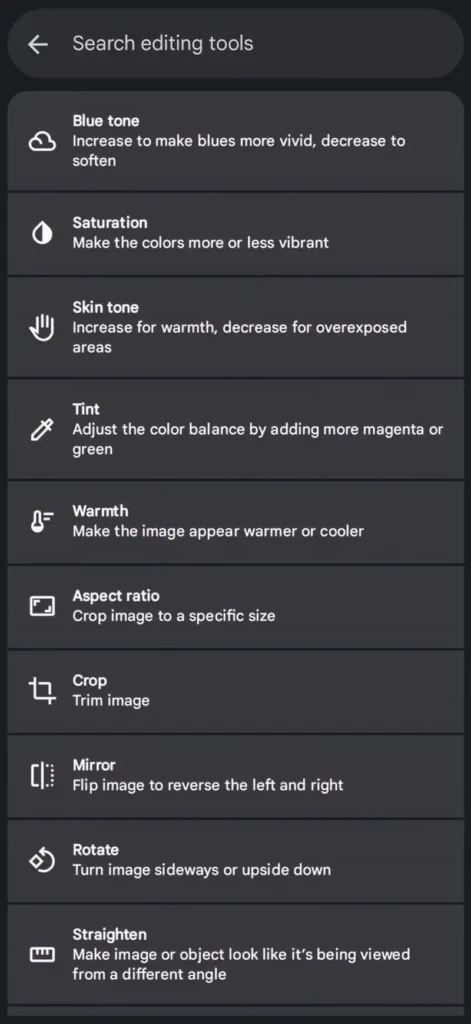
AI color enhancement detects these color casts automatically. It corrects them to make the photo look more natural and accurate. Skin tones look more like real skin. Sky looks more like real sky. Grass looks more like real grass.
White balance correction is a specific part of color enhancement. The AI finds areas of the photo that should be neutral white or grey. It uses those areas to calculate the correct color balance for the entire image. Then it shifts all colors to match that correct balance.
Saturation enhancement makes colors more vivid without making them look artificially fake. The AI knows which colors can handle more saturation and which ones will look unnatural if pushed too far. It adjusts each color independently for the most natural vivid result possible.
7. Object and Background Removal
This is one of the most impressive AI tools in modern gallery apps. The AI identifies unwanted objects in your photo. Then it removes them and fills the gap with realistic background content.
Remove a stranger who walked into your travel photo. Remove a rubbish bin ruining your landscape shot. Remove a wire crossing your sky. Remove a watermark or timestamp in the corner.
The AI does not just delete the object and leave a hole. It fills the removed area with content that matches the surrounding background. Sky gets filled with matching sky. Grass gets filled with matching grass. The result looks like the object was never there.
Google Photos Magic Eraser, Samsung Object Eraser, and similar tools all use this AI technology. The quality keeps improving with every software update. Objects that used to leave obvious traces now disappear completely without any visible sign they were ever in the photo.
I removed a large tourist crowd from a famous landmark photo once. The landmark looked completely empty and serene in the final image. Everyone who saw it assumed I visited very early in the morning to avoid crowds. The AI did that in about thirty seconds.
8. HDR Enhancement
HDR stands for High Dynamic Range. It deals with the most common problem in photography. Real scenes have both very bright areas and very dark areas at the same time. Cameras struggle to capture both correctly in one photo.
AI HDR enhancement fixes this after the photo is already taken. The AI identifies the overexposed bright areas and the underexposed dark areas in your photo. It recovers detail in both simultaneously.
Blown out white skies get detail restored to them. Dark shadows that show nothing get lifted to reveal hidden detail. The final image shows the full range of what was actually in the scene.
The AI applies this selectively to different areas. The sky might get darkened while a shaded face gets brightened. A bright window gets recovered while the dark room around it gets lifted. Each area gets treated independently for the most natural result.
9. Video Enhancement in Gallery Apps
AI photo enhancement tools are expanding into video inside gallery apps. The same tools that enhance your photos now work on your video clips automatically.
Video stabilization uses AI to remove camera shake from handheld video footage. The AI analyzes every frame and compensates for hand movement. The result looks like it was filmed on a tripod even when it was filmed while walking.
Video noise reduction cleans up grainy dark footage the same way it cleans photos. AI sharpening enhances video detail frame by frame. Color correction applies consistently across the entire clip.
Some gallery apps now offer automatic video highlight reels. The AI watches your video clips and identifies the most interesting moments. It cuts them together with music automatically. You get a finished edited video without doing any editing work yourself.
10. AI Photo Restoration
Old photos get damaged over time. They fade, crack, tear, and develop spots and scratches. AI restoration tools can fix all of these problems automatically.
The AI scans old damaged photos and identifies every type of damage present. Faded colors get restored to their original vibrancy. Scratches and cracks get filled with matching content. Spots and stains disappear. Torn edges get reconstructed.
Some advanced tools go even further. They can colorize old black and white photos automatically. The AI has learned what colors different objects, clothing styles, and environments typically were from historical photos. It applies realistic colors that make old family photos look like they were taken in color originally.
I restored an old damaged photo of my grandparents once using an AI restoration tool. The original had severe fading and several large scratches across it. The restored version looked like a fresh modern photo. My family was genuinely emotional when they saw the result.
11. Smart Crop and Composition
AI composition tools analyze your photo and suggest better framing. The AI has learned what makes a well composed photo from studying millions of images. It applies those composition principles to your specific photo.
It suggests crops that follow the rule of thirds. It identifies the main subject and ensures it is properly framed. It removes distracting elements from edges by suggesting a tighter crop.
Some gallery apps go further. They automatically straighten tilted horizons. They detect and correct lens distortion that makes straight lines appear curved. They remove the fisheye effect from wide angle photos automatically.
The AI also detects when a portrait photo should be a vertical crop and when a landscape should be horizontal. It suggests the most natural orientation for each specific image based on what is in the photo.
How to Get the Best Results From AI Enhancement
Do not apply every enhancement to every photo. Some photos are already excellent and need nothing. Auto enhancing a perfectly exposed photo can actually make it look worse.
Start with auto enhance and see if you like the result. If yes keep it. If no undo it and try individual tools instead. Targeted tools like noise reduction or sky enhancement often work better than blanket auto enhancement.
Always keep the original photo saved separately. Apply enhancements to a copy. This lets you compare before and after and go back to the original if you change your mind later.
Use portrait enhancement carefully on group photos. The AI sometimes applies skin smoothing too aggressively to some faces. Check every face in the photo after enhancement before keeping the result.
Also Read: Hidden AI Features in Android You Didn’t Know Existed (2026 Guide)
Also Read: Best Essential Apps for Android Users (Don’t Miss These!)
Conclusion
AI photo enhancement has completely changed what mobile gallery apps can do. Tools that used to require professional software and skill are now available to everyone with one simple tap.
Sky enhancement transforms dull landscapes. Portrait enhancement makes every face look its best. Noise reduction cleans up dark photos. Object removal eliminates unwanted elements. HDR enhancement recovers lost detail in difficult lighting.
These tools are already inside the gallery app on your phone right now. Most people use only a small fraction of what is available. Exploring these features takes minutes. The results can transform photos you thought were failures into photos worth sharing.
Open your gallery app today. Find a photo you were disappointed with. Try these AI tools on it one by one. You will be surprised what your phone can do to a photo you almost deleted.
FAQ’s
1. Do AI photo enhancements reduce the quality or resolution of my photos?
Good AI enhancement tools preserve full resolution while making improvements. They add detail and clarity rather than removing it. Always check that your gallery app saves enhanced photos at full resolution and not at a compressed lower quality version.
2. Can AI enhancement fix a completely blurry or out of focus photo?
AI can improve slightly soft photos and add some sharpness to mildly blurry images. Severely out of focus photos cannot be fully fixed by any current AI tool. The detail simply does not exist in the original image for the AI to recover and enhance properly.
3. Does using AI photo enhancement use a lot of battery on my phone?
Individual enhancements use very little battery and complete in seconds. Batch processing many photos at once uses more power and can warm your phone slightly. Doing heavy editing while your battery is low is not recommended as processing may slow down significantly.
4. Are AI enhanced photos easy to spot as edited by other people?
Subtle AI enhancements like noise reduction and color correction are virtually impossible to detect. More dramatic changes like sky replacement or object removal can sometimes look slightly unnatural on close inspection. The quality of detection depends heavily on how carefully the AI blended the changes.
5. Will AI photo enhancement tools keep improving on Android phones?
Yes these tools improve significantly with every software update. Google, Samsung, and other manufacturers invest heavily in camera and gallery AI development. Features that seem impressive today will feel basic compared to what will be available within the next two to three years.